
Creating Microsoft 365 accounts is only half the job. Without a licence, a new pupil can’t open Outlook or Teams, and a new teacher can’t install Office. In most schools, someone assigns those licences by hand every September, and again every time someone joins mid-year.
Realsmart Sync can now do it for you.
Setting it up
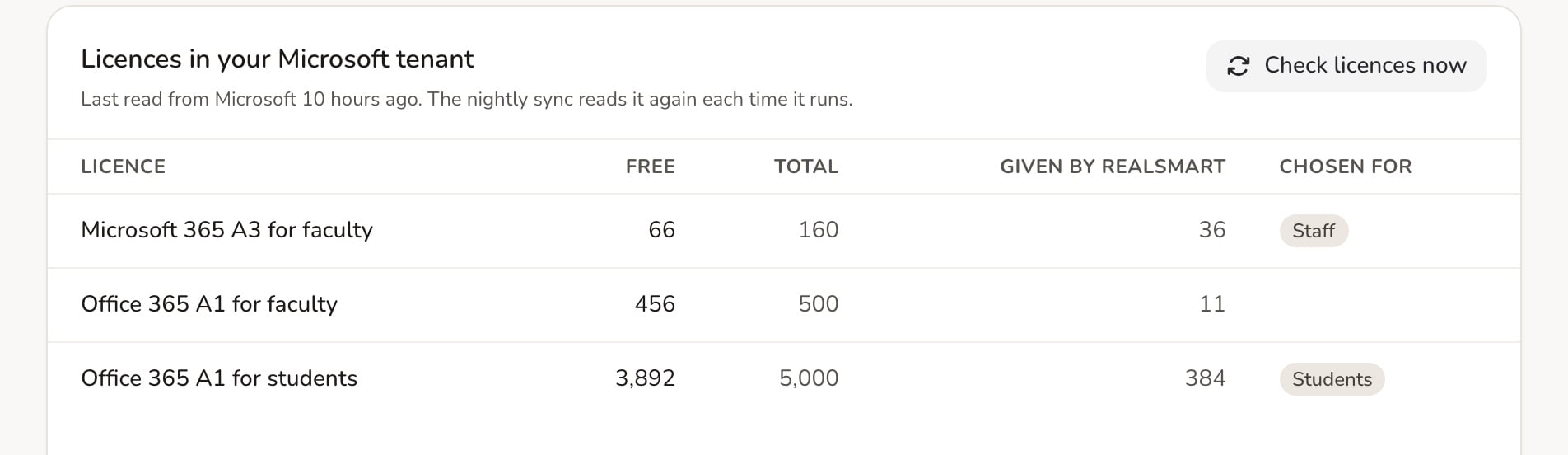
- In ADAdmin, go to Microsoft Entra settings → Licences and choose Check licences now. You’ll see the licences your Microsoft tenant owns and how many are free.
- Under Which licence each person gets, choose a licence for Students and one for Staff, or Don’t give a licence.
- Check the country (it’s United Kingdom unless you change it).
- Turn on Assign Microsoft 365 licences.
After each sync, Last licence sync tells you how many people were licensed, swapped to a different licence, waiting, or couldn’t be done.
Safe by design
- Staff come first. If you run short of licences, staff are licensed before pupils.
- We only remove what we gave. Licences you assigned yourself are never taken away.
- Take their licence back is Off unless you turn it on. Microsoft deletes a mailbox 30 days after its licence is removed, so think carefully before switching this on for leavers.
Rules for groups that need something different
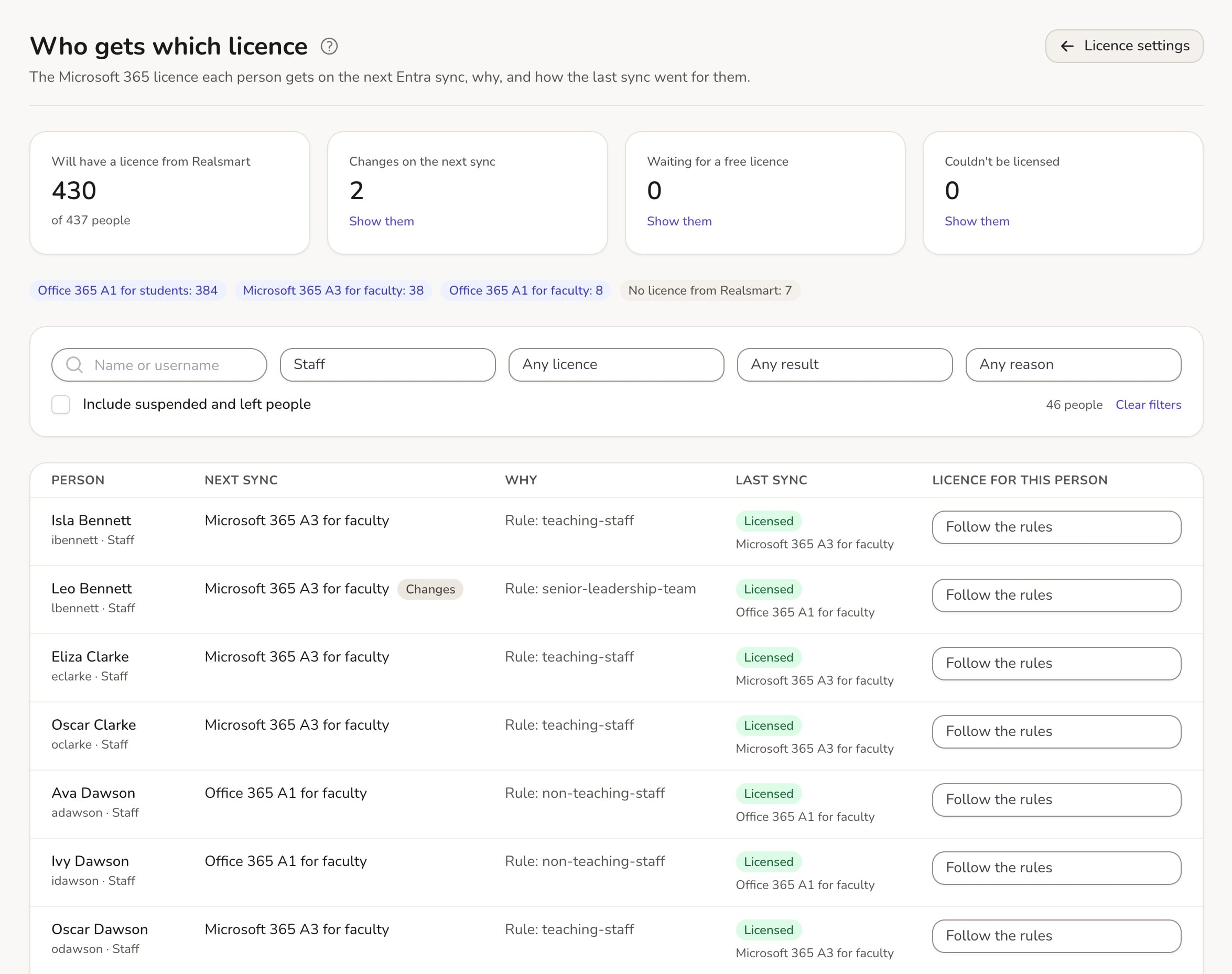
Under Advanced, turn on Use licence rules for groups and people. Then give a group or one person a different licence, for example a fuller licence for your senior leadership team. Rules are checked from the top, and the first match wins. Members of groups inside groups count too.
Who gets which licence lists everyone, with the licence the next sync will give them, why, and what they had last time. You can also set a licence for one person there.
Before you start
- It’s off until you turn it on.
- Your Microsoft app needs permission to read your organisation’s licences. The help guide shows how.
- Governors, observers and admins only get a licence if a rule gives them one.
- Don’t use it alongside Microsoft’s own group-based licensing for the same people.
Want us to check your set-up first? Email support@realsmart.co.uk.