
Stop Crossing Your Fingers Every Time Your MIS Syncs.
Traditional sync tools leave you in the dark until a student can’t log in. However, Realsmart is the UK’s only “glass-box” MIS sync engine. Connect your MIS to Google, Entra, Apple, and AD with 100% visibility, dry-run previews, and total MAT control. Backed by 15 years of education expertise.
Built for UK Schools & MATs
Zero Installation Required for Cloud
Why UK Schools Are Switching to “Glass Box” Syncing
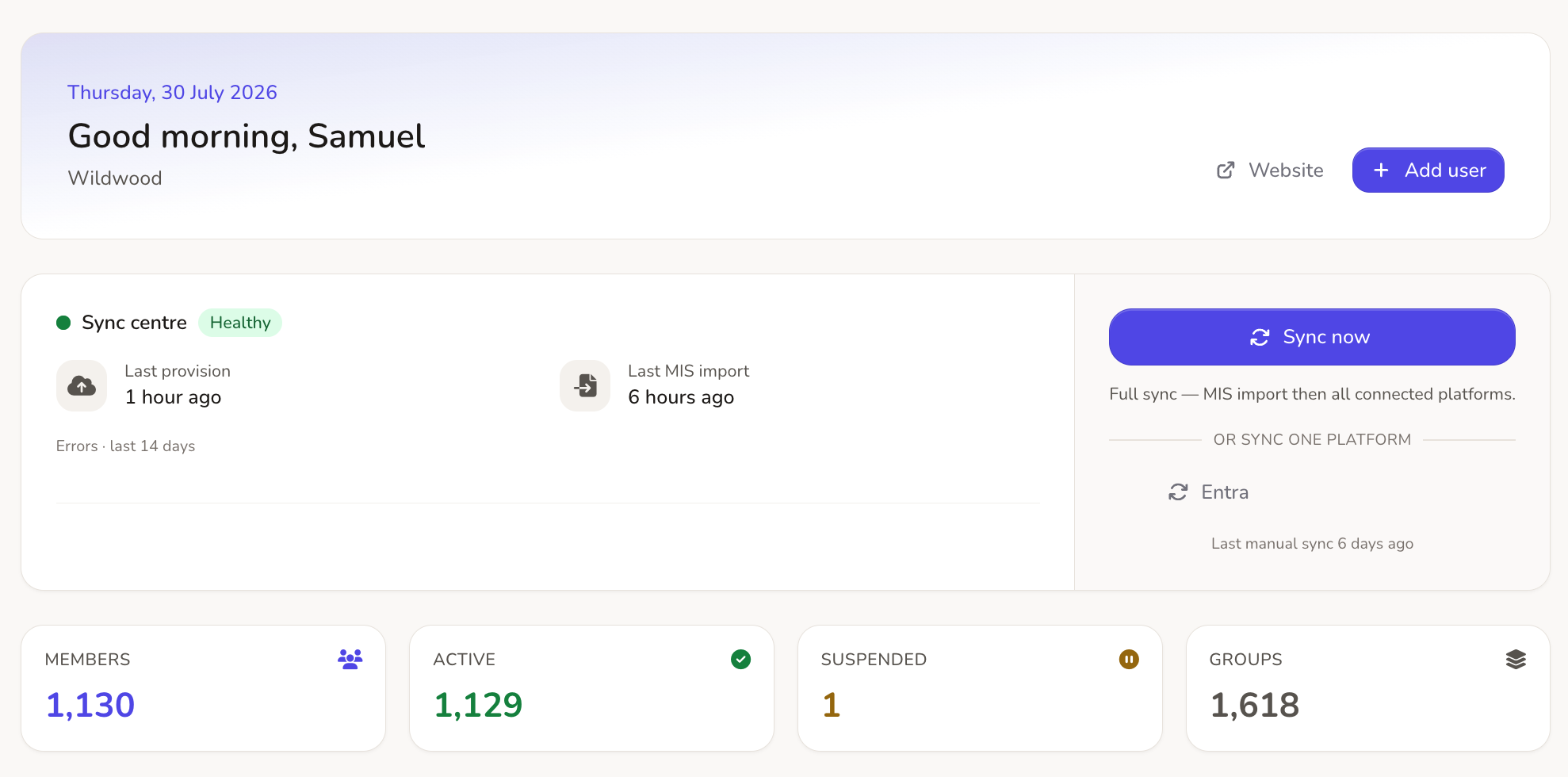
Traditional bespoke scripts leave you in the dark. In contrast, Realsmart replaces blind syncs and support tickets with total visibility and control.
Visibility vs. Guesswork
Legacy Tools: You only find out a sync failed when support calls start rolling in at 8:45 AM.
Realsmart Sync: However, our preview engine shows you the exact changes computed before a single byte of data moves.
Autonomy vs. Tickets
Legacy Tools: Opening a support ticket and waiting days for a fix is frustrating when tweaking a rule.
Realsmart Sync: Instead, you can override policies per group, safely review account deletions before they happen, and track every action with an immutable audit trail.
Dry Runs vs. Chaos
Legacy Tools: Nerve-wracking summer rollovers run blind, risking wiped classrooms and duplicate accounts.
Realsmart Sync: Furthermore, our engine freezes summer MIS churn automatically so you can dry-run the entire new academic year first.
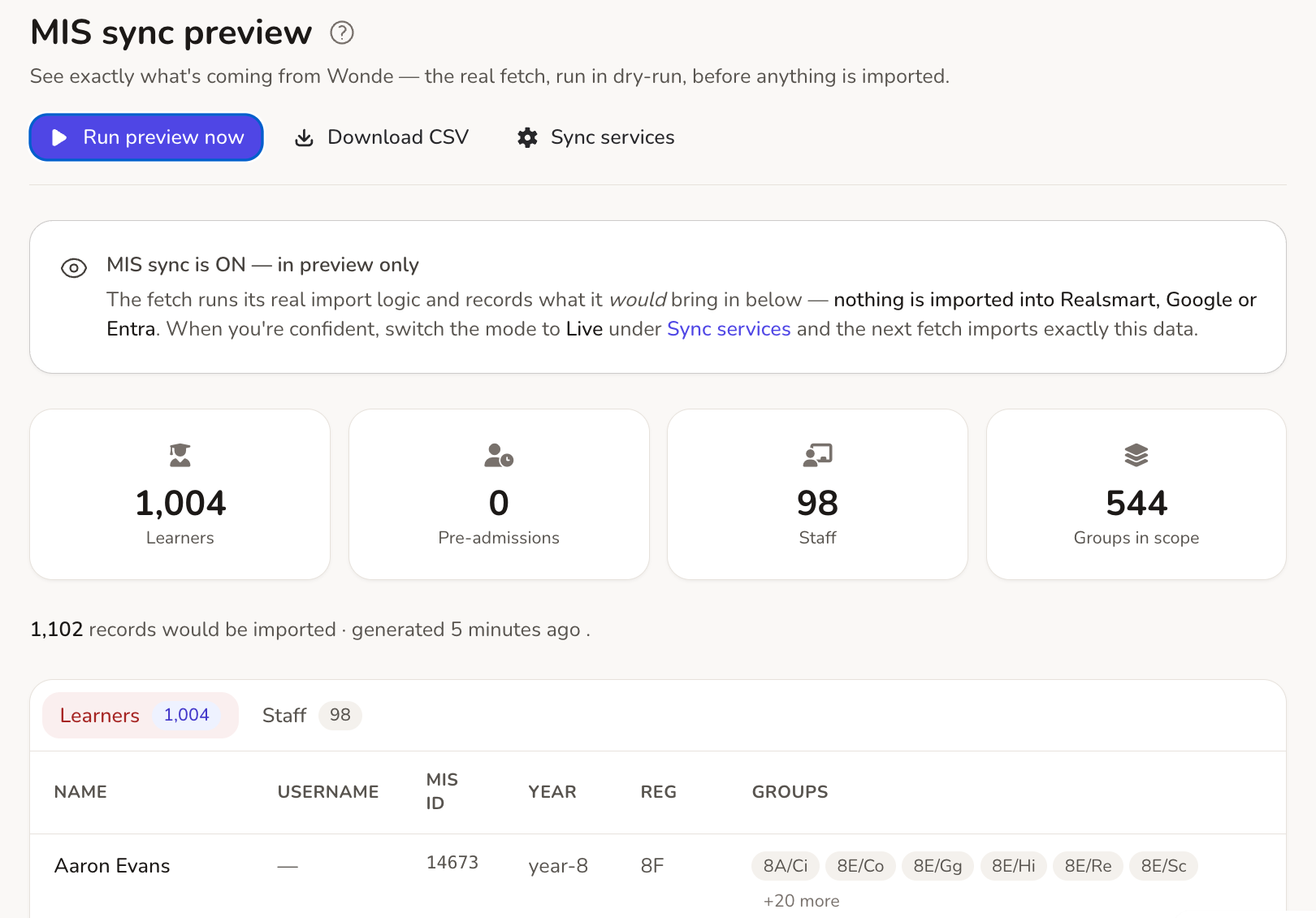
See the exact plan before you press sync
Run MIS sync in preview mode to see exactly what will be imported—learners, staff, and groups—without changing a single byte of data. In addition, if you already have a Google or Entra estate, our Cloud Reconciliation tool audits your existing accounts and proposes matching rules so you adopt them safely instead of creating duplicates.
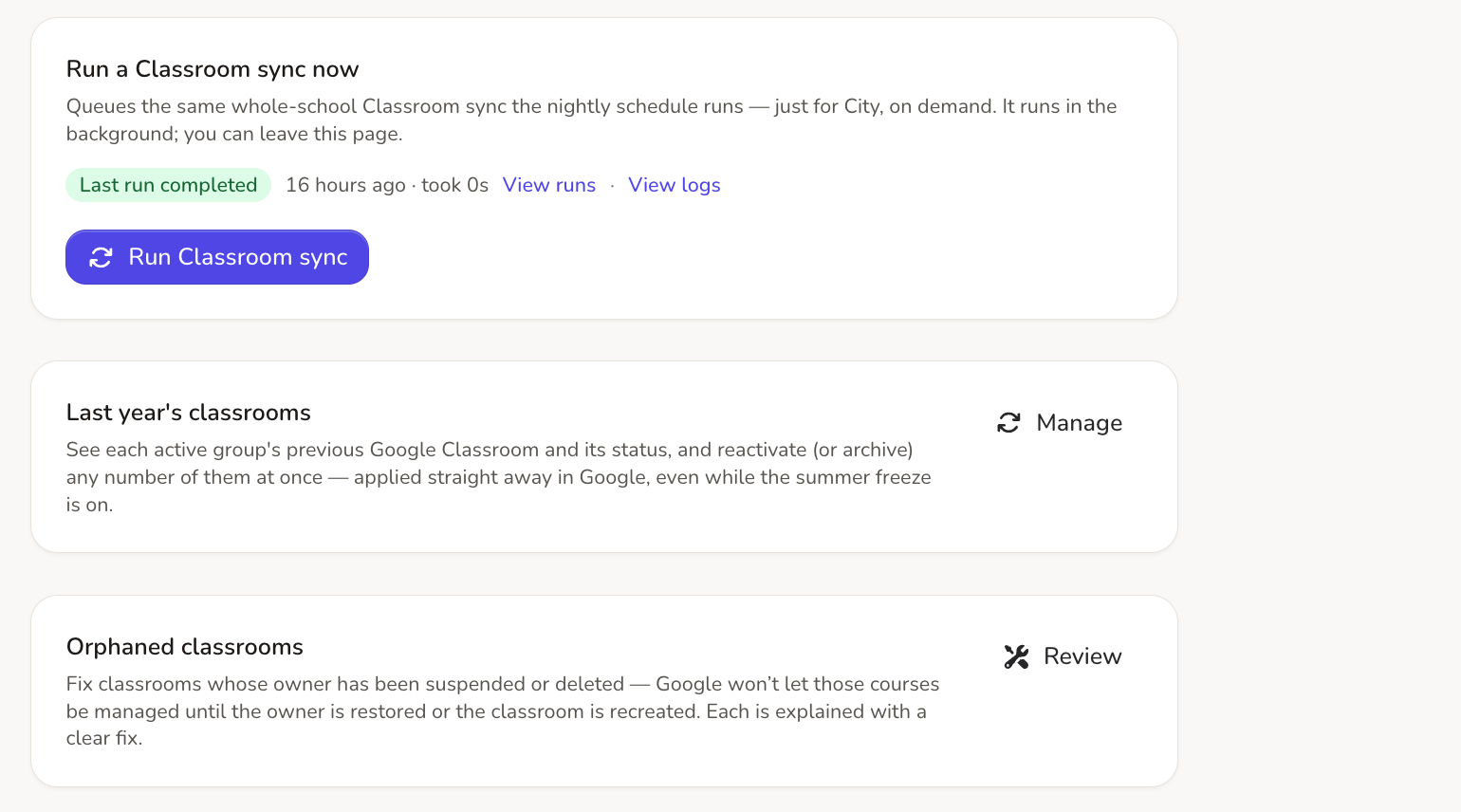
Google Workspace & Classroom, fully automated
Provision accounts, Organisational Units, and Google Classrooms straight from your MIS data. Specifically, Realsmart protects your learning environment by automatically assigning a fallback owner to stop classes from being orphaned when a teacher leaves. Consequently, you gain full control over your end-of-term archiving policies.
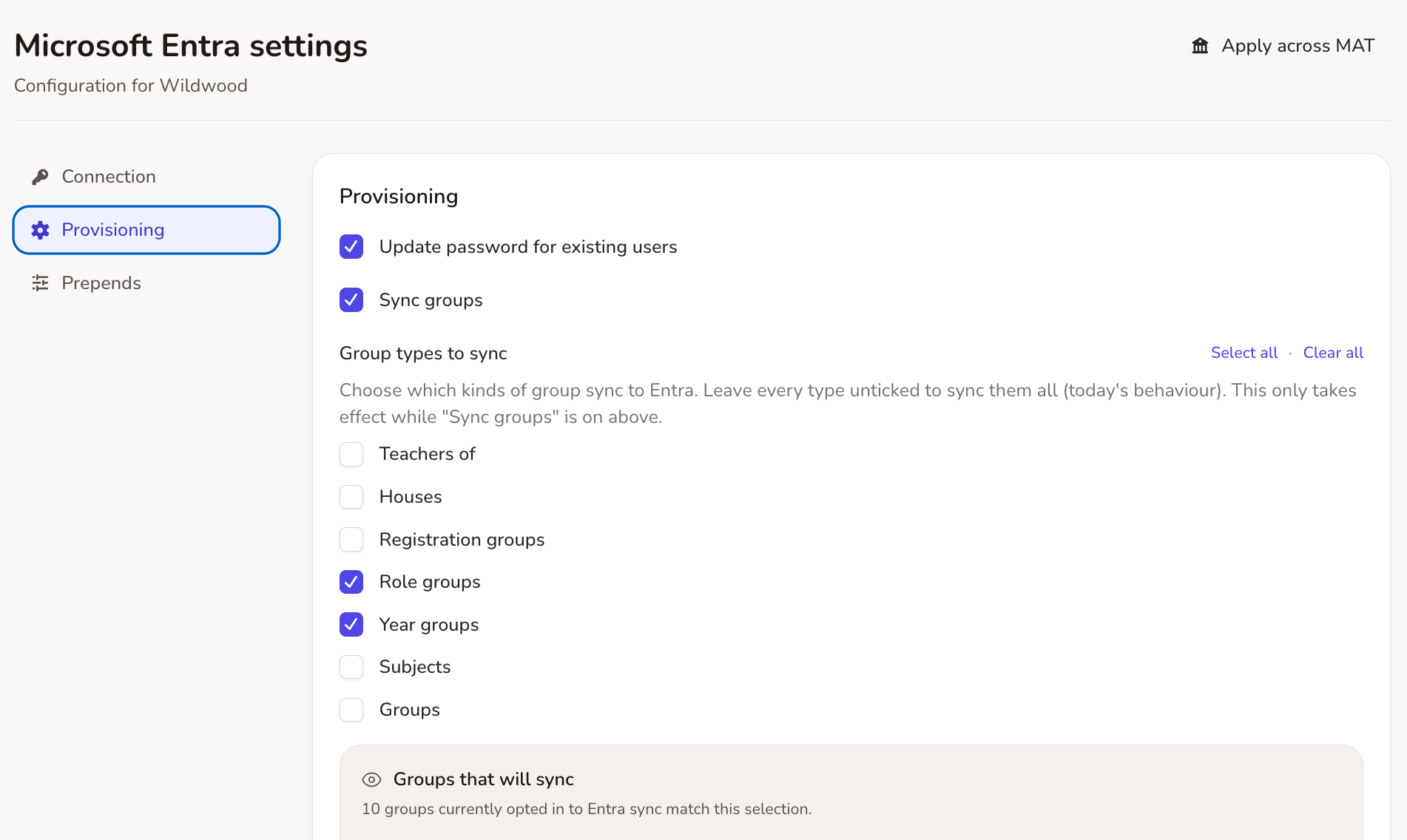
Microsoft 365 & Entra ID, kept perfectly in step
Provision users, Administrative Units, and groups straight from your MIS feed. As a result, you can choose exactly which group types sync (like registration groups, houses, or subjects), set custom group email addresses on your own domain, and enable Single Sign-On (SSO) with SmartLogin so users log in with one secure credential.
Active Directory sync for your on-prem estate
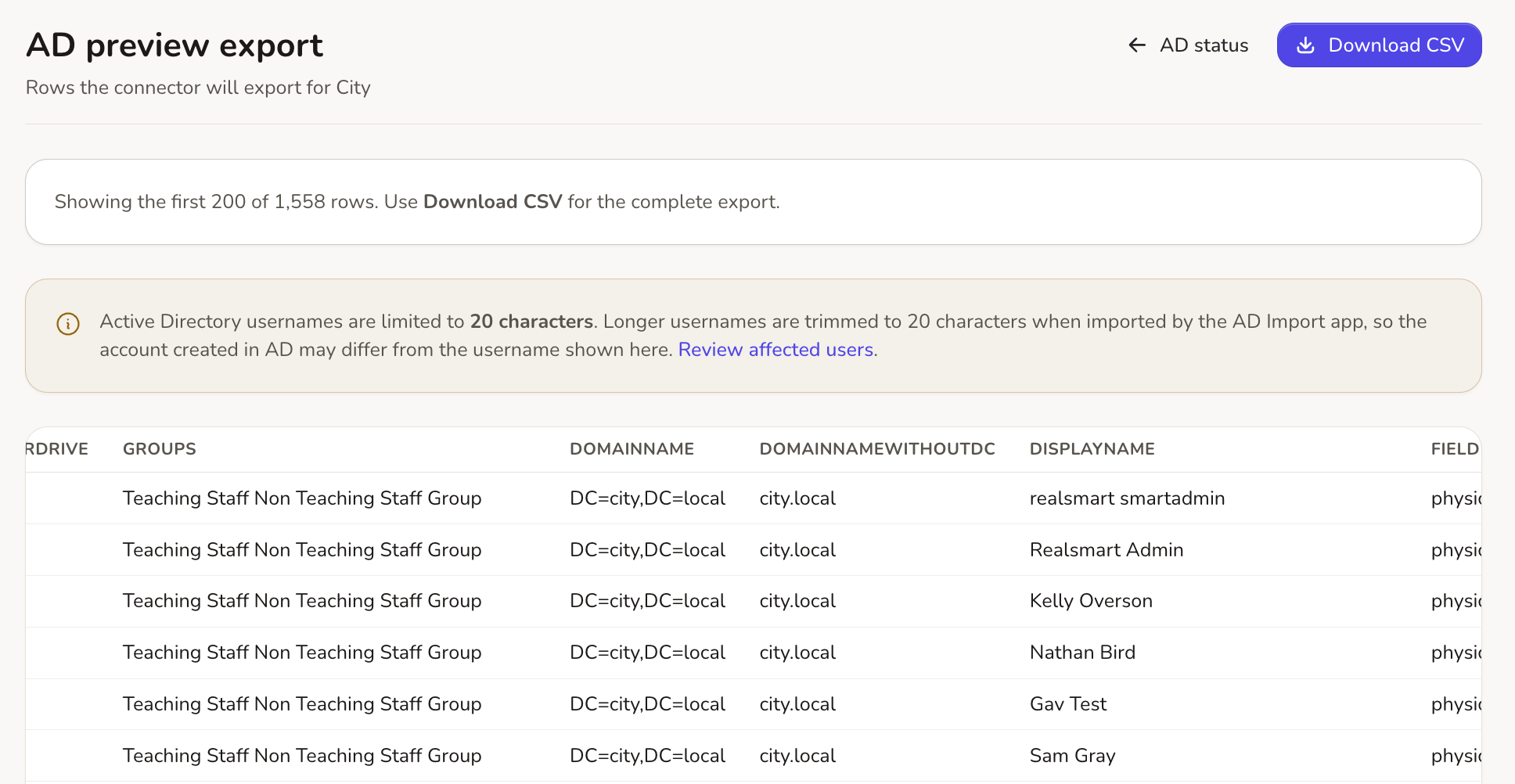
A lightweight Windows Server connector gives your on-prem AD environment the exact same visibility as the cloud. For instance, you can map year groups and intake years, sync passwords securely to and from AD, and preview the exact export queue to catch errors before the connector even runs.
Apple School Manager, without the spreadsheets
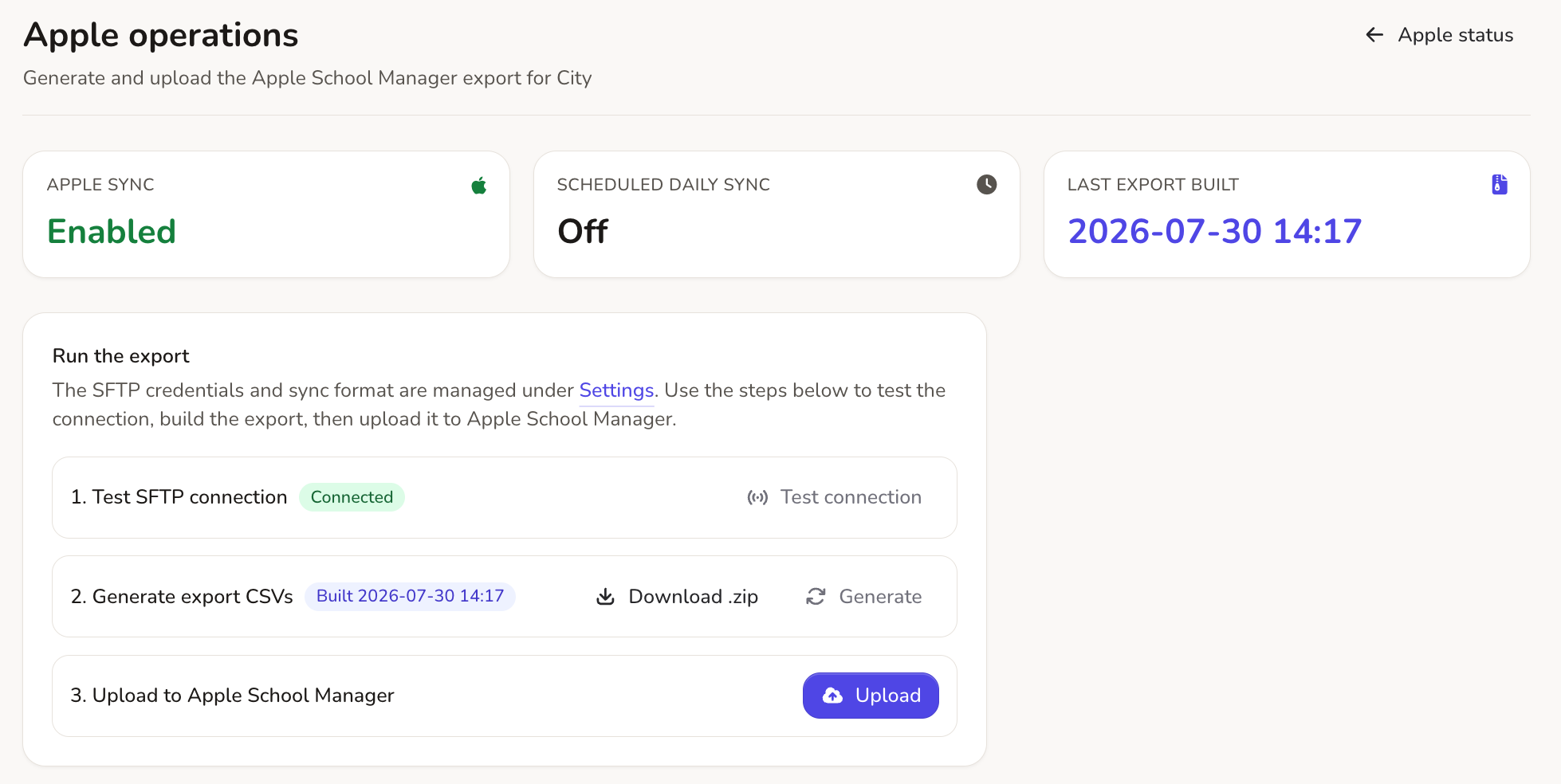
Generate Managed Apple IDs without manual CSV wrangling. For example, Realsmart builds the full OneRoster bundle automatically from your MIS data and uploads it directly to Apple via secure SFTP. Trigger it on demand, or set it to run on a daily schedule.
Built Trust-Native for Multi-Academy Trusts
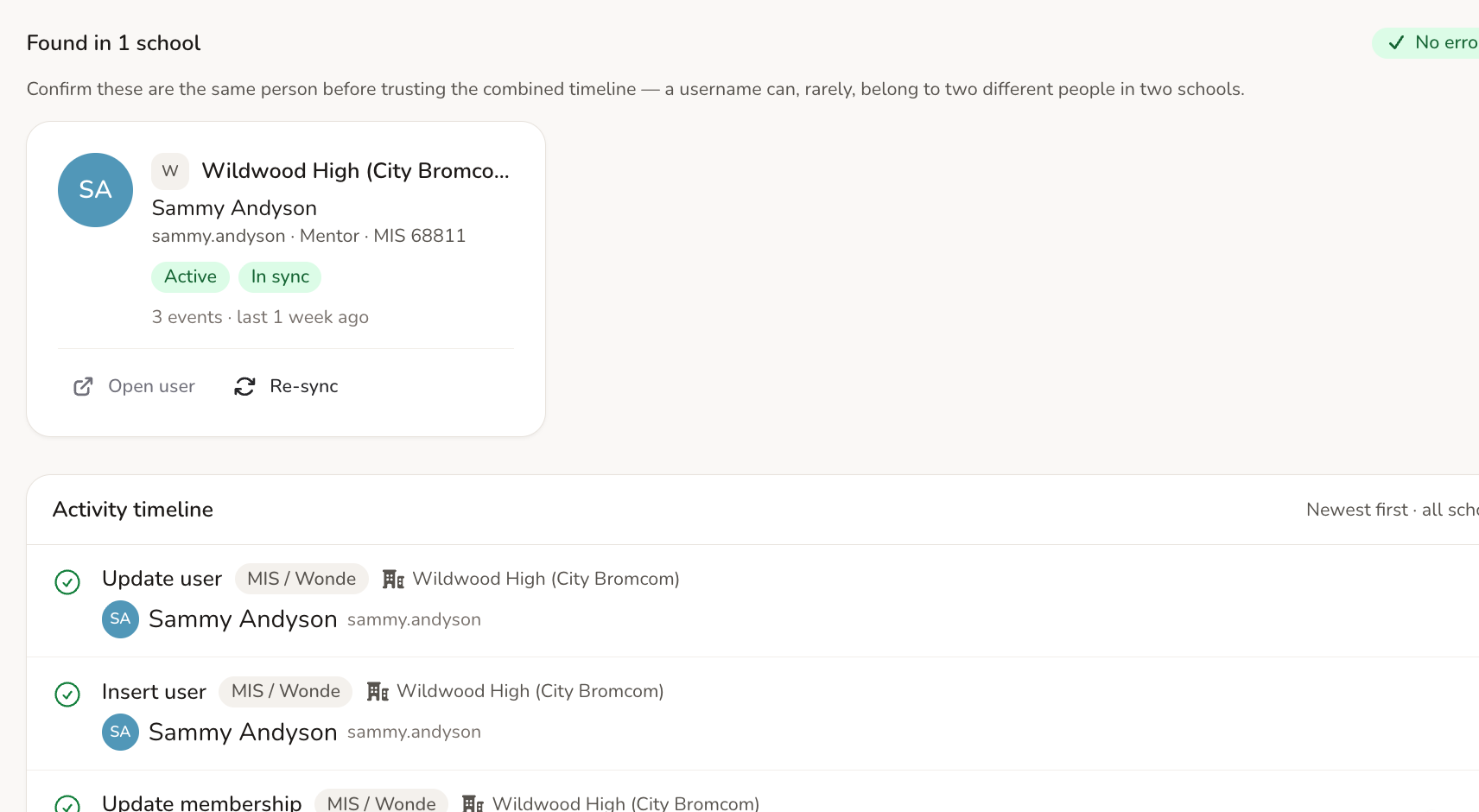
Manage your entire trust from one dashboard. For instance, you can trace a user’s sync activity across every school in a single interleaved timeline, safely merge duplicate staff accounts across the trust, and protect shared Google domains from schools accidentally removing each other’s memberships.
End of year, without the fear
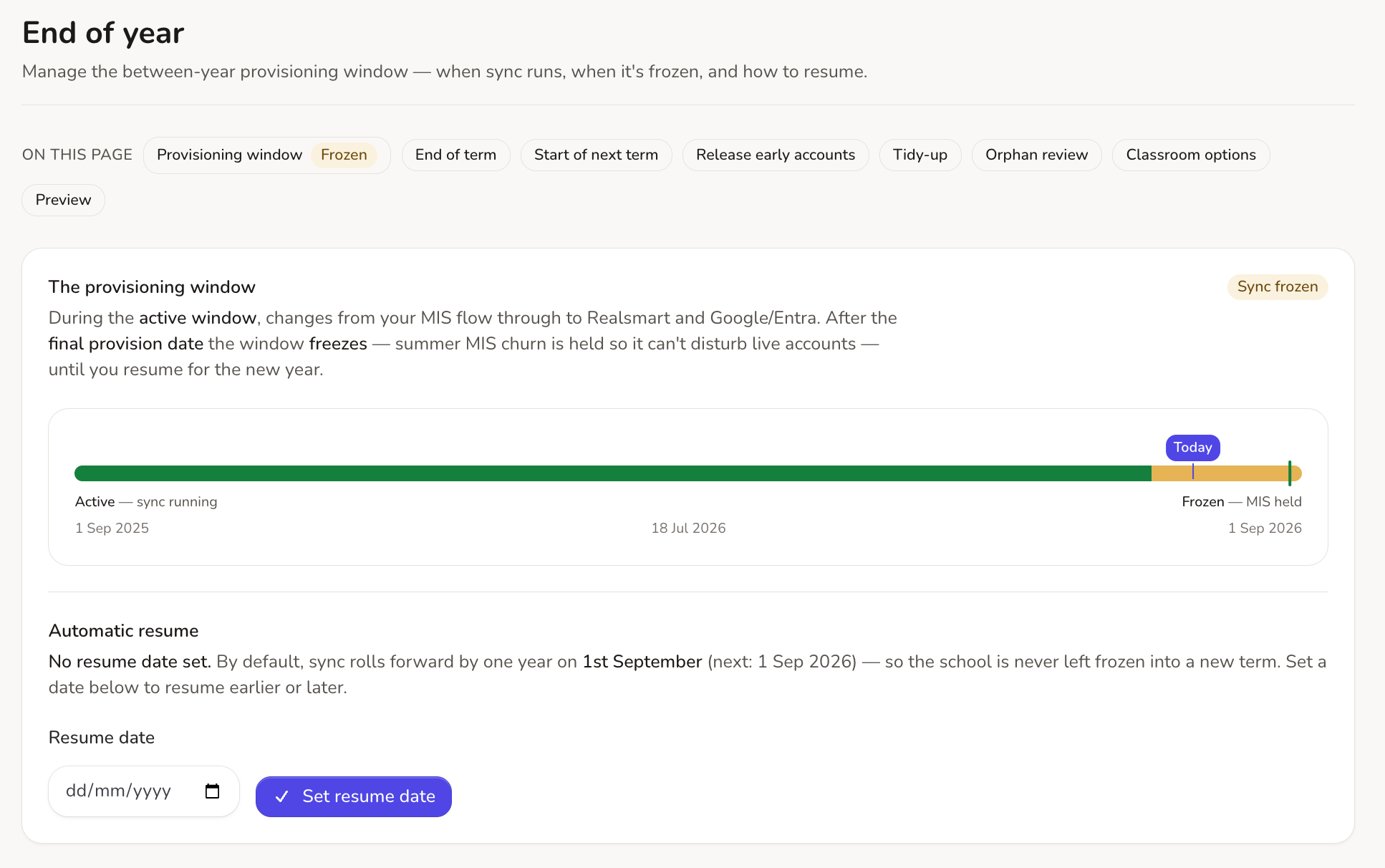
Summer is where sync tools tend to break schools. In contrast, ours freezes instead. Sync automatically holds back summer MIS churn (like leavers and timetable rebuilds) so live accounts aren’t disturbed. Therefore, if you need logins for September starters, use Release Early Accounts to provision them on demand during the freeze, without risking the rest of your school’s data.
Everyday admin, minus the grind.
The features that save you the ten small headaches a week, not just the big summer migrations.
Merge Duplicate Accounts
A guided wizard to merge duplicate accounts within a school or across your trust. See exact cloud platform impacts, keep old email aliases, and reverse changes with a full undo history.
Cross-Trust Log Tracing
Search a single username and inspect their sync events across every school in the trust in a single interleaved timeline, complete with one-click fixes.
Stale Orphan Review
Detect Google accounts and empty groups that exist in the cloud but not in Realsmart. Review last-login evidence and safely suspend or remove them—no automatic deletions.
Trust-Level Authority
If your trust shares one Google domain, our trust authority ensures schools won’t accidentally tear down each other’s group or Classroom memberships.
Bulk Actions on Groups
Select multiple groups to update settings, merge memberships, configure Google group permissions, or change Classroom states across the trust in one go.
Granular Admin Access & Audit Trail
Enforce reduced access for staff (like mentors resetting passwords) with server-side URL blocking, while tracking every administrative change in an append-only audit trail.
See exactly what’s happening. Fix things yourself. No ticket required.
Every sync runs on a schedule, or on demand when you need it. Nothing happens to your data without full visibility, plain-English explanations, and instant remediation tools.
An honest status dashboard
Failures grouped by root cause with direct Fix, Retry, or Ignore actions, plus real-time health across every connected platform.
Live cloud checks on every record
Interrogate what Google and Entra report for any user directly from their edit page—no separate admin console login required.
Immutable admin audit trail
An append-only record of every administrative action, tracking who changed what, when, and from where for full security and compliance.
Every platform included. No add-ons, no enterprise tier.
Google, Microsoft, Active Directory and Apple are all in one product. MAT tooling, the preview engine, the audit trail and end of year automation are all included too. Most schools recover the cost in saved admin time within the first term, and keep the peace of mind for good.
Frequently asked questions
Which MIS does Realsmart Sync work with?
Realsmart Sync connects to your MIS through Wonde, so it works with SIMS, Arbor, Bromcom and every other management information system Wonde supports. If Wonde can read it, we can sync it.
Can we sync to Google Workspace and Microsoft 365 at the same time?
Yes. Each platform is an independent, per-school toggle. Plenty of our schools run Google Workspace, Microsoft Entra, Active Directory and Apple School Manager side by side from the same MIS feed, and each one can be in live or preview mode independently.
Do we need to install anything?
For Google Workspace, Microsoft 365 and Apple School Manager, nothing at all: they’re cloud to cloud. For on prem Active Directory there’s a lightweight connector that runs on your Windows Server and authenticates with a school specific token.
Is it safe to try alongside our current setup?
Yes, that’s exactly what preview mode is for. We connect your MIS, the sync composes a full plan for your school, and nothing is applied until you switch the platform to live. If you already have a Google environment, cloud reconciliation lines it up with your MIS first, so the sync adopts your existing accounts instead of duplicating them.
What happens at the end of the school year?
The provisioning window freezes over summer on a final provision date you set yourself. Google Classrooms are archived according to your policy, and sync resumes automatically for the new year, with a full dry run preview available before any of it happens.
Does it support multi academy trusts?
Fully. A trust wide overview, cross school user search and log tracing, duplicate merging with undo, per admin school access and trust wide app defaults are all built in: one subscription, every school.
See Google Sync and Entra Sync in full.
This page is the whole picture. For the complete feature by feature detail on a single platform, head to our dedicated Google Sync or Entra Sync pages.