
Your website, accounts and sign-in, from one MIS record.
Most schools juggle a website provider, a sync tool, a sign-in system and a parents app. Realsmart does all four, and checks your website against the DfE every night.
Update your MIS. We do the rest.
New pupils and staff get their accounts, classes and sign-in on every platform you use. Leavers are handled too, and you see every change before it happens.
So, who are you?
Tell us who you are, and we’ll show you around
For trust leaders
See the whole trust at once
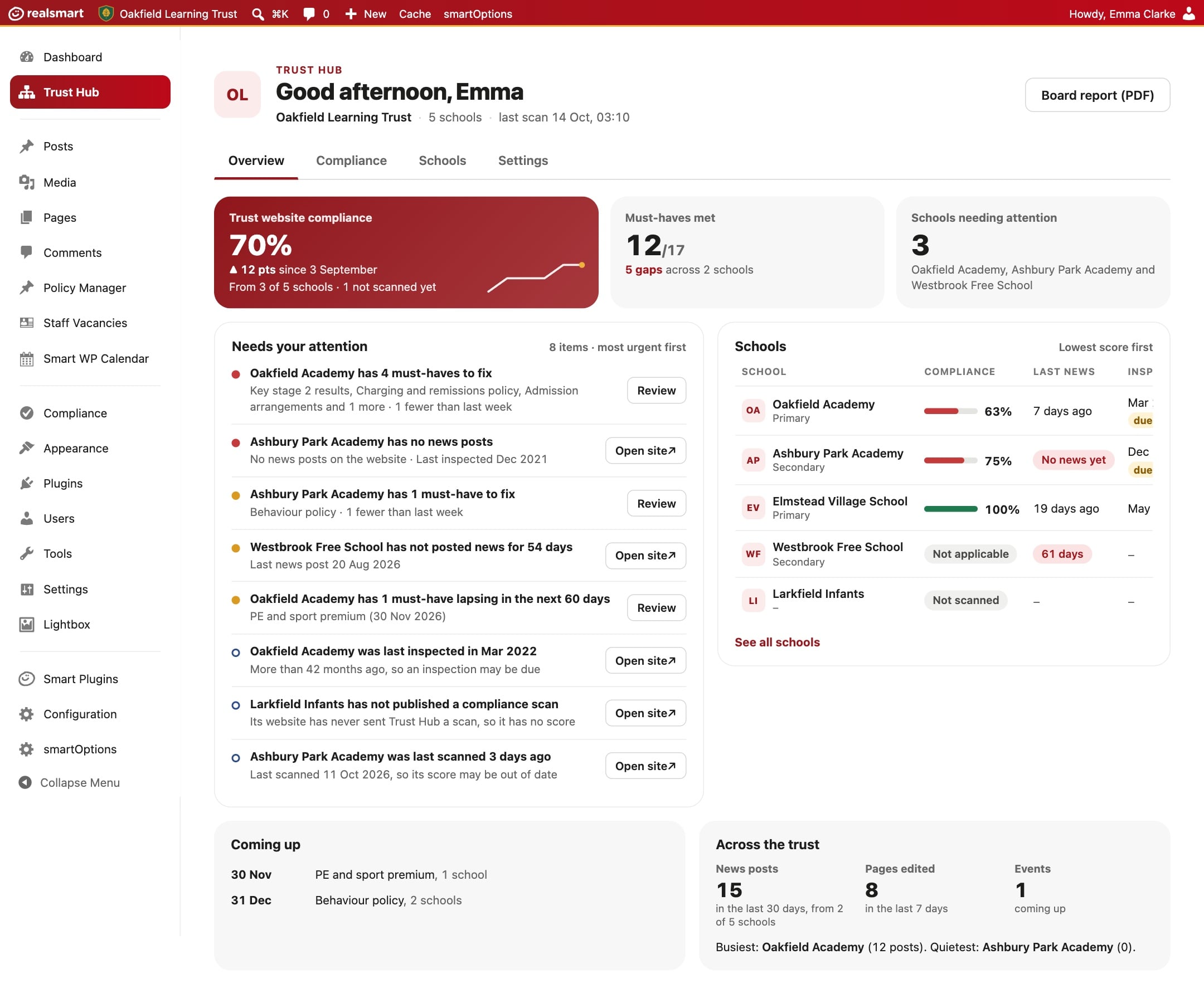
- Trust Hub: which schools need attention, and why
- Send an alert, or a shared menu link, to every school website at once
- One admin sign-in across every school you look after
For headteachers and school leaders
A website that keeps you compliant
- Designed for your school, never a template, with a free refresh every three years
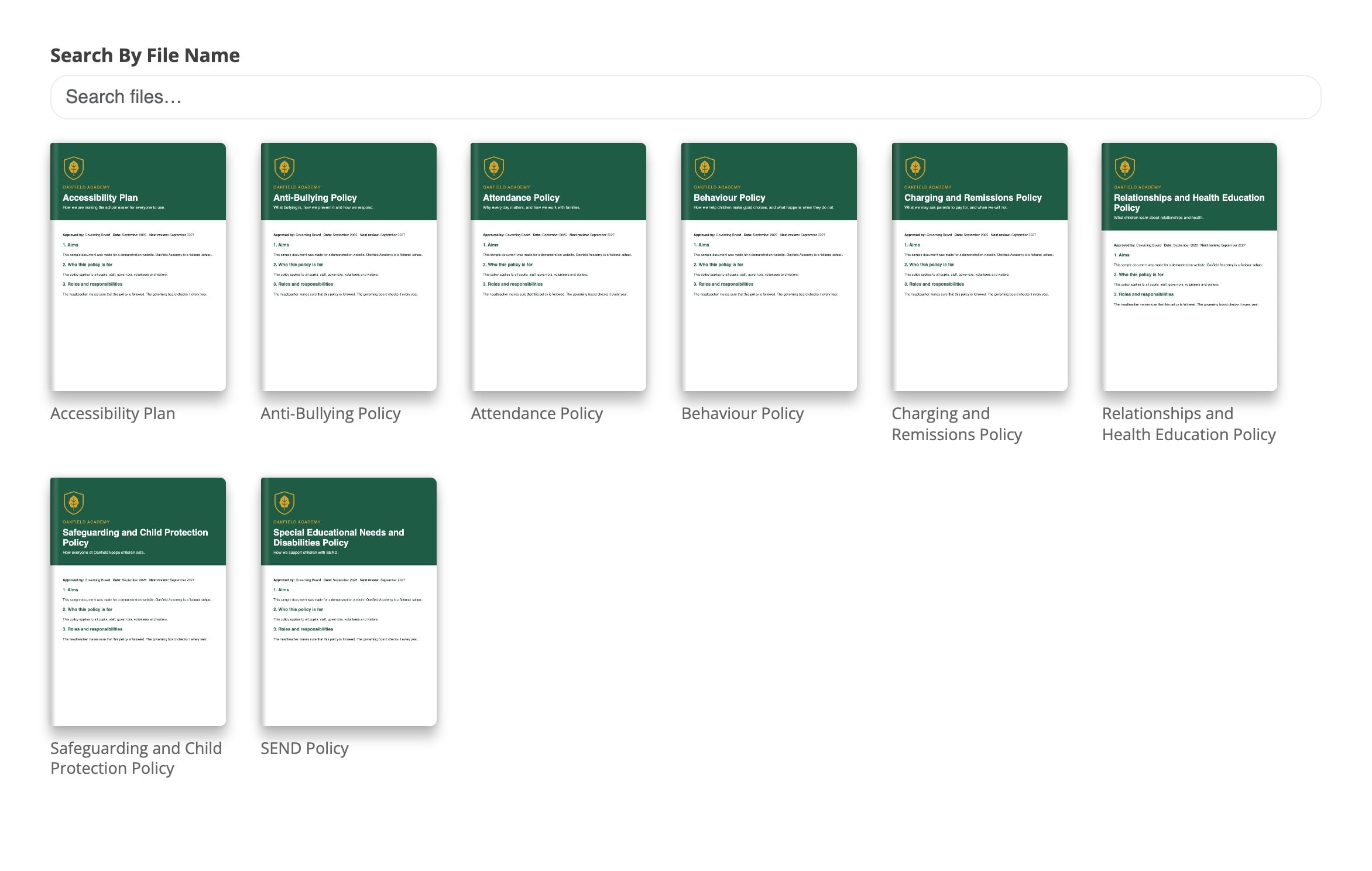
- Your compliance score on the dashboard, must-haves first
- Policies pulled straight from Google Drive or OneDrive
For IT and network managers
Accounts that look after themselves
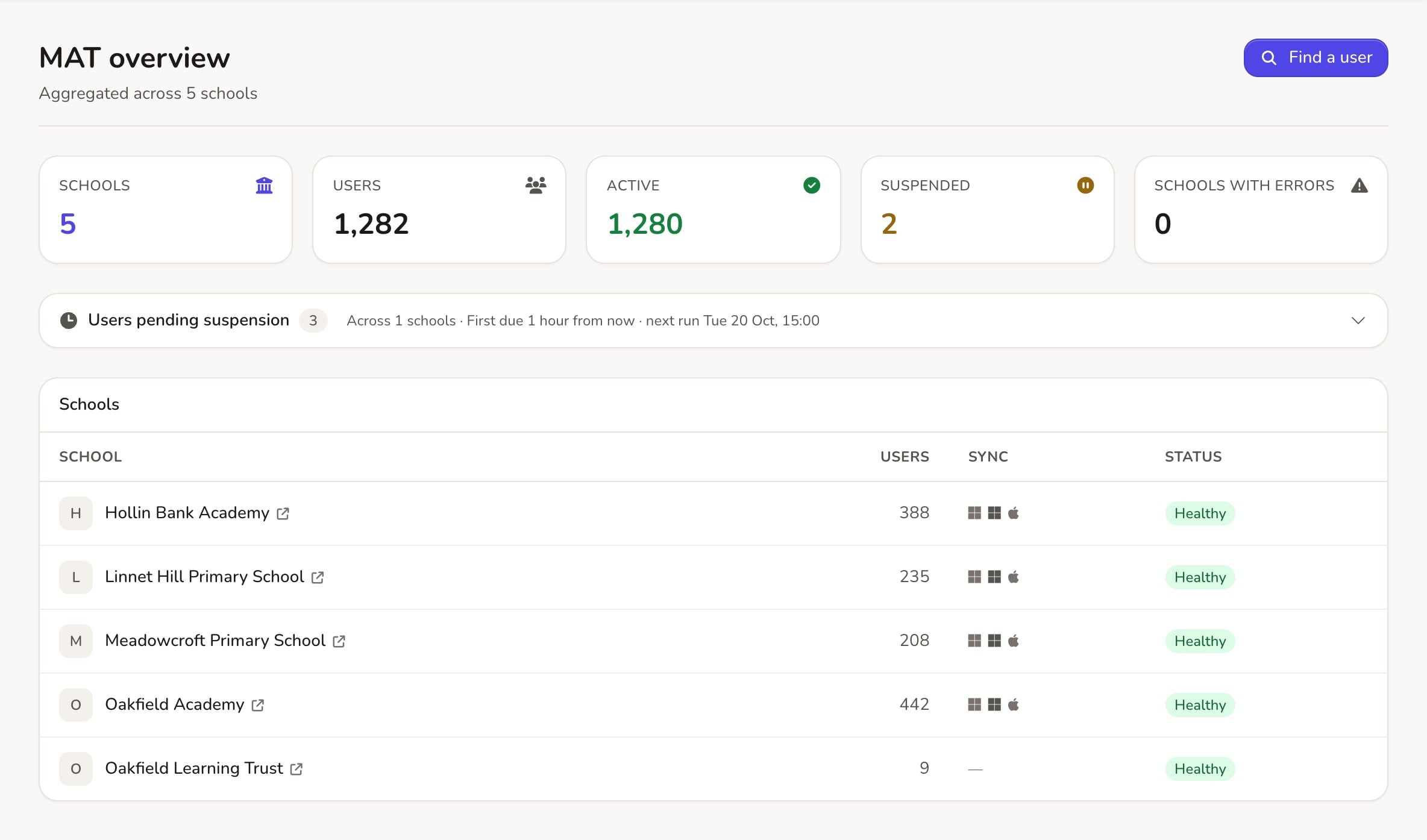
- MIS sync to Google Workspace, Microsoft Entra ID, Apple School Manager and Active Directory
- Preview every change before it happens, and freeze the summer churn
- Google Classrooms and Microsoft 365 licences handed out automatically
For teachers
Everything for the day, one tap away
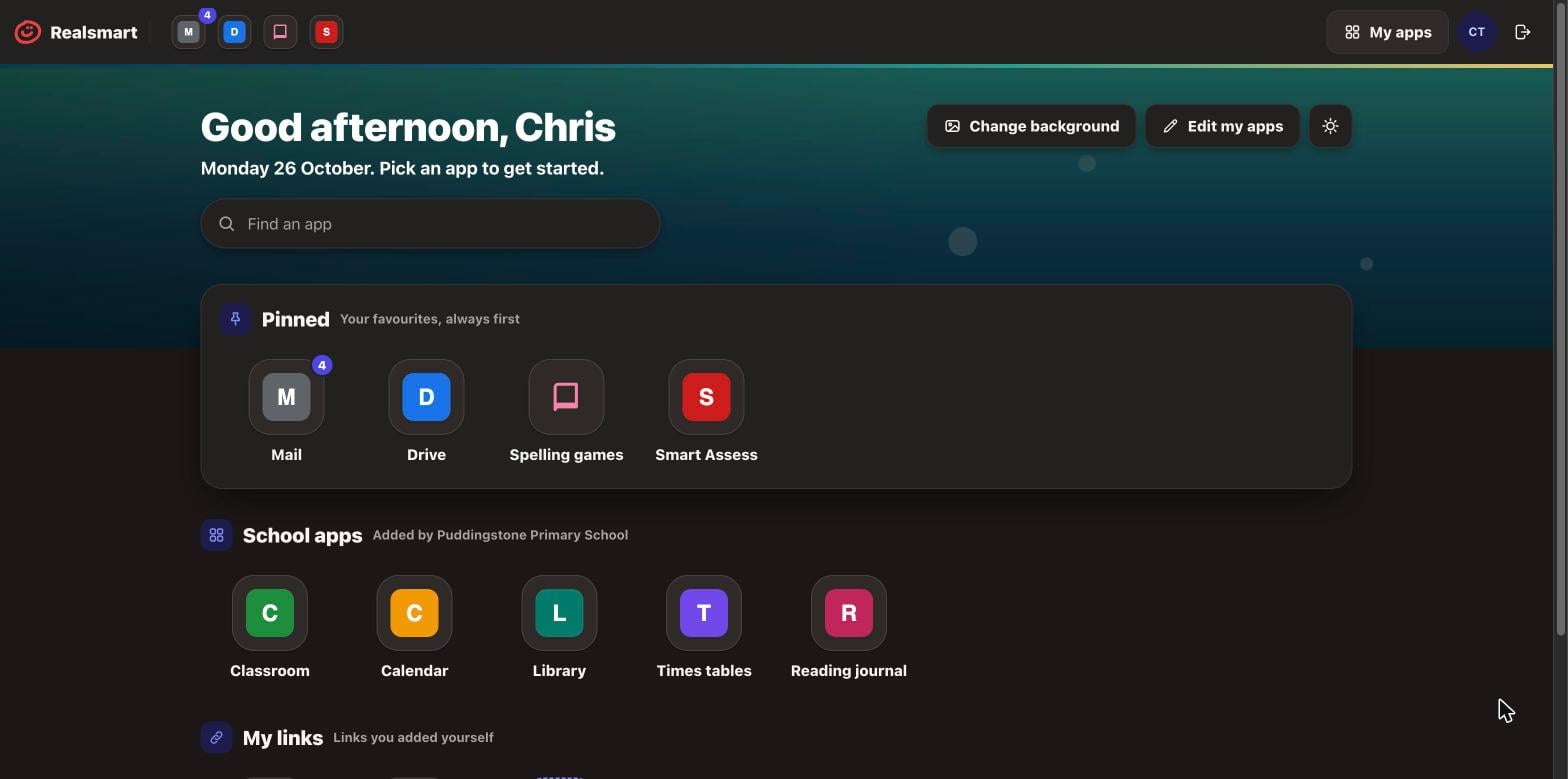
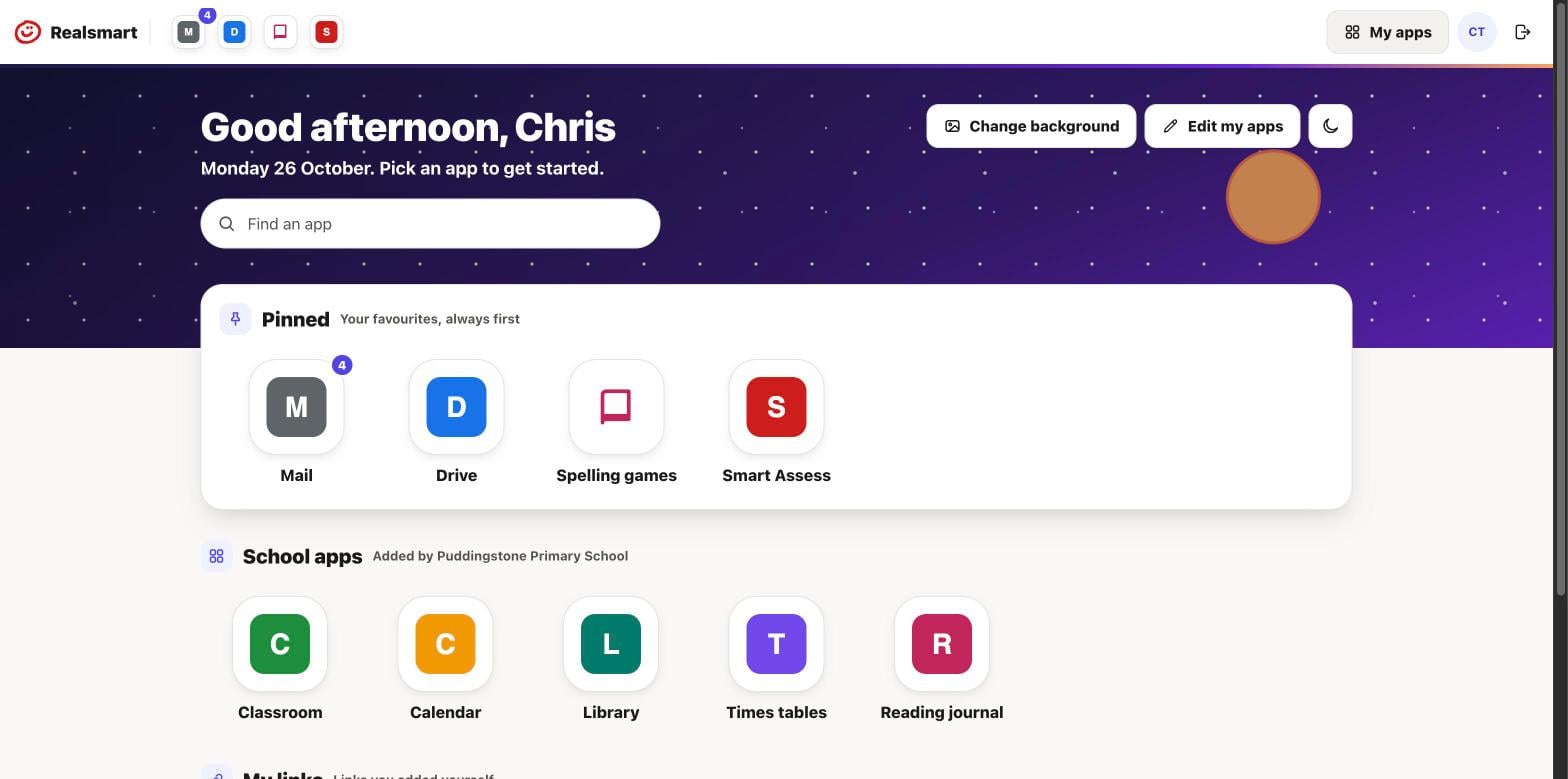
- Every app a teacher uses on one Launchpad, pinned the way they like it
- A Google Classroom for every teaching group, with the right pupils in it
- Reset a pupil’s password, or print QR login cards by registration group
For pupils
One sign-in, everything in one place
- A Launchpad they can arrange, with their own links and backgrounds
- QR code sign-in for younger pupils, and word passwords they can type
- Change their own password and photo, where the school allows it
For parents
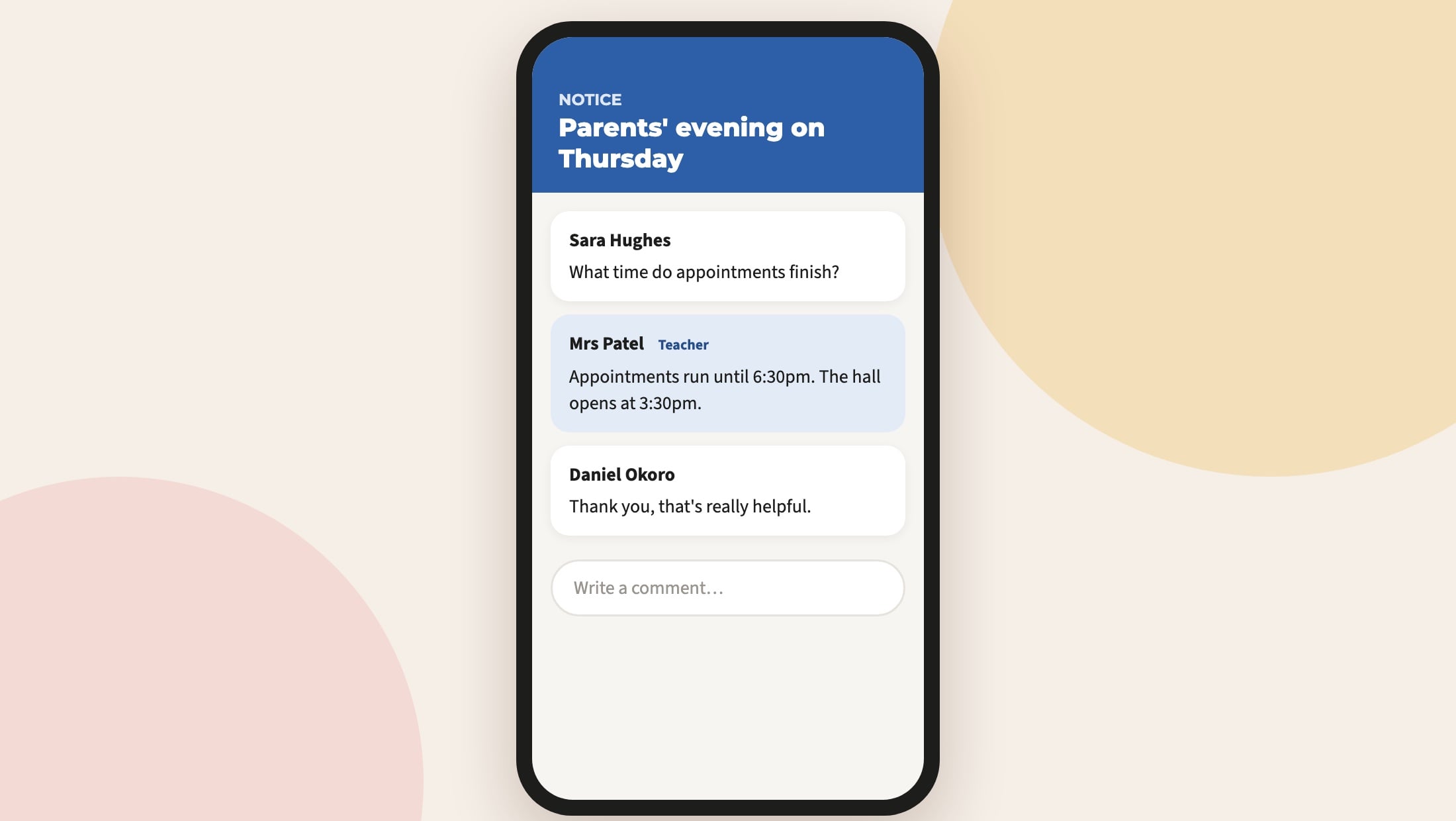
Smart Parents, the school in their pocket
- Notices with push notifications, pictures and attachments
- A report of who each notice reached
- Your school’s colour in the app
Know where every school stands, before an inspector looks
The first thing an inspector sees of a school is often its website. We watch it for you, school by school or across the whole trust.
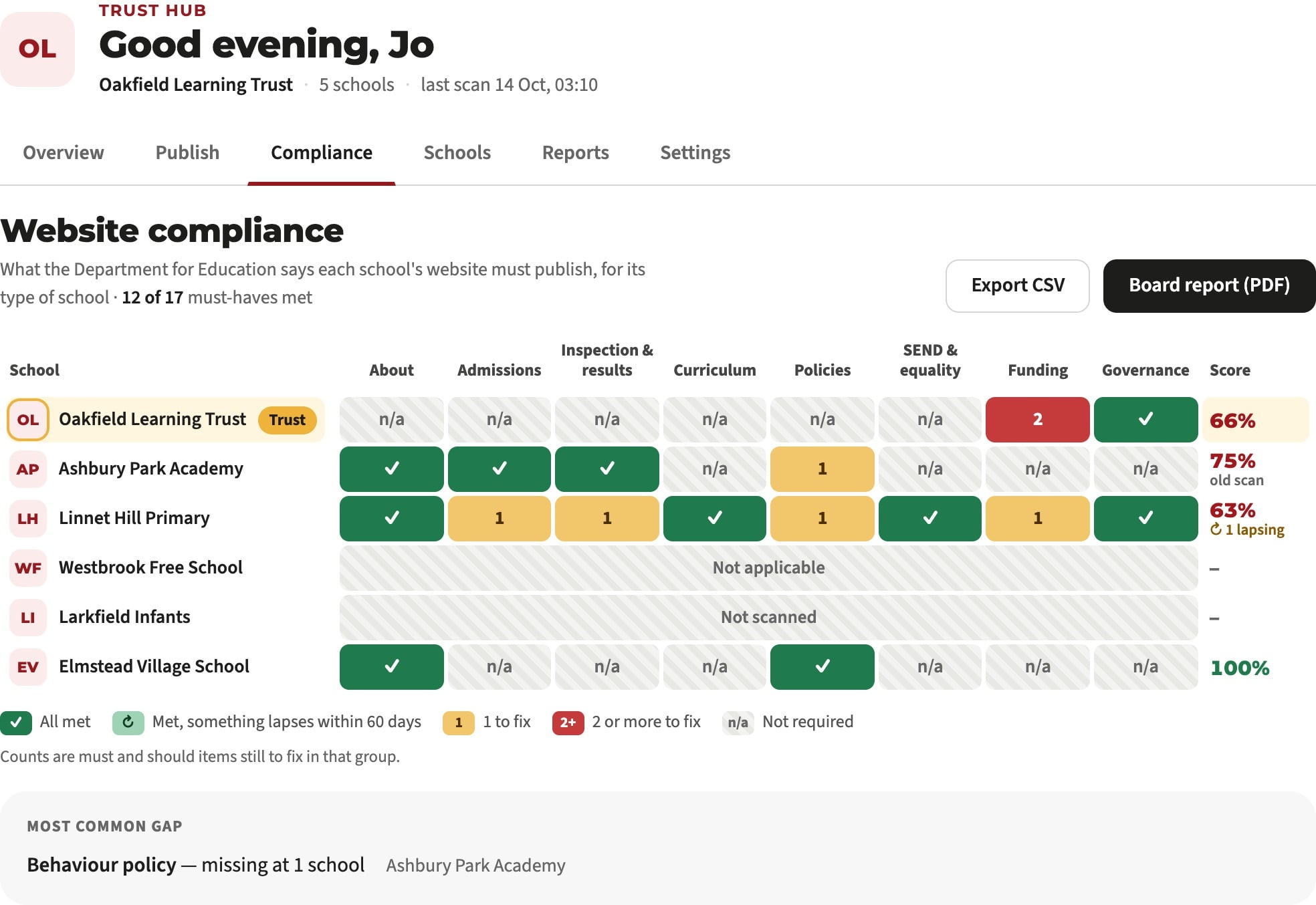
Every school checked against the DfE, every night
No set-up. We open the policies themselves, in PDF, Word, Google Drive or OneDrive, read the text inside, and show where each requirement was found. Out-of-date documents and missing pages are flagged, with a template for each.
What schools and trusts must publishHear when an inspector may be reading your website
When a visit looks like an inspector working through safeguarding, SEND, pupil premium and policies, we check it and email the people you’ve chosen. Trusts can be told too, so the central team isn’t the last to know.
It’s an early warning only. Inspectors usually phone the day before.
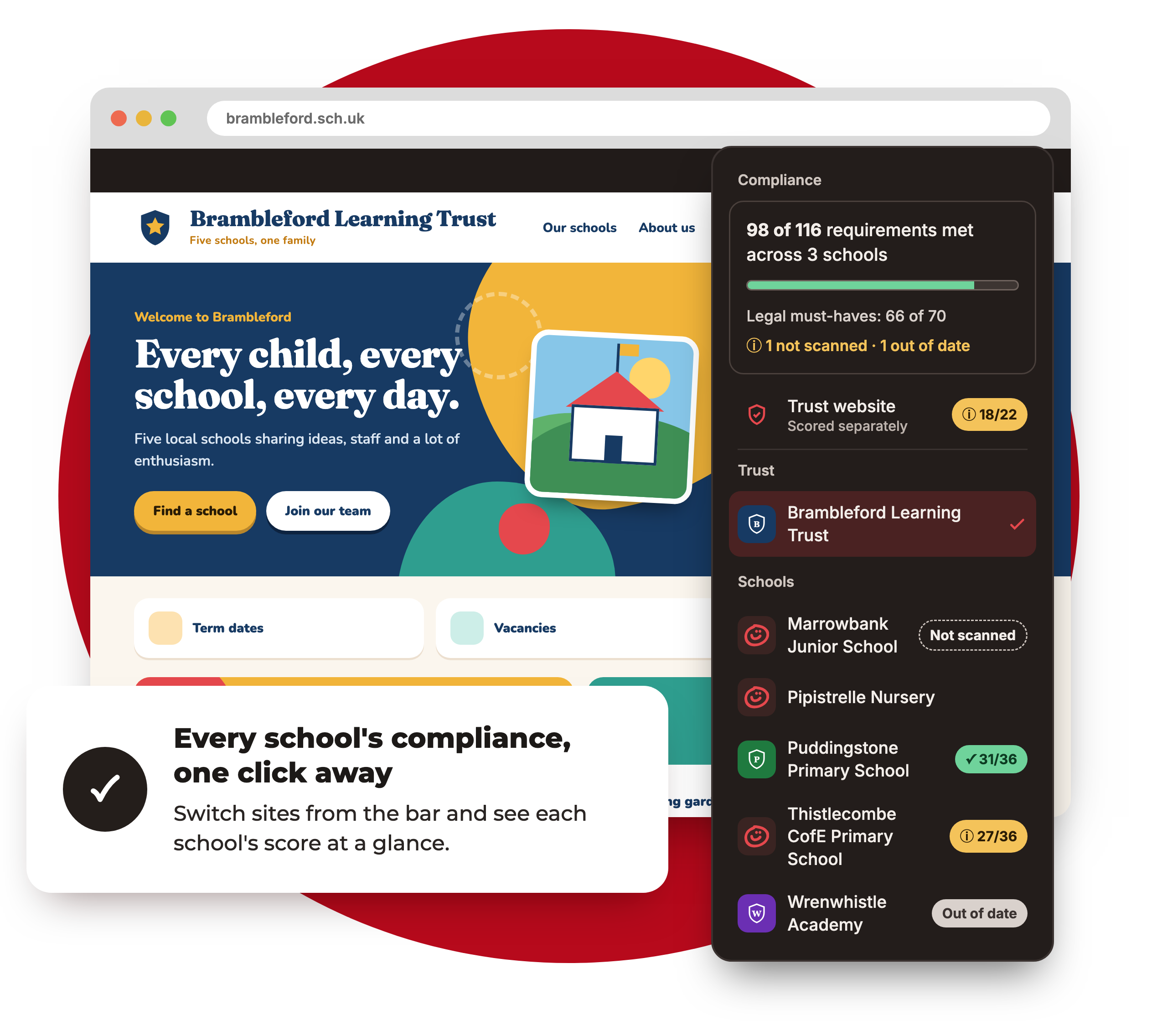
Trust Hub: every school website in one place
Share news with every school or just some. Put an alert, a countdown or an emergency pop-up on every website at once. Print a board report for trustees, and get a Monday briefing for the central team.
See the trust features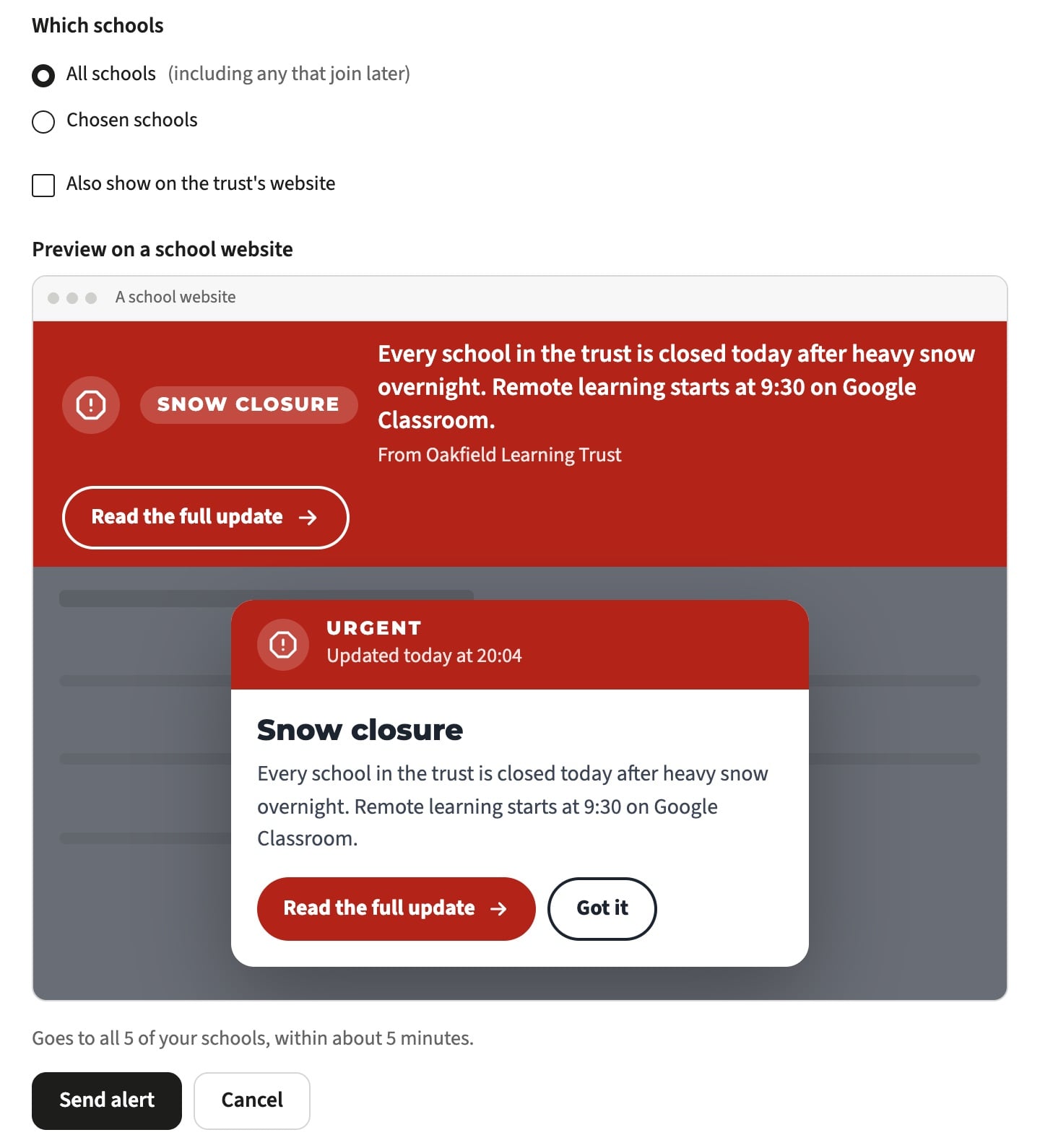
What’s new for your staff and pupils
all included, nothing to install
I found the team to be enormously patient in supporting me to achieve what we wanted with the sites, and highly responsive to queries. It seemed that nothing was too much trouble.
We have worked with Realsmart for over ten years. Their customer service is exemplary and they completely understand the school sector and what is important to schools.
See it working for your schools
We’ll show you your website, accounts and sign-in running from one MIS record, the way they would for your school or trust, and answer any questions about cost.
Call 01302 361132 or email realsmart@realsmart.co.uk