
Automated School MIS to Google Workspace Sync.
Connect your MIS to Google seamlessly. As a leading MIS to Google sync for schools with over 15 years of experience and one of the original UK Google School Partners, we keep your users, groups, and classrooms perfectly in sync.
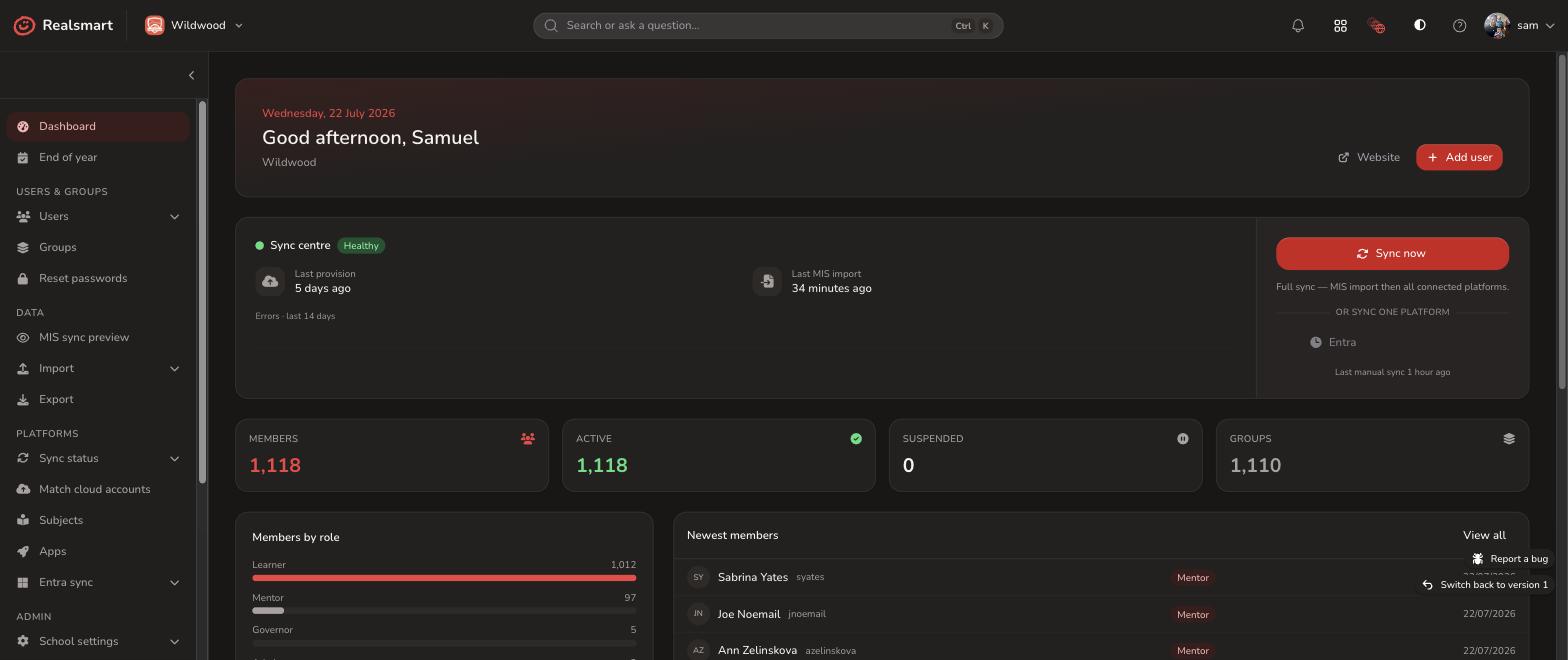
Google Sync
Realsmart connects directly to your Google Workspace for Education domain, mirroring the users, groups, and classrooms managed in your school MIS automatically. Nothing is turned on by default, you retain fine-grain control over every MIS to Google sync service with a full live preview before anything touches your live environment.
Granular Control: What MIS to Google Sync Can Do For You
Turn on only the services you need from a single, intuitive sync panel:
-
Users, Groups & Passwords: Automated user provisioning kept perfectly in sync with your MIS.
-
Staff & Learner Profile Pictures: Seamlessly synced to Google accounts.
-
Organisation Profiles: Maintain structured data across your school or MAT.
-
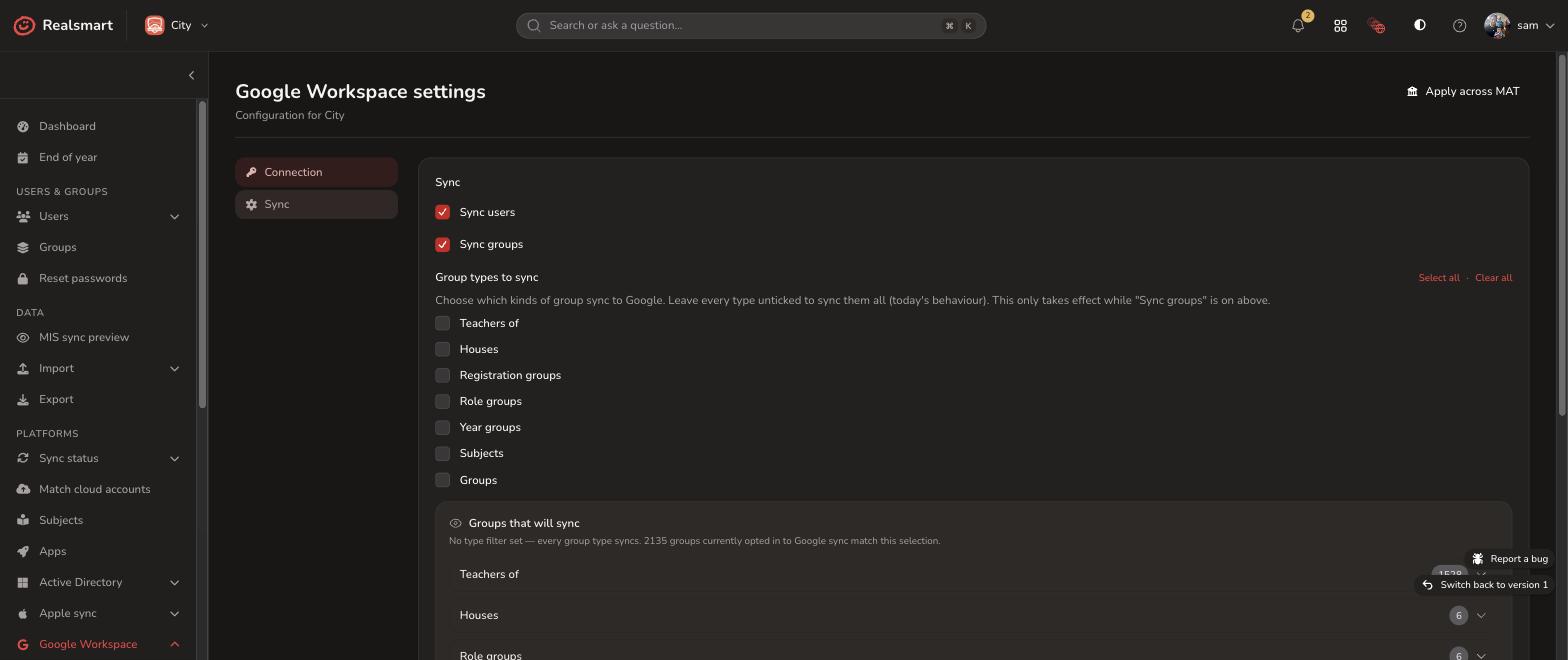
7 Dynamic Group Types: Provision Teachers Of, Houses, Registration Groups, Role Groups, Year Groups, Subjects, and custom Groups — with a live preview of every group before you activate it.
Automated Organisational Unit (OU) Placement
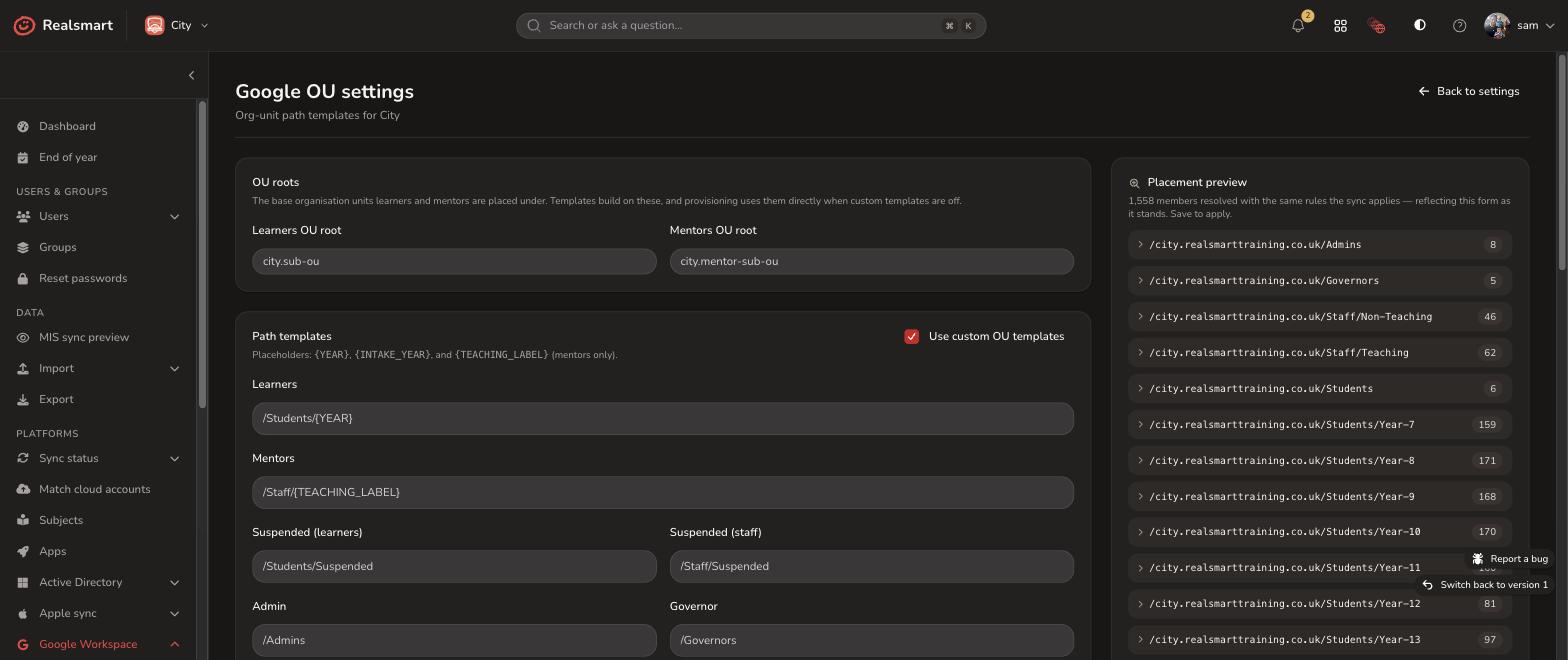
Automate your Google Workspace OU structure directly from your school MIS sync. Simply set up root paths for learners and staff once using dynamic variables:
-
Flexible Templates: Use placeholders like
{YEAR},{INTAKE_YEAR}, and{TEACHING_LABEL}to automatically organize users. -
Automated Progression: As students advance through year groups in your MIS, Realsmart automatically transitions them to the correct OU.
-
Live Placement Preview: True to our “Glass” approach, see a live preview showing the exact number of users landing in each OU before you hit save. No accidental user shifts, ever.
Google Classroom, kept tidy all year round
Realsmart provisions your Google Classroom for you, and gives you the tools to keep it under control as the school year moves on:
-
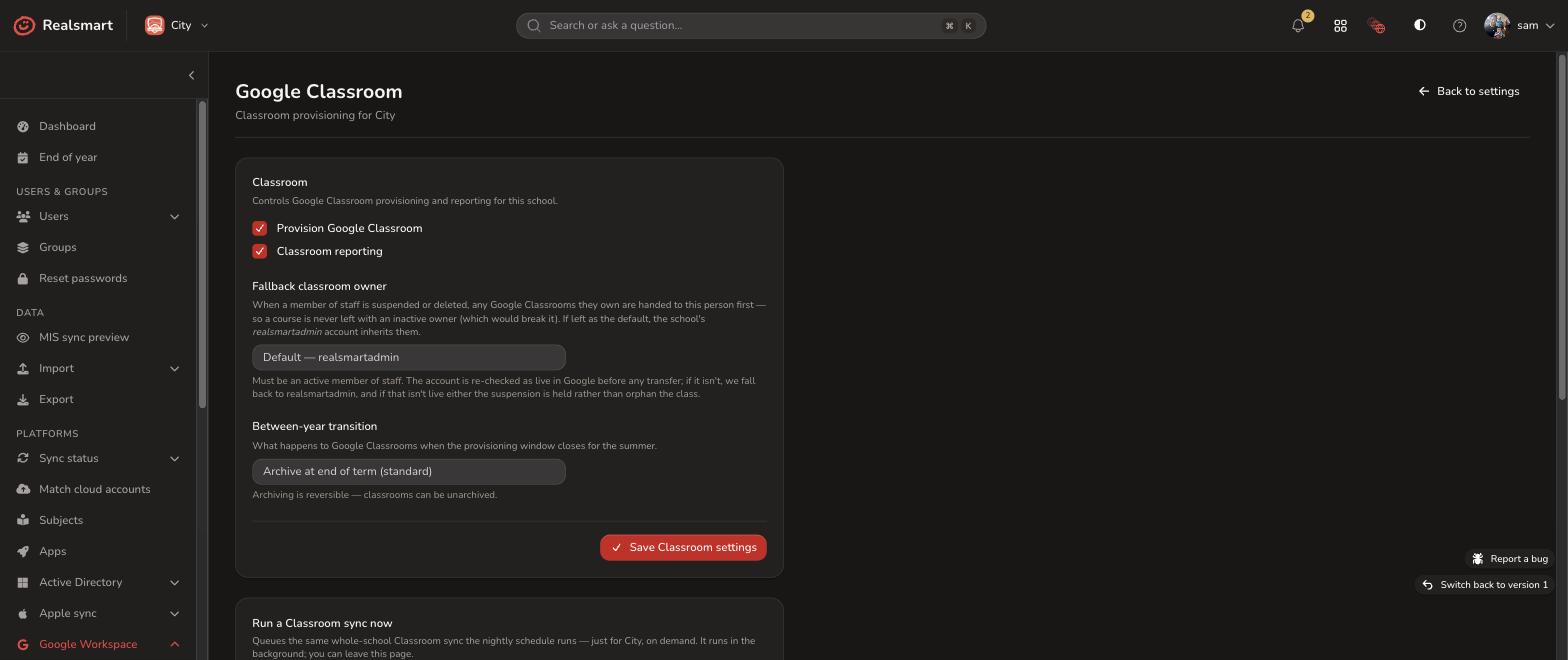
Automated Google Classroom provisioning from your MIS data, plus a manual “run a Classroom sync now” option whenever you need it
-
A fallback owner for any classroom that would otherwise be left without one
-
Choose what happens to classrooms between academic years: archive, leave as is, or archive at the start of next term, and reverse the decision if you change your mind
-
Bulk reactivate last year’s classrooms in a couple of clicks
-
A review screen for any classrooms that have ended up orphaned
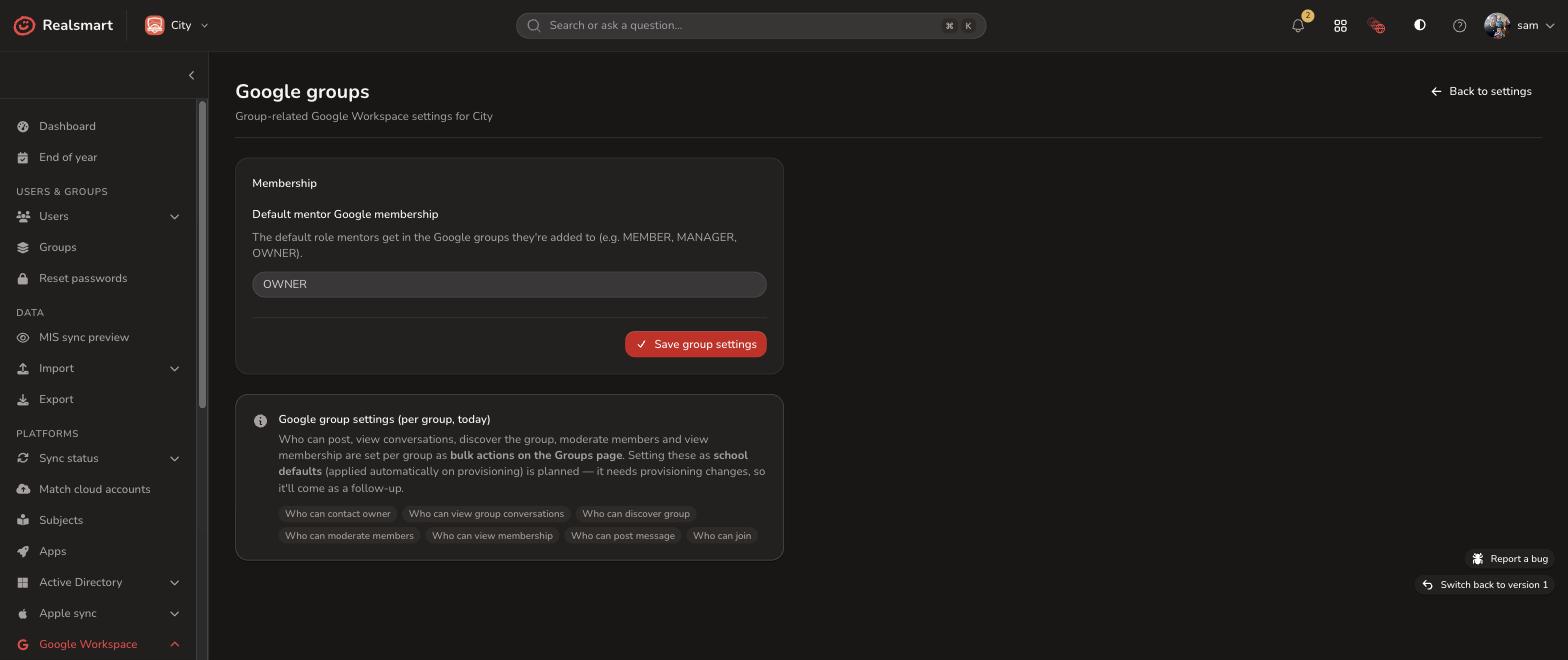
Granular Google Group Membership & Access Controls
Streamline communication and maintain strict safeguarding standards. Realsmart links your school MIS sync to Google Groups while giving you precise, fine-grained control over group behavior:
-
Default Mentor Roles: Automatically set standard permissions and roles for mentors and teaching staff across synced groups.
-
Fine-Grain Group Security: Easily customize who can view the group, who can post, whether the group is discoverable, and if messages require moderation.
-
Bulk Action Tools: Apply safety rules and permission profiles per group in bulk directly from your dashboard.
Automated MIS Timetables Straight Into Google Calendar
Keep every student and teacher on schedule with seamless MIS to Google Workspace calendar integration:
-
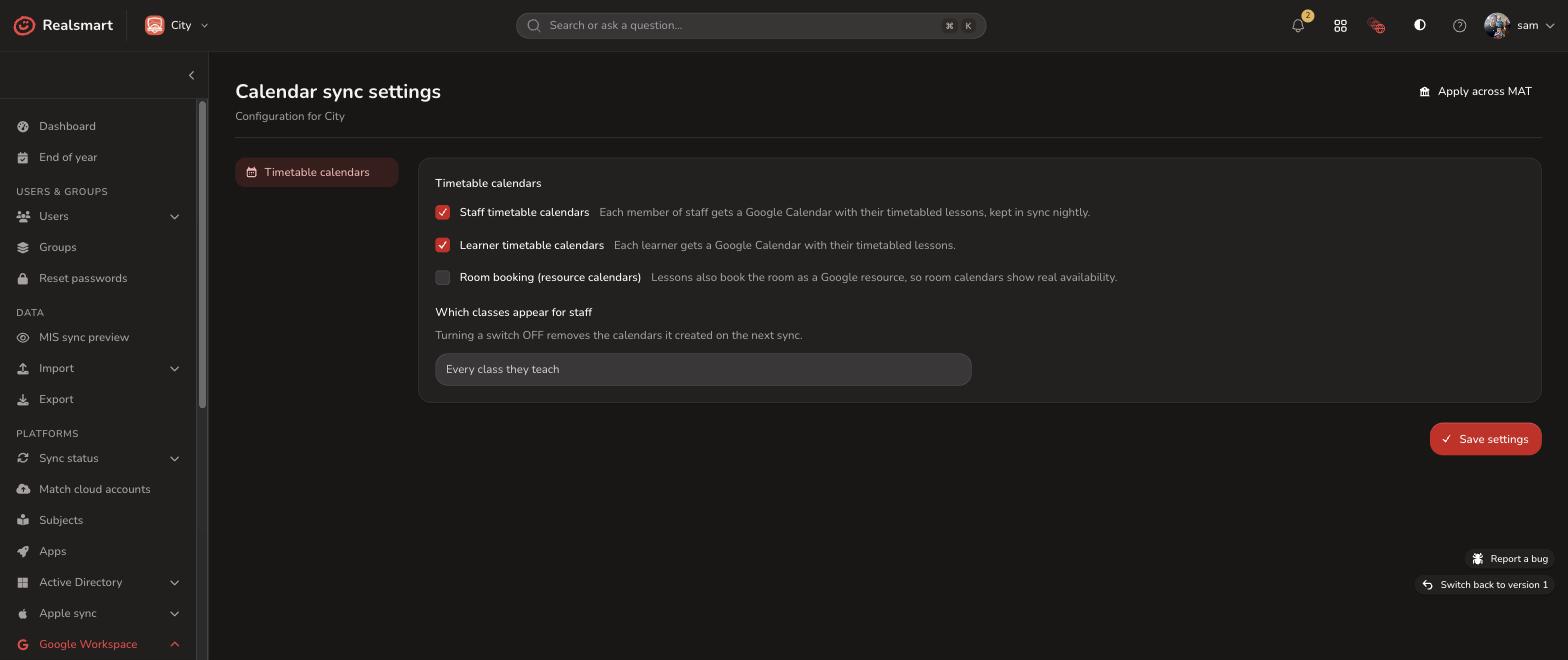
Automated Nightly Timetable Sync: Automatically translate complex MIS timetable data into clean, personal Google Calendars for every student and staff member, refreshed overnight.
-
Room & Resource Provisioning: Turn on room booking to automatically convert MIS room allocations into bookable Google Resource Calendars.
-
Per-User Debugging Tools: True to our “Glass” ethos, if an individual user’s calendar looks off, use built-in per-user calendar tools to inspect and resolve sync issues yourself, no support tickets required.
Seamless Cloud Reconciliation for Existing Google Workspaces
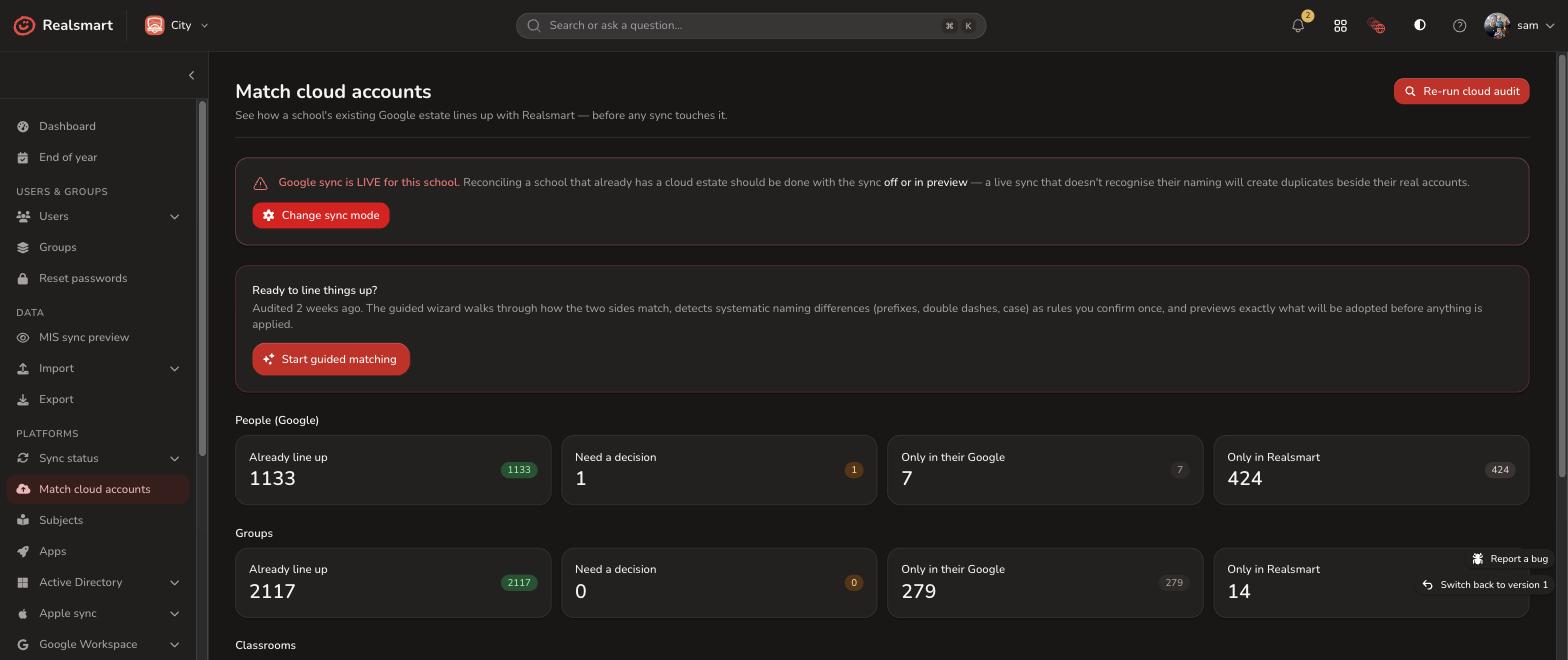
Switching or upgrading your MIS to Google Workspace for Education sync shouldn’t mean starting from scratch or risking duplicate accounts:
-
Read-Only Estate Audit: Safely inspect your existing Google domain with a non-destructive, read-only scan before making any changes.
-
Guided Pattern-Matching Wizard: Effortlessly pair existing Google Workspace accounts with your school MIS sync profiles using smart, naming-pattern templates.
-
Pre-Live Verification: Complete “Glass” transparency lets you preview every single account match and see exactly what will be linked before your MIS to Google sync goes live.
See exactly what’s happening. Troubleshoot issues yourself. No support ticket required.
Every MIS to Google sync runs on a predictable automated schedule, with an instant on-demand trigger whenever you need changes synced immediately. Before going live, preview exact user updates with full confidence. Once active, your data is completely transparent, giving you total visibility to understand and resolve issues instantly.
Honest status dashboard
One central screen displays your entire school MIS sync health at a glance. Instantly know what’s syncing, what’s healthy, and what needs your attention.
Prioritised, Plain-English Errors
No cryptic status codes or walls of noise. Issues are grouped and translated into plain English, prioritized by urgency so you know exactly what to fix first.
Complete Audit Feed & Detailed Logs
Every single account update, group creation, or calendar change is logged with a transparent audit trail, allowing you to trace precisely what happened and when.
Simple Setup, Complete Control: Getting Started
Fast, guided onboarding backed by 15+ years of Google School expertise.
Connecting your MIS to Google Workspace is straightforward. All you need is a Google Workspace Super Admin to authorize a service account with domain-wide delegation—and our UK onboarding team will guide you every step of the way.
Once connected, you get instant access to a powerful suite of school MIS sync tools:
Automated User Sync
Sync users, passwords, and profile pictures from your school MIS to Google.
7 Dynamic Group Types
Fine-tune Houses, Year Groups, Subjects, and Roles with live pre-sync previews.
Smart OU Templates
Dynamic pathing templates like {YEAR} and {INTAKE_YEAR} for accurate placement.
Classroom Lifecycle
Full end-of-year archiving transitions, automated provisioning, and resets.
Nightly Calendar Sync
Push timetables and bookable room calendars straight to Google Calendar.
Cloud reconciliation
Safely match existing Google domains before switching on your sync.
Fallback Classroom Owners
Assign backup admin accounts so no classroom is ever left stranded.
Dry-Run Preview
Test connections and preview changes before anything touches live data.
Run Google Sync and Entra Sync from one web application.
Do you also use Microsoft 365? Take a look at our Entra Sync page to see how the same glass approach, live status, plain English logs, full self service, works for Microsoft 365 too.