
Automated School MIS to Microsoft 365 Sync
Seamlessly connect your MIS to Entra ID. With over 15 years of trusted experience supporting UK schools, our MIS to Microsoft 365 sync keeps your users, groups, and passwords perfectly in sync.
Entra Sync
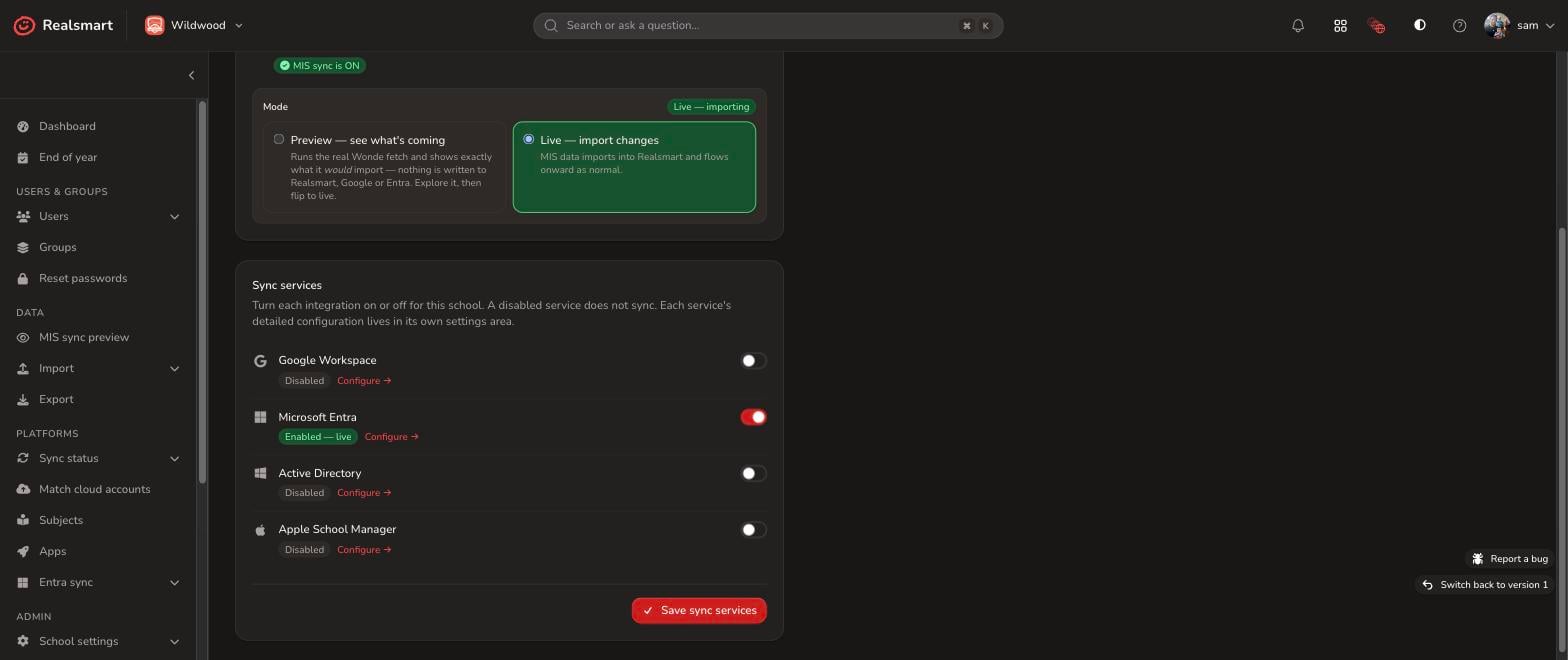
Realsmart connects directly to your Microsoft 365 (Entra ID) tenant, mirroring the users, passwords, and groups managed in your school MIS automatically. Nothing is switched on by default — you maintain fine-grain control over every MIS to Entra ID service with a complete live preview before any changes go live in your tenant.
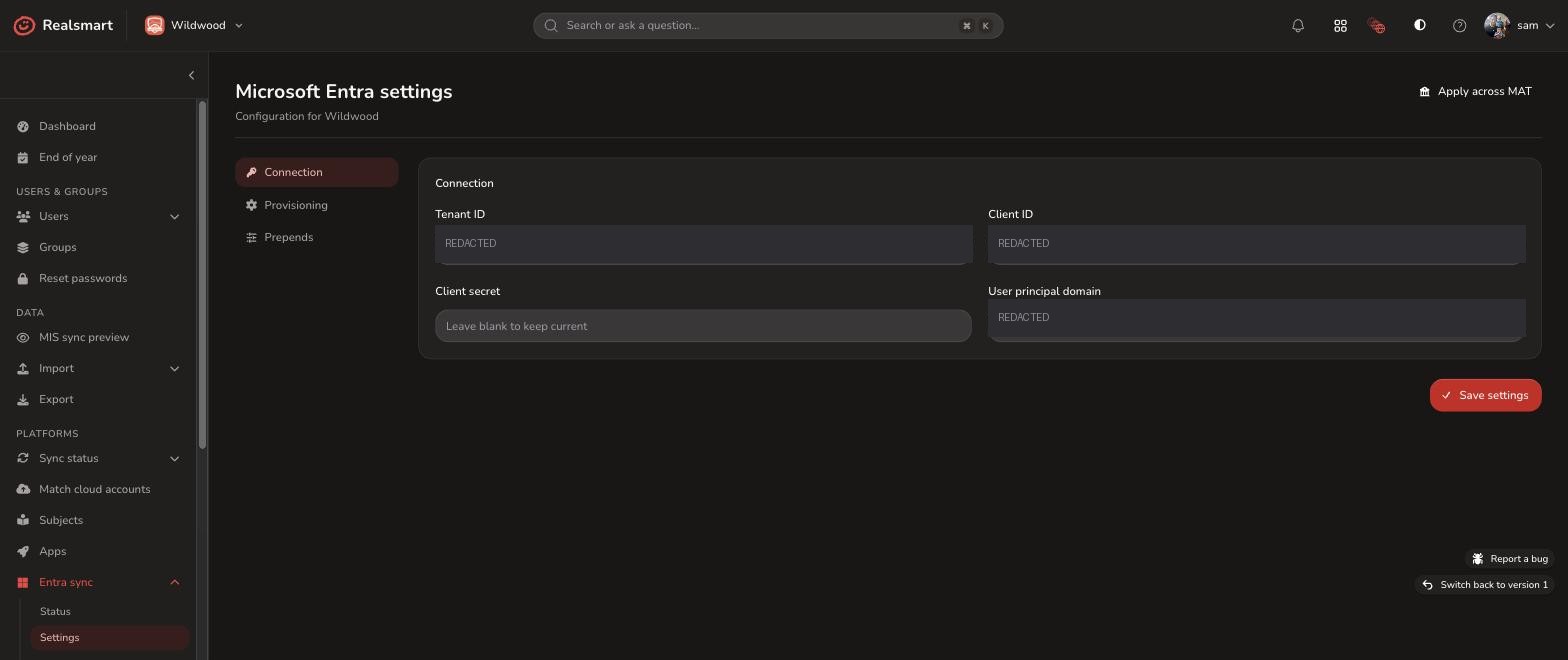
Connecting Entra Sync to your tenant
Toggle only the sync services your school or MAT needs from a single, centralized control panel:
-
User & Password Provisioning: Keep staff and student accounts, passwords, and identity attributes in perfect step with your MIS.
-
Profile Picture Sync: Push staff and learner profile images directly to Entra ID profiles.
-
Security & Distribution Groups: Automatically generate and maintain key security groups and email distribution lists based on live MIS roles.
-
Dynamic M365 Groups with Previews: Provision Year Groups, Houses, Registration Groups, Role Groups, and Subjects — with a full live preview of member assignments before switching anything on.
Granular Control: What MIS to Entra Sync Can Do For You
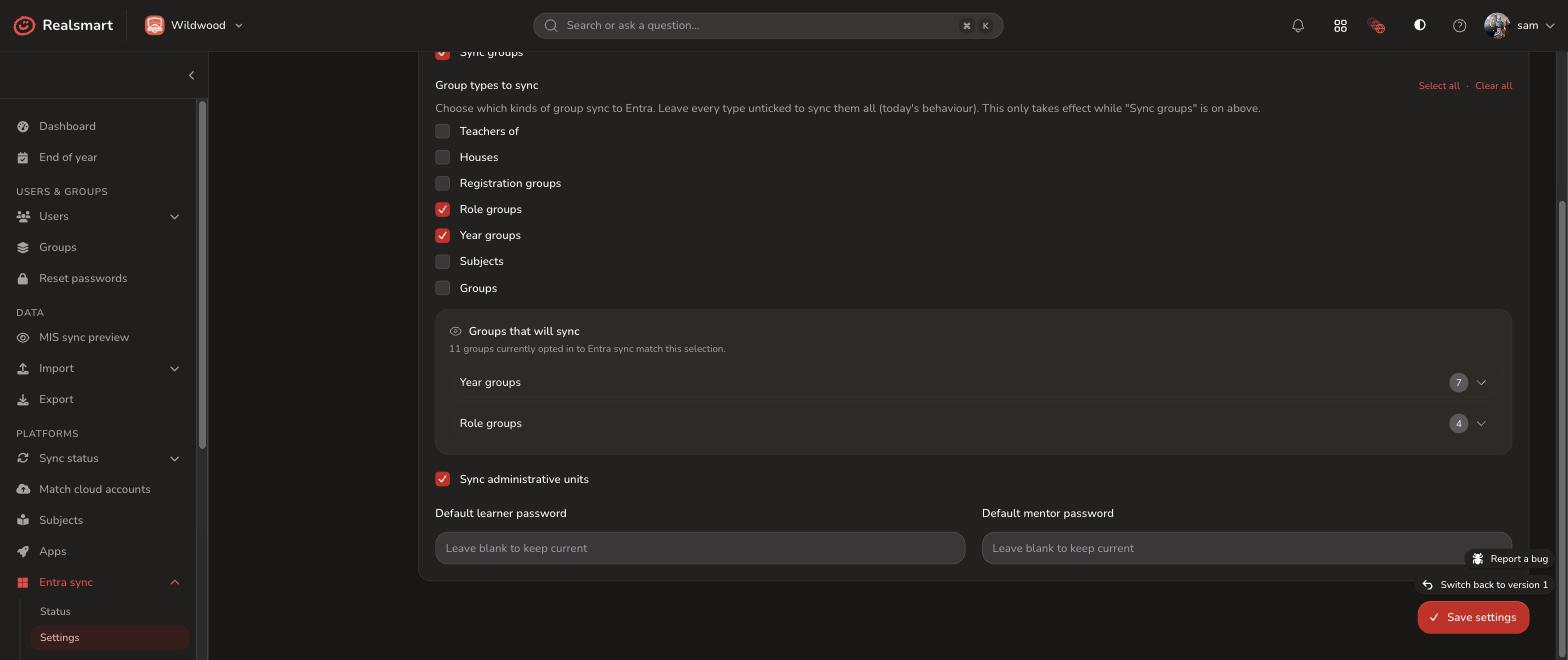
Once connected, you hold total control over what your school MIS sync pushes into Microsoft Entra ID:
-
Password Updates & Account Management: Automatically keep user passwords and identity updates for existing accounts in step across your MIS to Microsoft 365 pipeline.
-
7 Dynamic Group Types (With Live Preview): Seamlessly provision Teachers of, Houses, Registration groups, Role groups, Year groups, Subjects, and custom Groups. True to our “Glass” approach, preview exact memberships live before committing any changes.
-
Administrative Unit (AU) Sync: Automatically align Entra ID Administrative Units with your school or MAT structure based on live MIS data.
Passwords & Naming Conventions, Your Way
Customise how accounts and groups are created in Entra ID to align with your school or MAT’s exact IT standards:
-
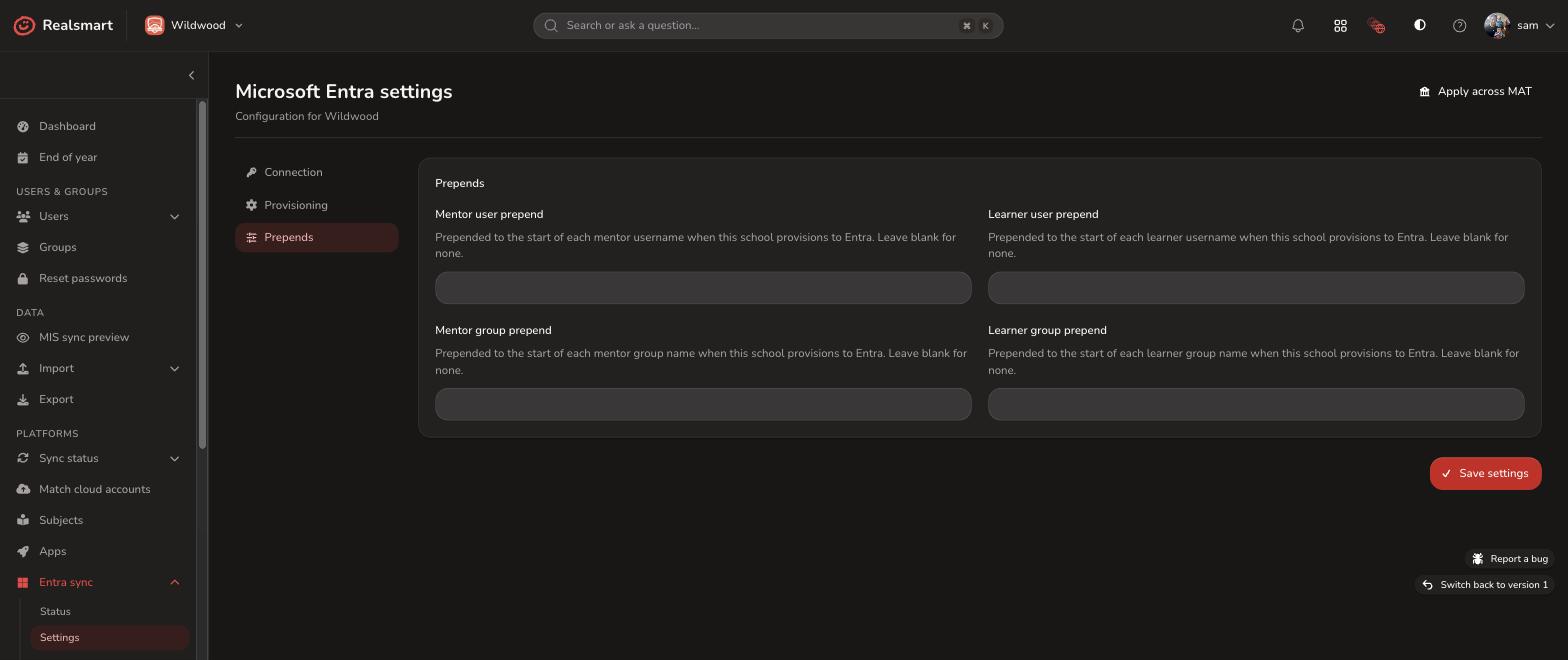
Role-Based Default Passwords: Set tailored default passwords for new staff (mentors) and student (learners) accounts during initial provisioning.
-
Custom User & Group Prepends: Configure distinct prefixes/prepends for mentor and learner accounts and groups to maintain clean naming structures across your MIS to Microsoft 365 pipeline.
-
Built for Trusts & Multi-School Estates: Keep individual schools distinct or enforce standardized naming conventions across an entire Multi-Academy Trust without complex manual intervention.
Built for Multi-Academy Trusts (MATs) & Central IT Teams
Streamline centralised tenant management without sacrificing per-school identity when provisioning MIS to Microsoft 365:
-
Single Tenant, Multi-School Architecture: Manage multiple academies seamlessly under a single shared Microsoft 365 tenant.
-
Dedicated School Subdomains: Assign individual subdomains per school so staff and student identities remain distinct.
-
One-Click Trust-Wide Rollout: Deploy your MIS to Entra ID sync rules, OU templates, and security settings across all trust schools in a single action, eliminating tedious school-by-school configuration.
Seamless Email Generation & Single Sign-On (SSO)
Ensure clean identity management and effortless user logins across your entire school network:
-
Flexible UPN & Email Mapping: Automatically generate standardised User Principal Names (UPNs) and email addresses directly from your school MIS sync data.
-
Single Sign-On (SSO) Integration: Enable seamless Microsoft 365 Single Sign-On across all your connected school applications, reducing password reset tickets.
-
Identity Consistency: Maintain exact alignment between MIS user records, Entra ID profiles, and email handles across your MIS to Microsoft 365 pipeline.
See exactly what’s happening. Fix things yourself. No ticket required.
Every sync runs on a schedule, and you can trigger one on demand whenever you need to. Before Entra Sync goes live for the first time, you can preview it and test the connection. Once it’s up and running, nothing happens to your data without you being able to see it, understand it, and put it right.
-
An honest status dashboard: One screen tells you exactly what’s syncing, what’s healthy, and what needs a look.
-
Errors, grouped and prioritised: No wall of noise. Just the issues that matter, in plain English, ranked by what to fix first.
-
A full activity feed and logs: Every change is logged and explained, so you can trace exactly what happened and when.
An honest status dashboard
One screen tells you exactly what’s syncing, what’s healthy, and what needs a look.
Errors, grouped and prioritised
No wall of noise. Just the issues that matter, in plain English, ranked by what to fix first.
A full activity feed and logs
Every change is logged and explained, so you can trace exactly what happened and when.
Getting started with Entra Sync
To connect Entra Sync you’ll need a Microsoft 365 Global Admin to set up an app registration and enter your credentials into Realsmart. We’ll guide you through this as part of onboarding.
Users, groups & passwords
Synced to Entra ID, kept in sync with your MIS.
7 group types
Choose exactly which reach Entra, with a live preview.
Administrative unit sync
Structure mirrors your school, automatically.
Default passwords & prepends
Set once per school, or share across a trust.
Group email, your domain
Via Exchange Online, set up together with our team.
SmartLogin single sign on
Federated SSO matched on immutable IDs.
Trust wide rollout
One action, every school on the tenant.
Test before you trust it
Preview and connection-test before anything goes live.
Run Google Sync and Entra Sync from one web application.
Do you also use Google Workspace? Take a look at our Google Sync page to see how the same glass approach, live status, plain English logs, full self service, works for Google Workspace too.