
Every July the same question comes up: what should happen to this year’s Google Classrooms? Some teachers want them archived the moment term ends. Others need them open over the summer for coursework or revision. And in September, someone always needs last year’s class back.
ADAdmin now lets you decide, school-wide and group by group.
Set your school’s default
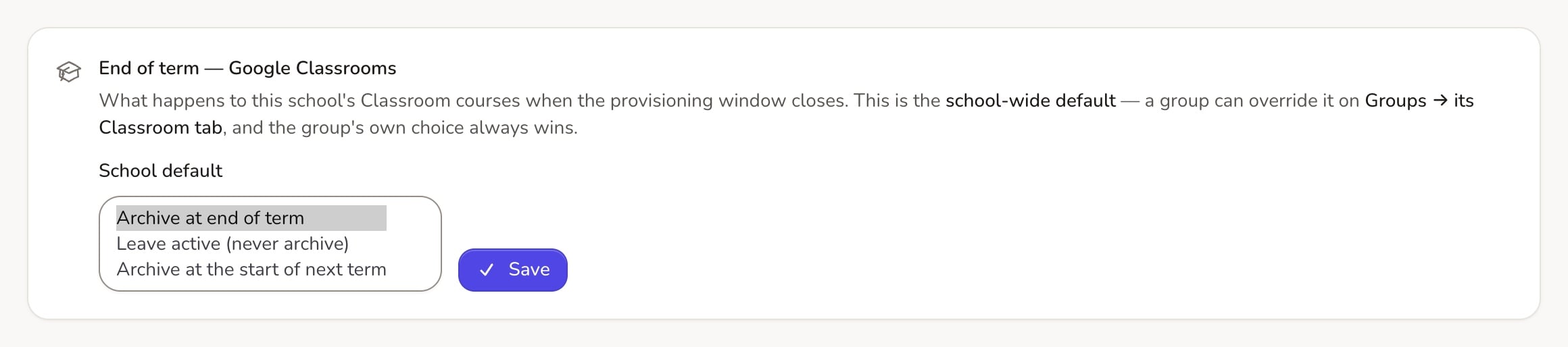
In ADAdmin, go to End of year → End of term — Google Classrooms and choose what happens to classrooms when the year ends:
- Archive at end of term: tidy, and pupils can still see their work.
- Leave active: the classroom stays open in Google over the summer.
- Archive at the start of next term: open for the summer, tidied away in September.
Override it for any group
Each group’s Classroom tab can Inherit school default or choose its own option. The group’s own choice always wins. So Year 11 revision groups can stay open while everything else is archived, or the other way round.
Whatever you choose, each group starts the new year with a fresh classroom, so new pupils don’t land in last year’s class.
Bring last year’s classrooms back in bulk
Under Google Workspace → Classroom, the Last year’s classrooms card shows how many are archived and how many are active. Choose Manage to see every group’s previous classroom with its Status in Google.
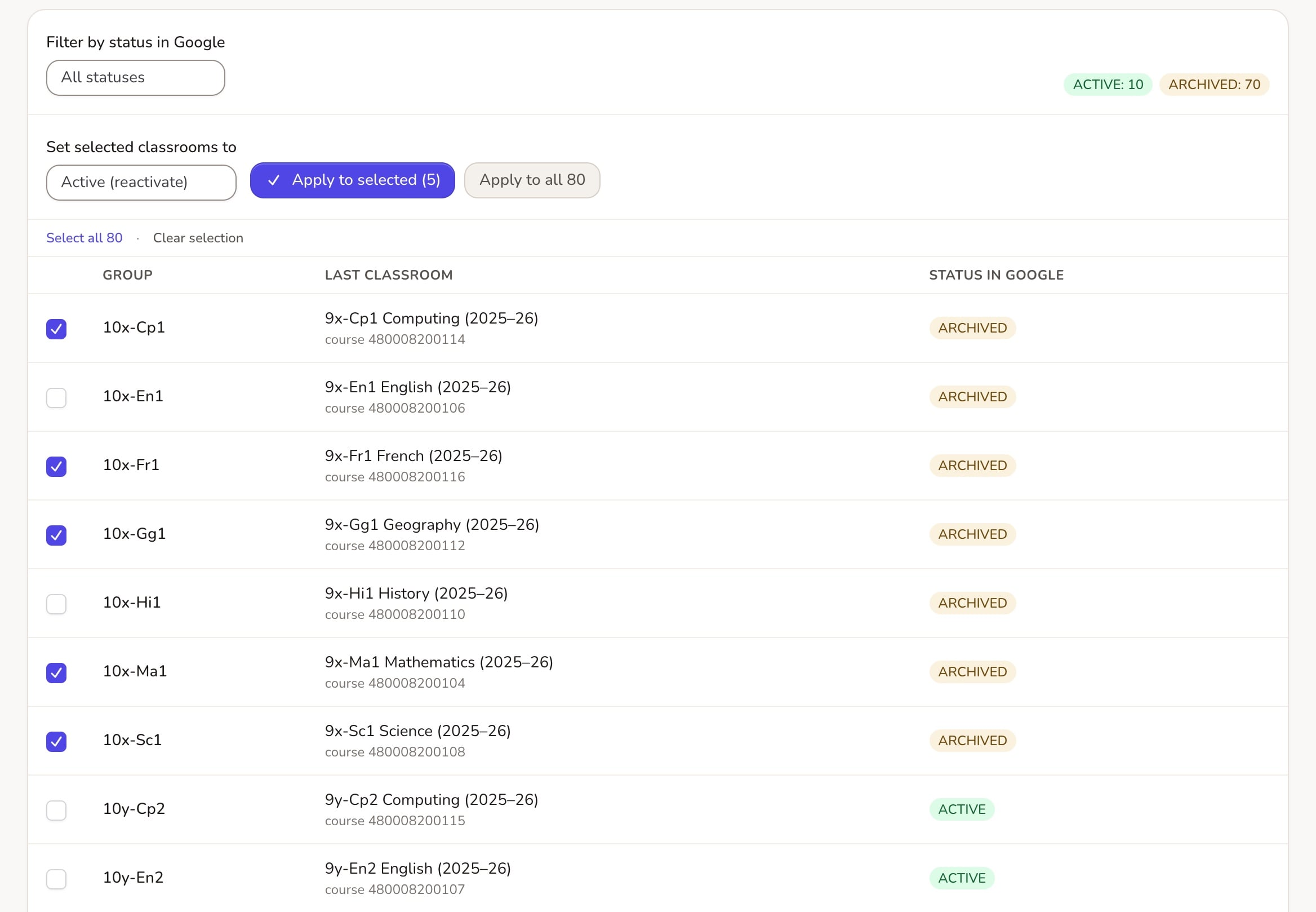
- Tick the classrooms you want, or use Select all.
- Under Set selected classrooms to, choose Active (reactivate) or Archived.
- Choose Apply to selected or Apply to all.
The change runs in the background and works during the summer freeze. Nothing is deleted, every change is logged, and you can switch them back at any time.
This is for schools that use Google Classroom. Questions? Email support@realsmart.co.uk.