
If you look after IT for a multi-academy trust, you probably know the routine: sign in to one school, check its sync, switch to the next, and repeat. With a handful of schools that’s a morning gone.
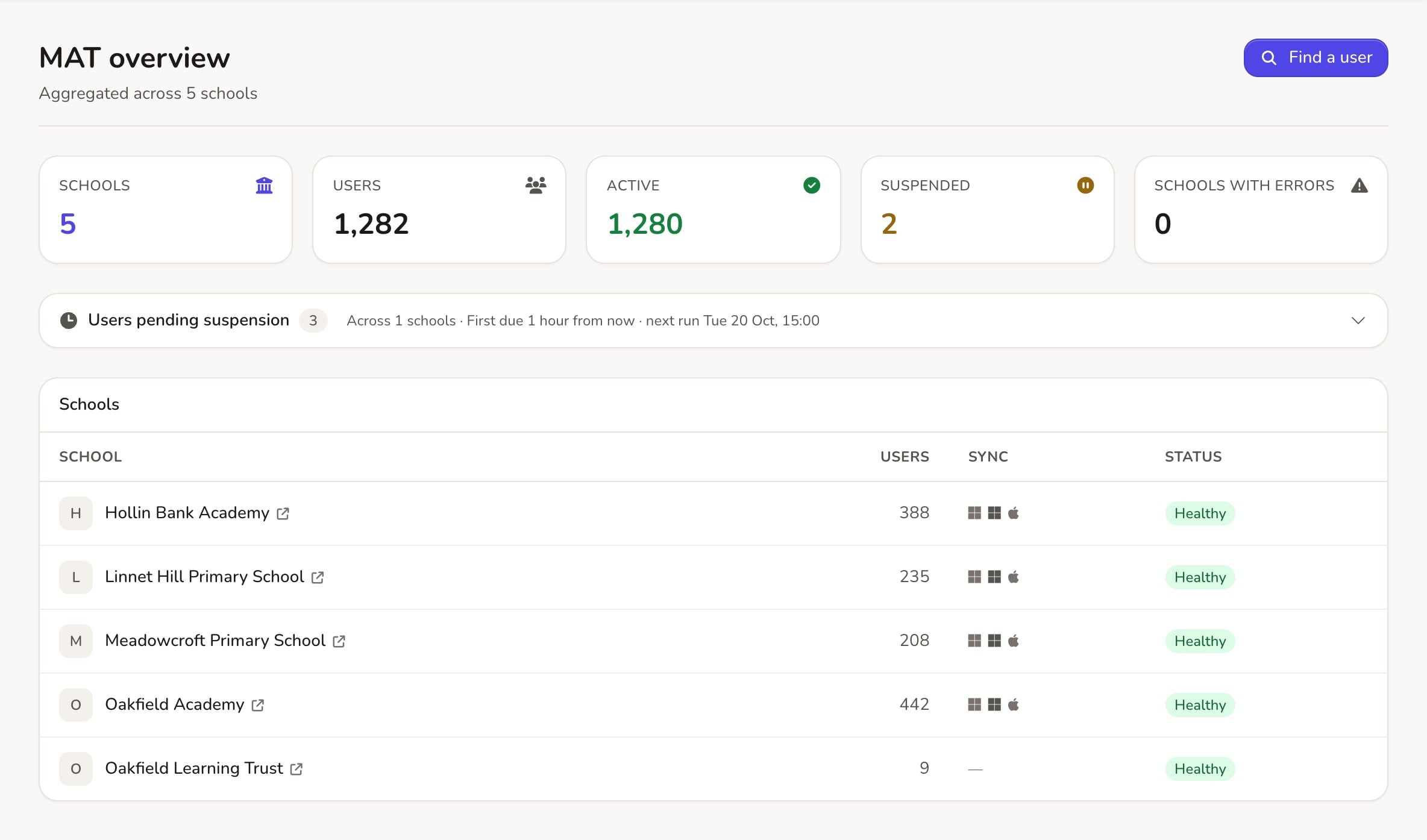
ADAdmin now has a MAT area that brings every school in your trust into one place.
A dashboard for every school at once
The new MAT Dashboard opens on My MAT Schools, a table of every school in your trust with:
- Last MIS Sync, Last Google Sync and Last AD Sync, so you can see straight away if one school has fallen behind;
- Website Status and Uptime this year for each school’s website.
Find and edit anyone in the trust
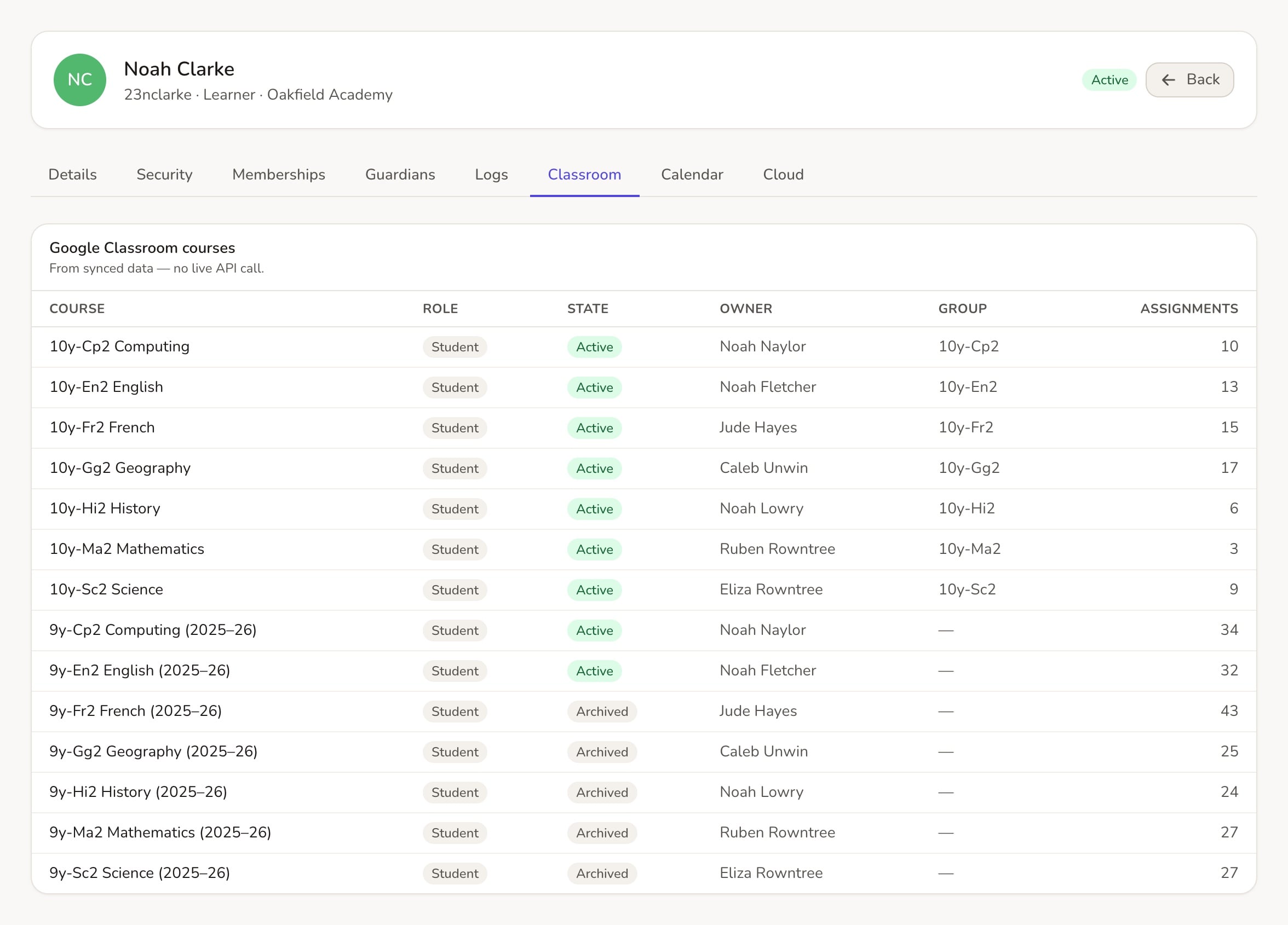
MAT Users searches every school in the trust. Open someone and you can edit them without switching school, with tabs for Classroom, Guardians, Calendars and Logs. That’s handy when a teacher works across two schools, or a pupil moves between them.
Google Classroom, trust-wide
On a user’s or a group’s Classroom tab you can see each of their Google Classrooms with its Name, Realsmart Association, Owner, Coursework Count, Creation Time and Status. You can change the status (Active, Archived, Provisioned, Declined or Suspended) right there, without opening Google.
MAT Groups also has a duplicates view, so you can spot when the same class has ended up with two Google Classrooms and tidy it up before pupils get confused.
Who gets it
The MAT area appears in the sidebar for admins whose account is linked to more than one school in a trust. If you think you should see it and don’t, email support@realsmart.co.uk and we’ll check your trust’s links.