
Every term we add things to Realsmart websites that schools have asked for, and fix the things that got in their way. This is the first of a regular round-up, so you can see what has changed without waiting for your next check-in.
Everything here is already on your website. Some features are off until you switch them on, so we have said how for each one. They are all free, as every update is with Realsmart.
A new menu for phones, on every school website
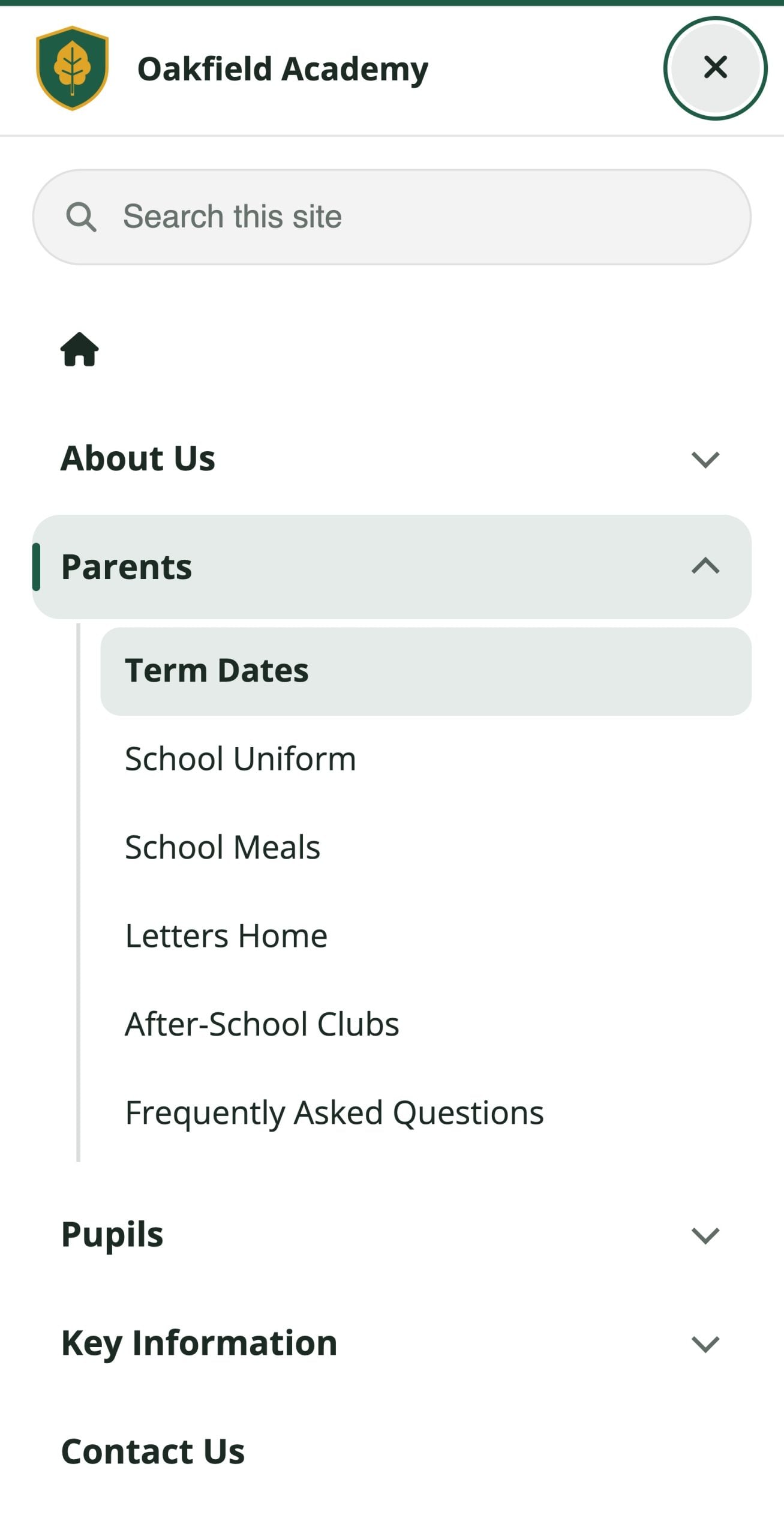
Most parents visit on a phone, and every one of them uses the menu. We have redesigned it for all of our schools. Search now comes first, the rows are bigger and easier to tap, submenus open in place, and the page you are on is clearly marked. The close button is always in reach. It takes its colours from your own website, so it looks like yours from day one. There is nothing to switch on.
Calendars you can page through
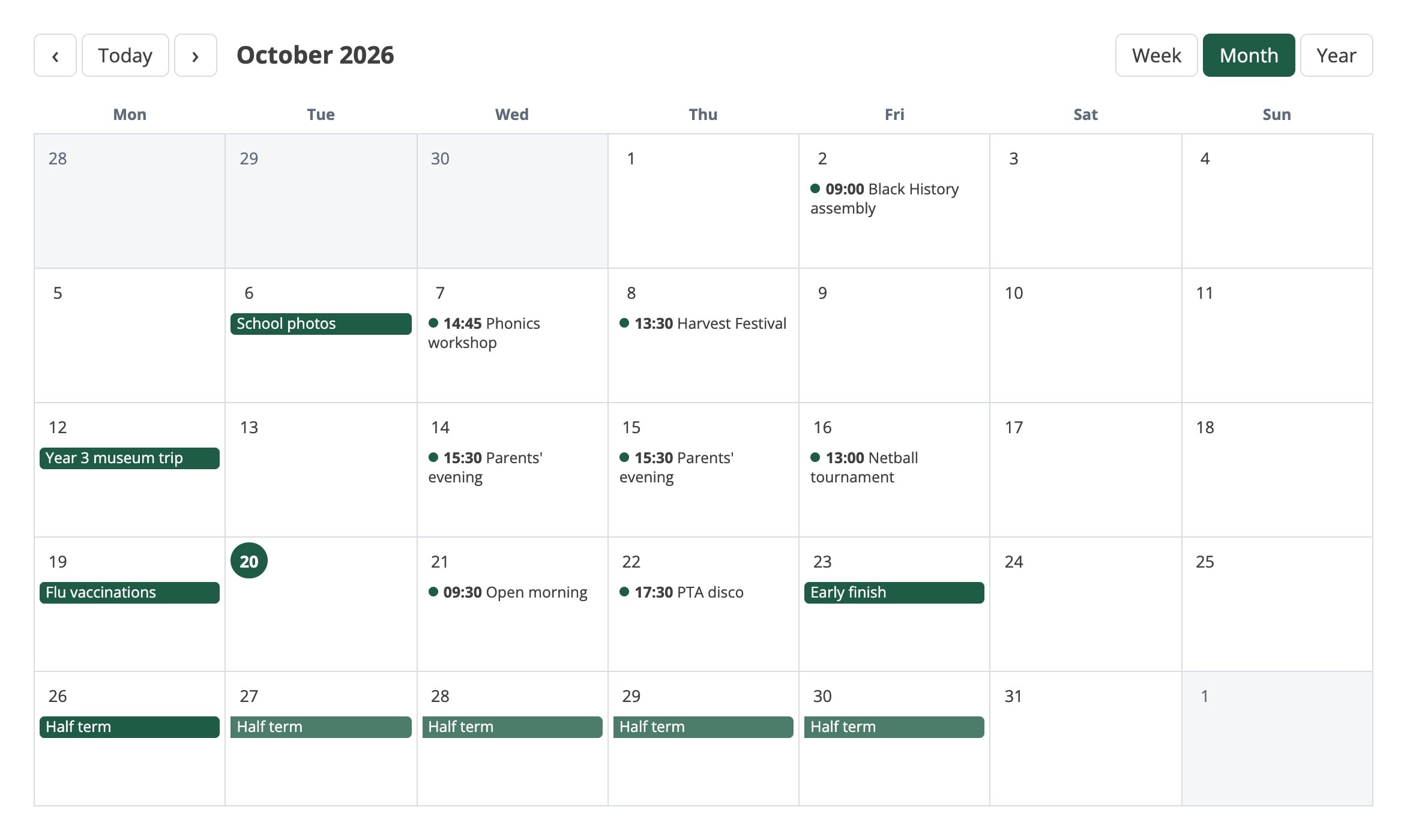
Smart WP Calendar can now show your events as a calendar, not just a list. Visitors can move through it by week, month or year, and the year view can start in September so it follows the school year. Use the Copy calendar view shortcode button in Calendar Options and paste it onto any page. Existing calendar pages stay exactly as they are.
FAQs you can edit, and a chat that answers from them
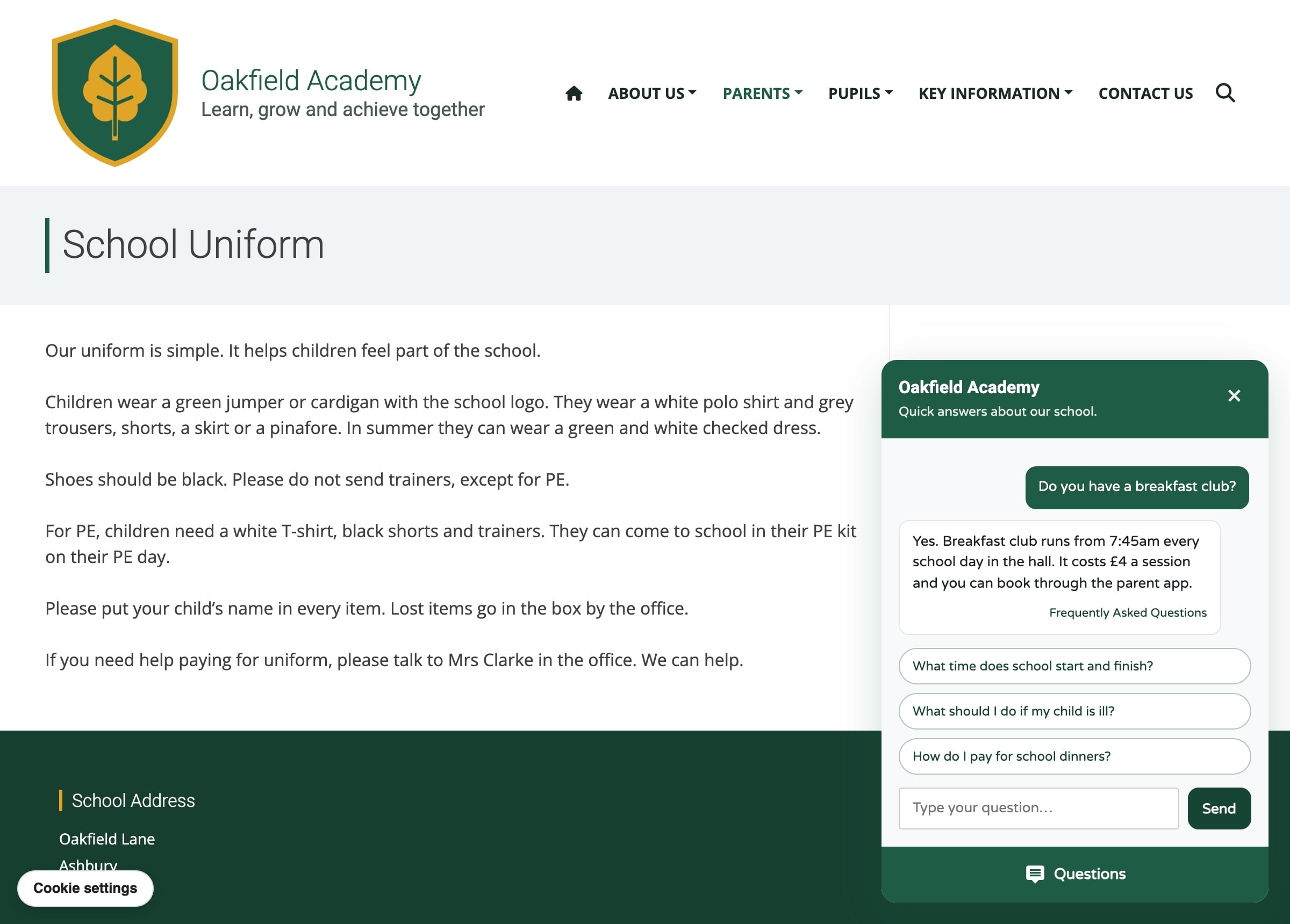
Smart FAQ now has one home under Smart Plugins → Smart FAQ, with tabs for your settings, your questions and their categories. When a visitor asks the FAQ chat something you have already answered, it gives them your written answer, word for word, before it searches the rest of your website.
Policies, laid out your way
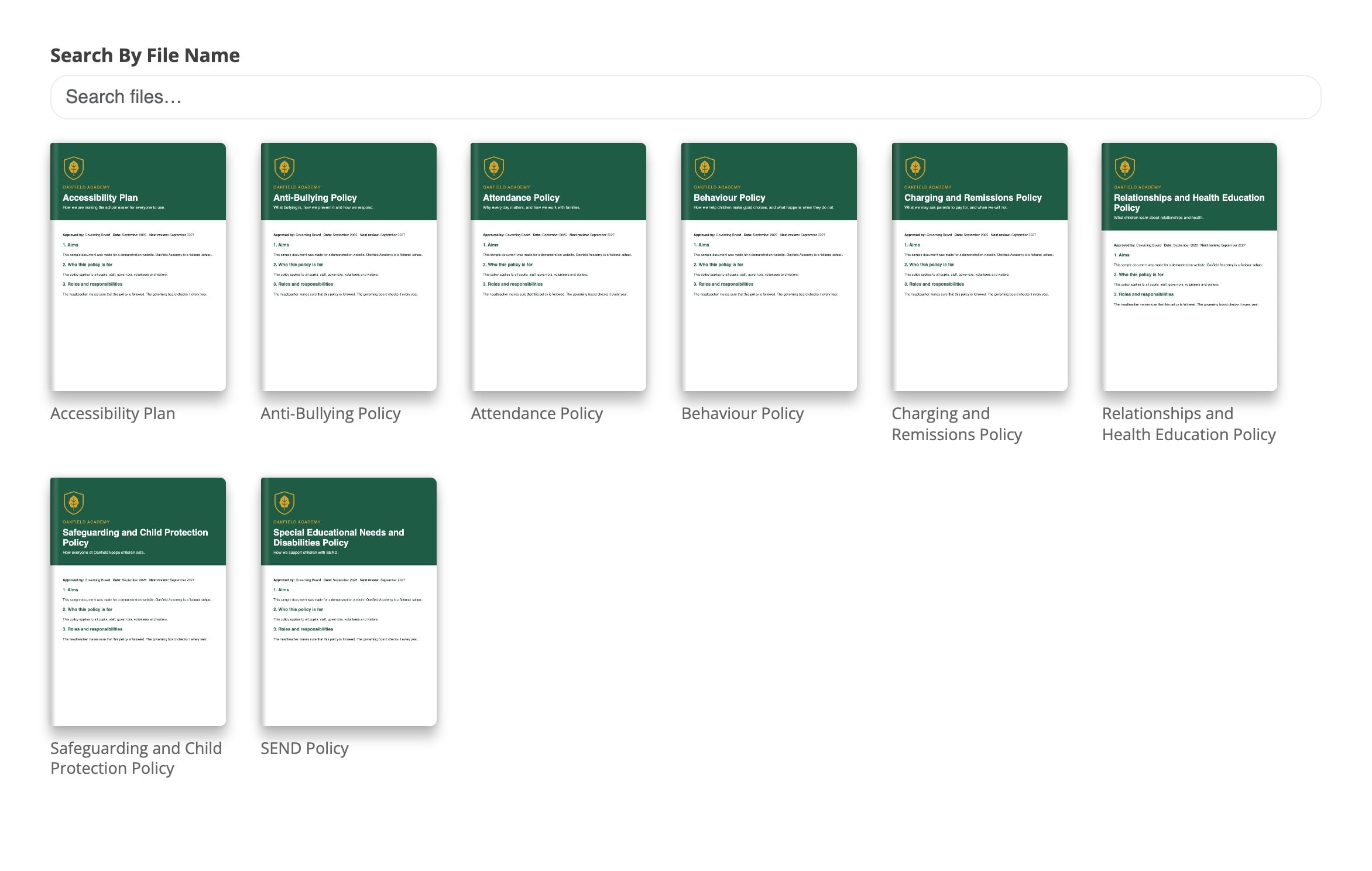
Smart Policy Manager can now import the PDFs from an existing policies page in one go, so moving to it takes minutes rather than an afternoon. Each group of policies can be shown as a list, a grid, a table, simple links, an accordion, or a magazine-style flipbook, with your own colours.
Posts that take themselves down
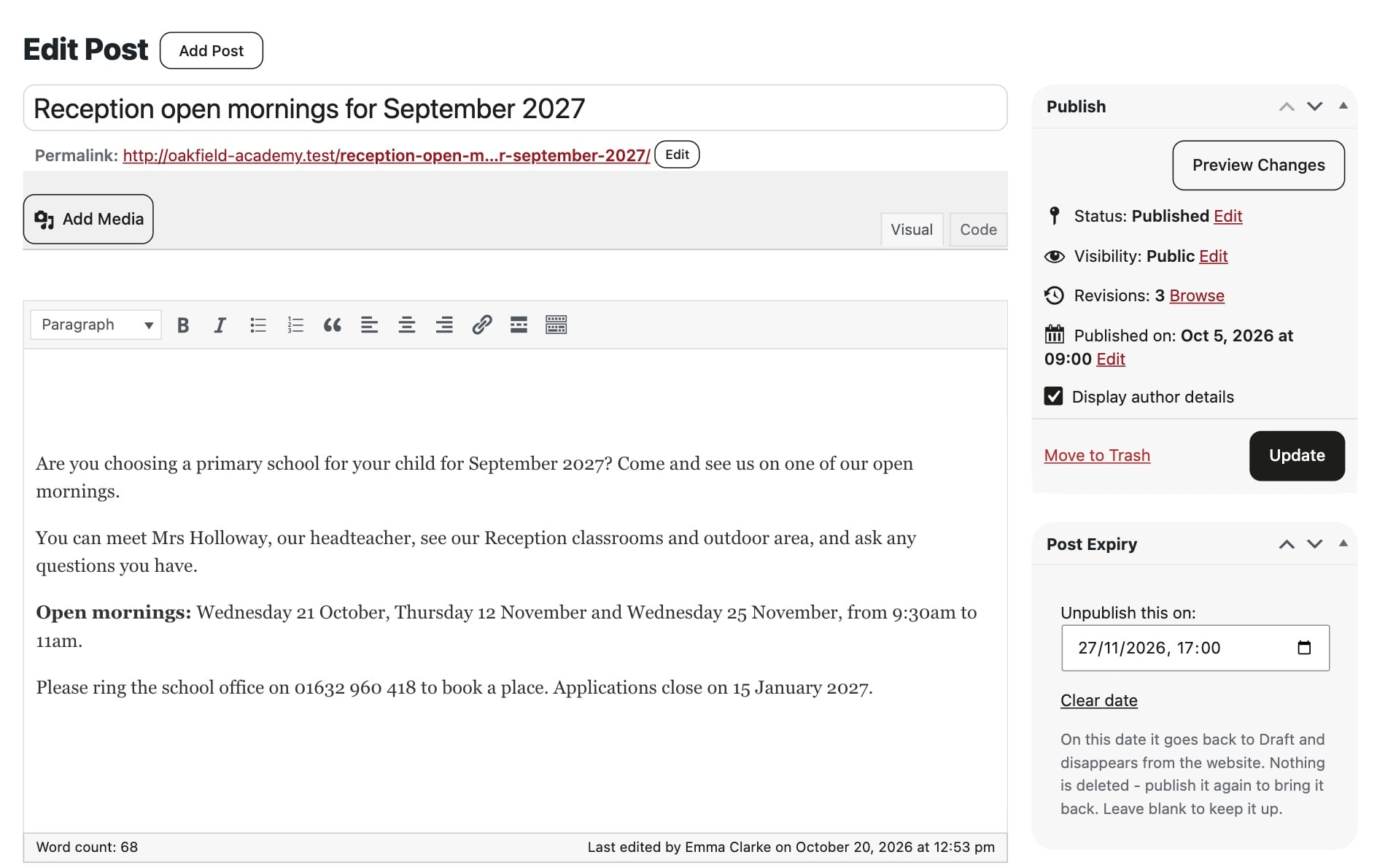
Turn on Smart Post Expiry in Smart Plugins and every post gets a date and time to unpublish it. That is useful for a trip reminder, a one-off closure notice or a job advert. When the time comes the post goes back to draft. Nothing is deleted, and you can publish it again whenever you like.
Know when a post is waiting for review
If staff write posts that a senior leader approves, turn on Smart Approvals. Reviewers get an email when a post is submitted, and the author hears back when it is published.
A plain-English reading age
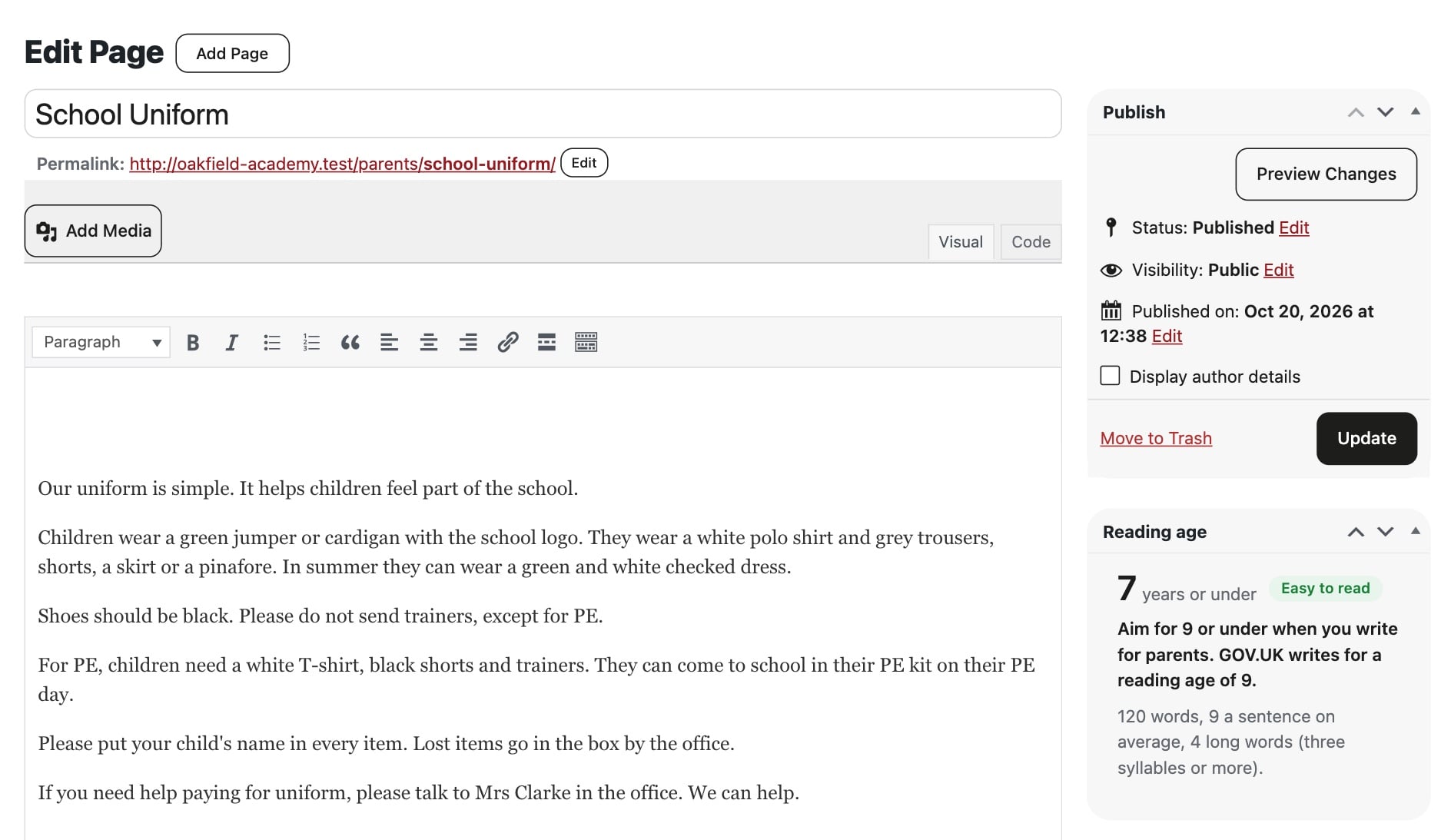
Parents read your website at every level, and many read it in a second language. Beside the editor you will now see a reading age in UK years for the page you are writing. It updates as you type, so you can see straight away when a sentence has got too long. Your Compliance screen shows the reading age of your pages and documents too.
Smaller things you might notice
- The Realsmart bar in your dashboard. If you sign in through Realsmart, the bar you know from your website now sits at the top of the dashboard as well, so you can move between your apps without leaving it.
- One look for our settings screens. Every Realsmart settings screen now has the same tidy layout, so they are easier to find your way around.
- Smart Lock. Lock your homepage so it cannot be changed by accident. Realsmart support can still open it when you ask us to help.
We have also written separate posts on three bigger changes: your vacancies on Google Jobs, bigger uploads and iPhone photos and a cookie banner that really asks. Beyond your website, there is news on safer sign-in, with 2FA for every admin and what is new in Realsmart Sync and ADAdmin. And if you want to know what is coming, read what we are working on next.
Want any of this switched on?
You can turn most features on yourself under Smart Plugins in your dashboard. If you would rather we did it, or you would like a hand setting something up, email support@realsmart.co.uk.