
Replace shared email with a team inbox everyone can answer.
When office@ or admissions@ relies on one person, or one password passed round the office, a sick day means parents wait. Beacon turns your shared addresses into a team inbox: everyone signs in as themselves, anyone can pick up a conversation, and every reply is on the record.
Same email address. Same Sent items. Parents won’t notice a thing, except that someone always replies.



Recorded live in Beacon with a demo school. Every name and email is made up.
The trouble with shared email
Most schools run their busiest conversations through shared addresses like office@, admissions@ and attendance@. They work until they don’t: a password on a sticky note, two people answering the same parent, an email read on a phone and forgotten, a colleague off sick with the only copy of the thread in their head. Beacon keeps the address you already have and gives your team a proper way to share it.
Everything a shared mailbox should have been.
Someone’s off sick? Your team can still reply.

With a shared mailbox, cover depends on who knows the password and who remembers what was going on. In Beacon, the conversation, its history and even the half-written reply belong to the team, not to one person.
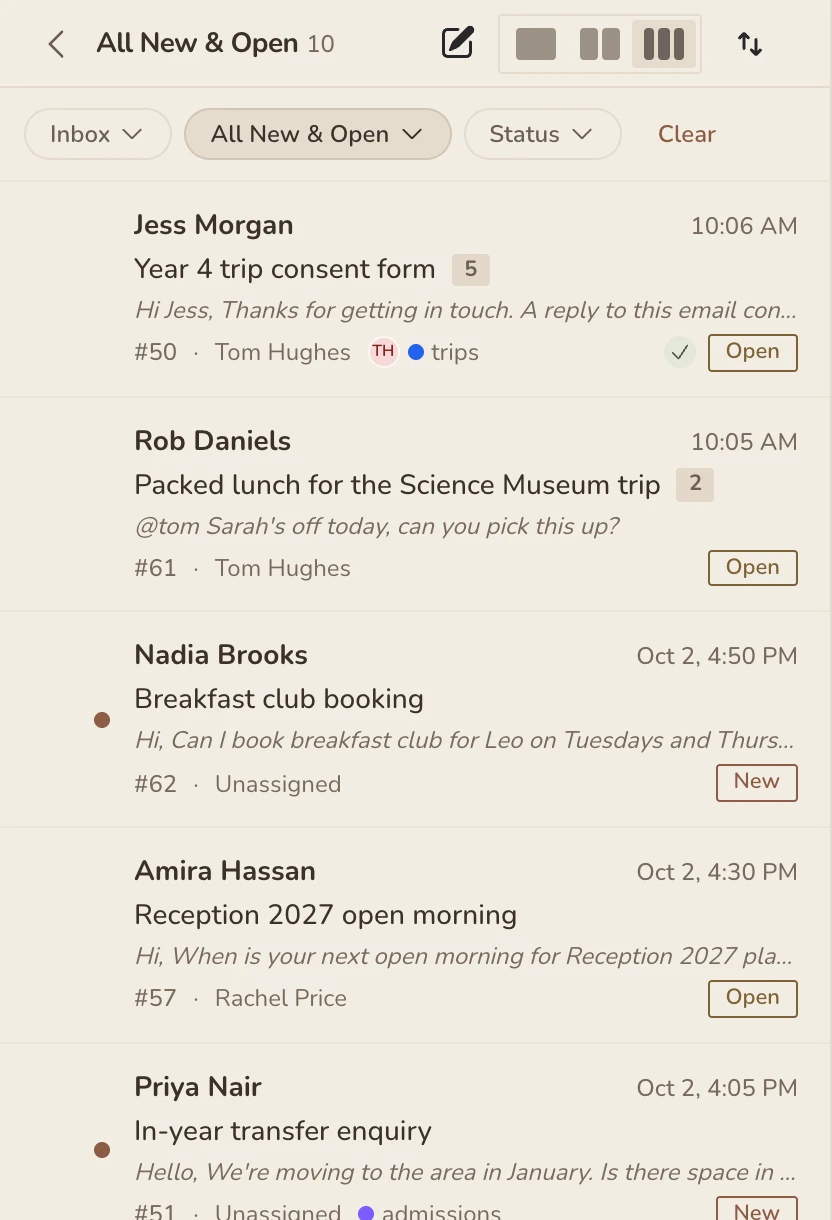
- One queue the whole team can see. New emails land where everyone with access can see them, so nothing waits for one person to log in.
- Reassign in one click. Hand a conversation to a colleague and they’re notified straight away.
- Drafts belong to the conversation. Started a reply before going home ill? It’s saved on the ticket, so a colleague can finish it and press send.
- The context comes too. Earlier conversations with the same parent or contact sit alongside, so whoever picks it up isn’t starting cold.
Every reply, on the record.
Because everyone signs in as themselves, Beacon knows exactly who did what. That matters when a parent asks what they were told, when a complaint needs looking into, or when you just need to know where something got to.
- An activity timeline on every conversation: replies, notes, assignments and status changes, with who made them and when.
- Before and after: changes to status, priority or owner show what they were and what they became.
- An audit log for admins: sign-ins, role changes, mailbox settings and routing rules are all recorded.
- No anonymous replies: every email that leaves your shared address is tied to the member of staff who sent it.
Keep the address parents already use.
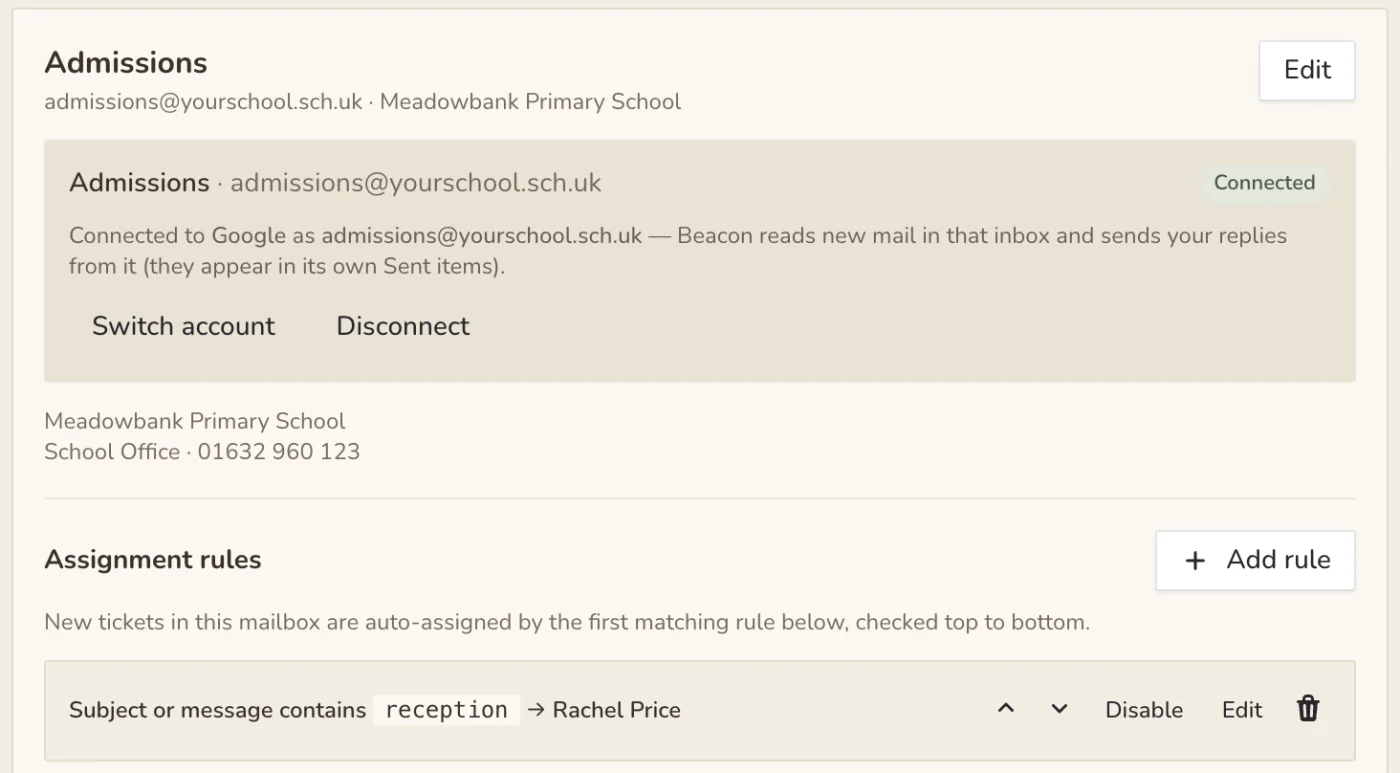
There’s nothing new for parents to learn. Connect your existing Google Workspace or Microsoft 365 mailbox and Beacon brings new emails in as they arrive.
- Replies come from your shared address, sent through your own Google or Microsoft account, so they appear in its Sent items as normal.
- Access per mailbox. The office team gets office@, admissions gets admissions@, and confidential inboxes stay with the people who should see them.
- Signatures for each mailbox, plus an optional automatic acknowledgement so parents know their email has arrived.
- Routing rules can assign emails by sender domain or keyword, so the right person sees them first.
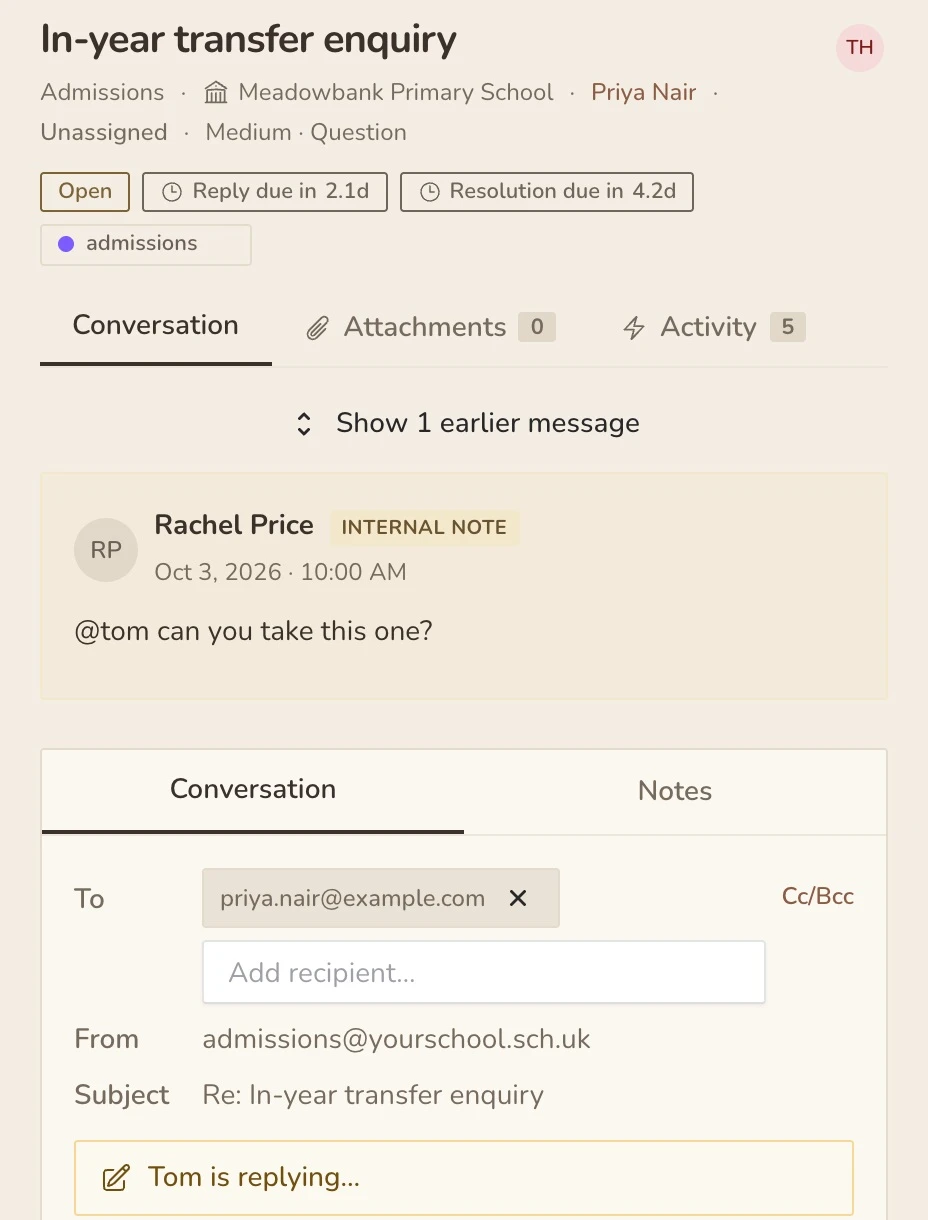
No more two people answering the same email.
Shared mailboxes give you no idea who else is looking at a message. Beacon shows you, live.
- See who’s viewing a conversation, in the inbox list and on the conversation itself.
- “Tom is replying…” appears before you start writing a second answer.
- Internal notes and @mentions let you ask a colleague without forwarding anything, and they’re never sent to the parent.
- Undo send. A short window to take a reply back when you spot the typo.
Know nothing is slipping through, without checking the inbox every five minutes.
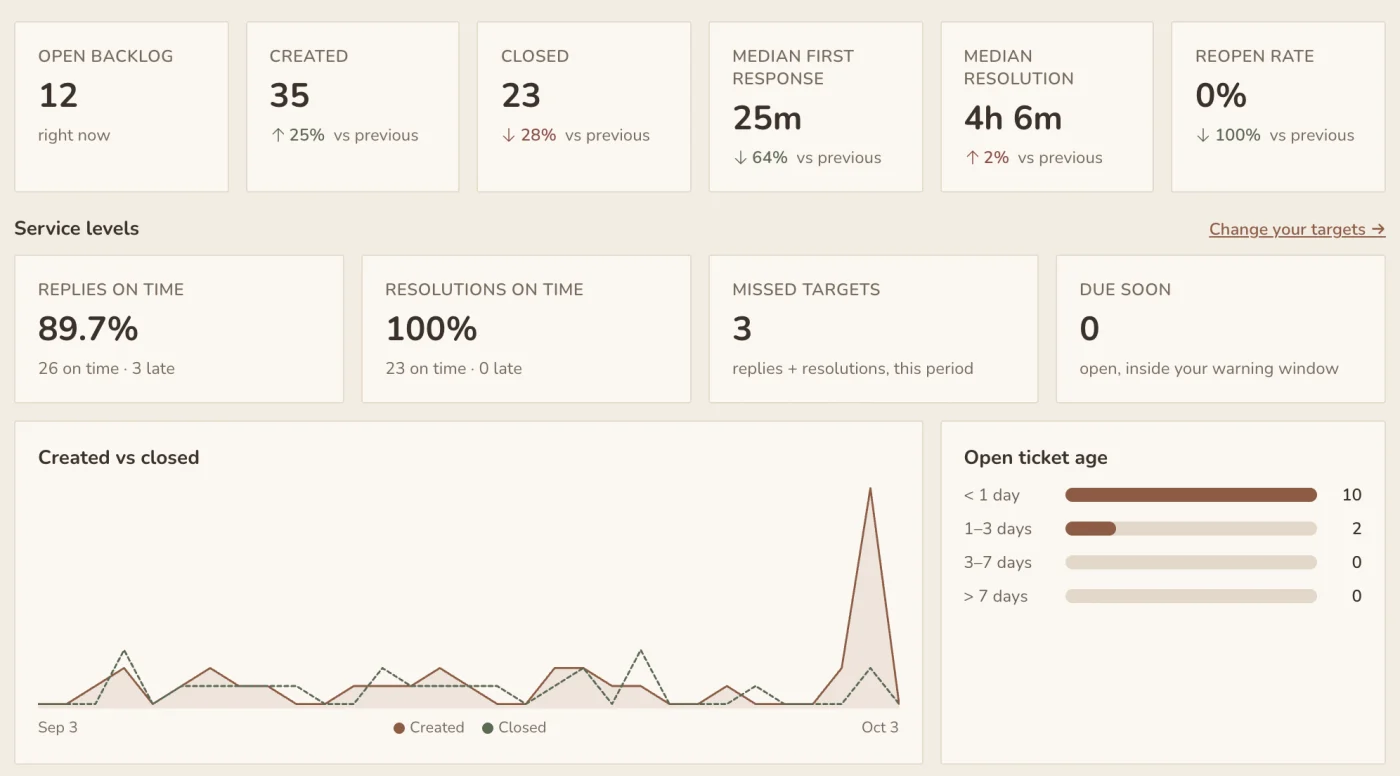
Beacon keeps track so your team doesn’t have to. Emails that need an answer stay visible until they get one, and you can see how quickly parents hear back.
Statuses that reopen themselves
New, Open, Pending and Closed. When a parent replies to a closed conversation, it comes straight back to the team.
Response targets
Set first-response and resolution targets that respect your working hours, and see what’s due and what’s overdue.
Snooze until it matters
Park a conversation until the next working day. If the parent replies first, it wakes up early.
Undo send
Every reply waits a moment before it goes, so a wrong recipient or a typo can be taken back.
AI suggested replies
Draft a reply from the conversation and your team’s past answers. A person always reviews it and presses send, and it can be switched off per mailbox.
Insights
First-response and resolution times, ageing conversations and response target breaches, with CSV export for your reports.
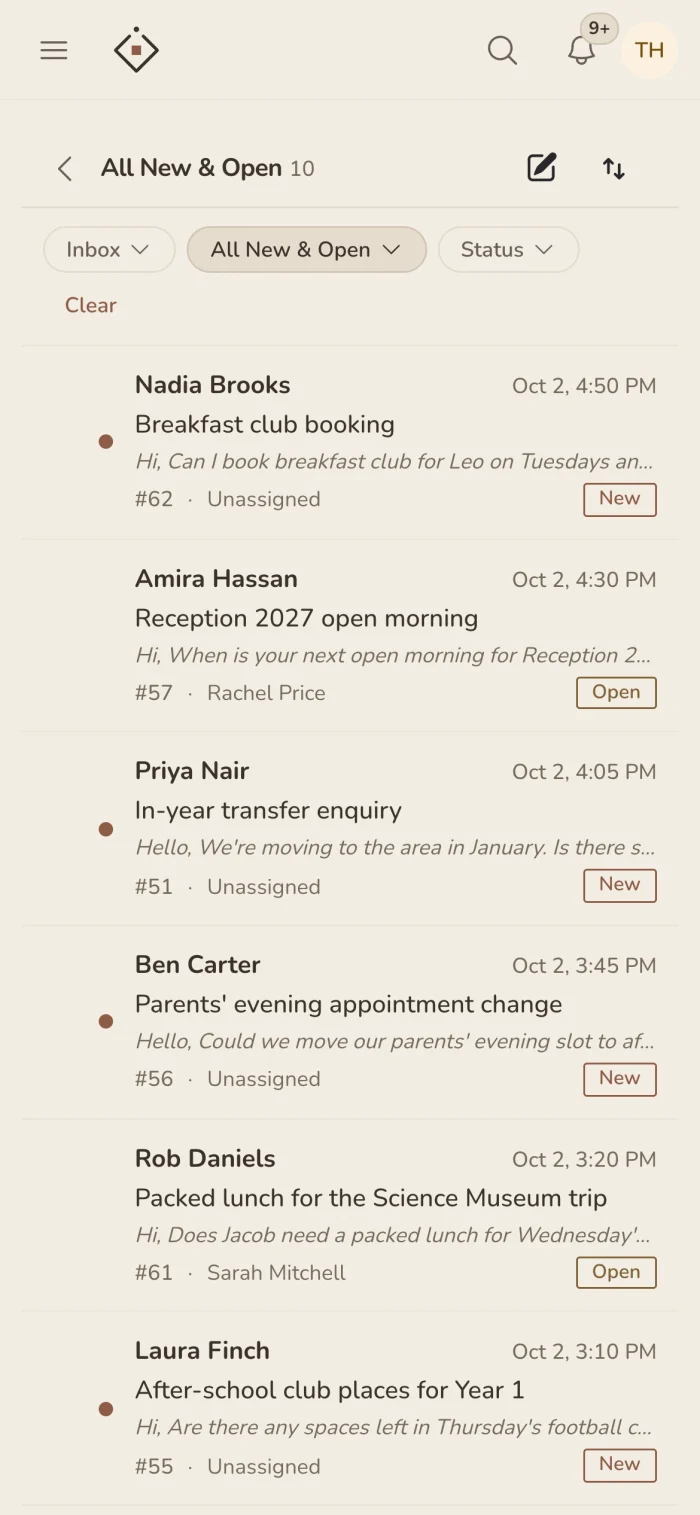
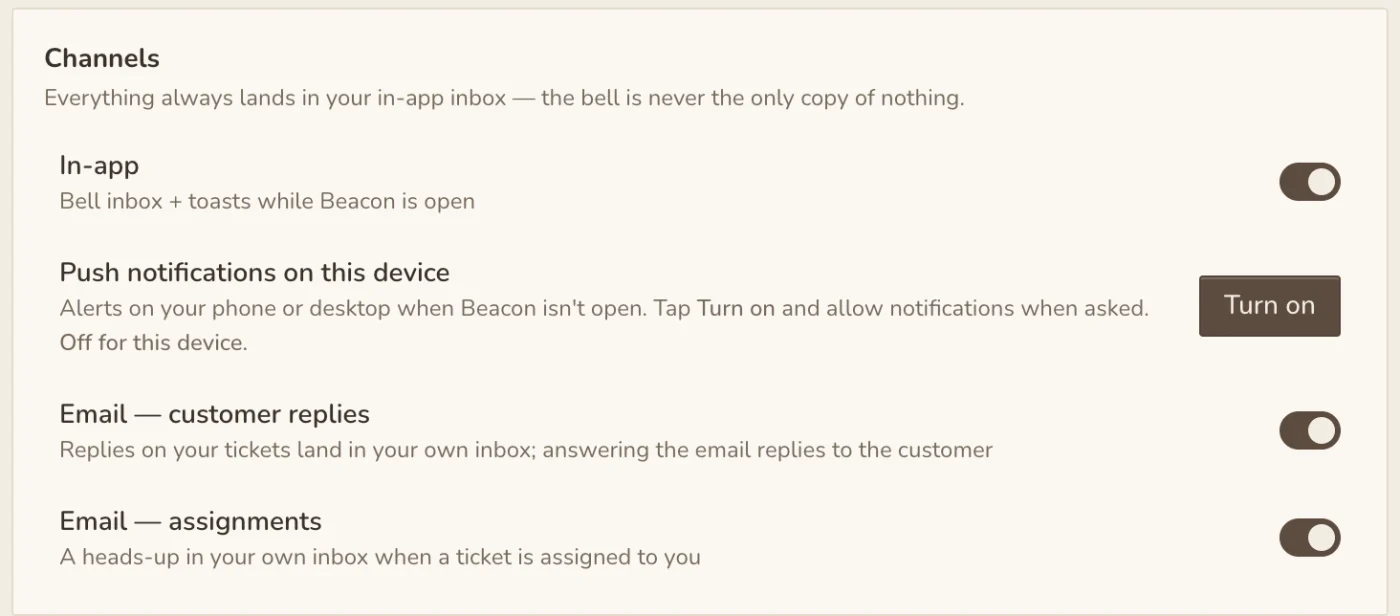
The inbox goes where your team goes.
Beacon works in any browser and installs on a phone like an app. Each person chooses what they hear about, and where: in Beacon, by email, in Slack or as a push notification.
Which inboxes could Beacon look after?
Any address more than one person needs to answer. Each one gets its own team, access and signature.
office@
General parent enquiries, handled by whoever is free rather than whoever has the password.
admissions@
Applications and in-year transfers, with a clear record of what each family was told.
attendance@
Absence messages first thing in the morning, picked up even when the usual person is out.
finance@
Dinner money, trips and invoices, with notes and history in one place.
SEND
Sensitive conversations kept to the people who should see them, with every action recorded.
IT support
Staff requests and parent login problems, assigned and tracked to the end.
Trust central teams
HR, estates and finance across a multi-academy trust, shared by one team or split per school.
Clubs & lettings
Bookings and enquiries that would otherwise end up in someone’s personal inbox.
Common questions
Will parents notice a difference?
No. They keep emailing the same address, and replies come from that same address. The difference is on your side: the whole team can see the conversation and pick it up.
Do staff need another password?
No. Everyone signs in with their existing Realsmart login, so there’s no mailbox password to share and nothing new to remember.
What happens when a member of staff leaves?
There’s no shared password to change. Their conversations and their history stay with the school, so whoever takes over can see everything that was said.
Can we keep sensitive inboxes private?
Yes. Access is set per mailbox, so a SEND or HR inbox is only visible to the people you choose.
Can a multi-academy trust use it?
Yes. A trust can share one Beacon across its schools, or each school can have its own.
Does the AI send emails on its own?
Never. AI suggestions are drafts for a person to read, edit and send. You can switch AI off for any mailbox.
Are the screens on this page real?
Yes. Every screenshot and animation is the real Beacon app, recorded with a made-up demo school so no real family’s details are shown.
Give your shared inbox to the whole team.
Beacon is switched on for your school or trust by our team, and we’ll help you connect your first mailbox. See it working with a short demo, or get in touch with any questions.