
When new students join or staff members leave, keeping your network up to date can be a huge administrative headache. That’s exactly where an Active Directory Sync For Schools comes in. In fact, The Ultimate Guide to AD Sync For Schools: Automate Your MIS to Active Directory can help you understand how best to streamline this process. To achieve a smooth and reliable experience, many IT administrators rely on The Ultimate Guide to AD Sync For Schools: Automate Your MIS to Active Directory for essential steps and tips.
At realsmart, our powerful MIS to AD Sync tool has been specifically designed to completely reduce your admin workload. By automatically creating users, groups, and organisational units (OUs) straight from your Management Information System (MIS) into your Windows Server, you can save time and cut costs. In addition, you can ensure your data is always perfectly synchronised. In other words, The Ultimate Guide to AD Sync For Schools: Automate Your MIS to Active Directory gives your team the clarity to automate these crucial processes.
Why Choose Our Active Directory Sync For Schools?
Managing school network access shouldn’t be complicated. Our tool sits between your MIS and your Windows Server. We fetch data from your MIS to our realsmart system multiple times per day. You can then sync this data with your Windows Server as many times as you like.
When users appear in your MIS, they are automatically provisioned to realsmart. Because we have constant access to your live MIS data, we can keep your AD up to date by seamlessly adding new users. Furthermore, we remove suspended users and maintain complex OU structures. Moreover, The Ultimate Guide to AD Sync For Schools: Automate Your MIS to Active Directory explains how these automated actions can improve school security and efficiency.
Key Features Designed for Schools
Our super cost-effective tool gives you complete control over how your data is handled. Key features include:
-
Easy Web Interface: Update all your sync settings from our easy-to-use cloud interface from anywhere, at any time. Simply log in, make your changes, and they will be reflected the next time the sync runs.
-
Disable Users Automatically: Automatically suspend users in AD and move them into a specific disabled OU as soon as they leave the school in your MIS.
-
Run PowerShell Scripts: Trigger custom PowerShell scripts on new users as they are created to handle advanced network permissions and folders.
-
Total Customisation: Configure how display names appear, which groups users are attached to, and set default passwords (including forcing a password change on next login).
-
Automated Logs and Notifications: Never miss a beat. When you run an AD Sync for schools, you receive an automated email notification detailing exactly what has changed, alongside full change logs stored securely in our Smartadmin system.
We’ve made configuring your MIS to AD Sync incredibly straightforward. The first step of the process is telling the realsmart system exactly how you want your data mapped out.
Through our customisable user interface, you can set rules for display names and specify where users belong in your Organisational Units (OUs). You can also map out your groups and apply your school’s unique password policies. Additionally, you can always refer back to The Ultimate Guide to AD Sync For Schools: Automate Your MIS to Active Directory whenever you need clarity on best practices.
If you’re an existing customer looking to get started, you can follow our comprehensive step-by-step guide on Setting up the Active Directory Sync tool in realsmart.
Deploying on Your Windows Server
Once your rules are built in the web app, the next step is connecting it to your school’s local environment.
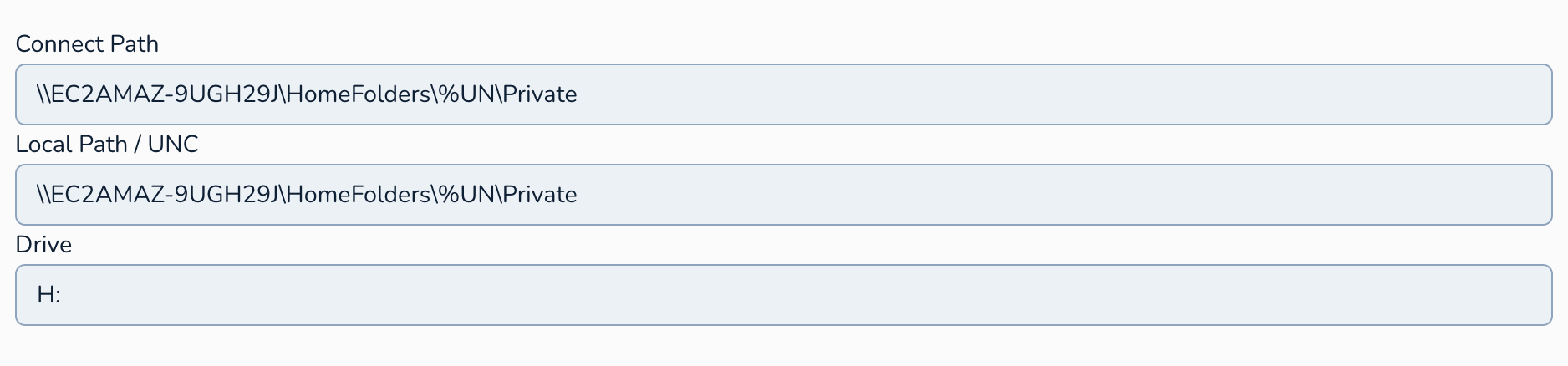
You can run the sync tool directly from your Windows Server using the built-in Windows Task Scheduler. This means you can dictate exactly when and how often the sync pulls the processed MIS data down into your Active Directory. Whether you want to sync once a day at midnight or every hour, you are entirely in control.
Need help installing the client on your server? Check out our technical guide on Setting up our tool on your Windows Server.
A Super Cost-Effective Solution for Schools
School budgets are tight, and IT resources are often stretched thin. You don’t need to spend thousands on enterprise-level identity management platforms that are overly complex and hard to support.
Our tool is tailored specifically to the education sector—providing exactly what schools need to bridge the gap between their MIS and their local network without the premium price tag.
Ready to make manual data entry a thing of the past?
Learn more about our Microsoft Active Directory Sync tool and book a demo today!