
Every school leader knows the feeling. An inspection could be weeks away, and somewhere in a folder of policies there is a document that went out of date last summer, or a page that still names the trust you left two years ago. Nobody meant it to happen. It just did.
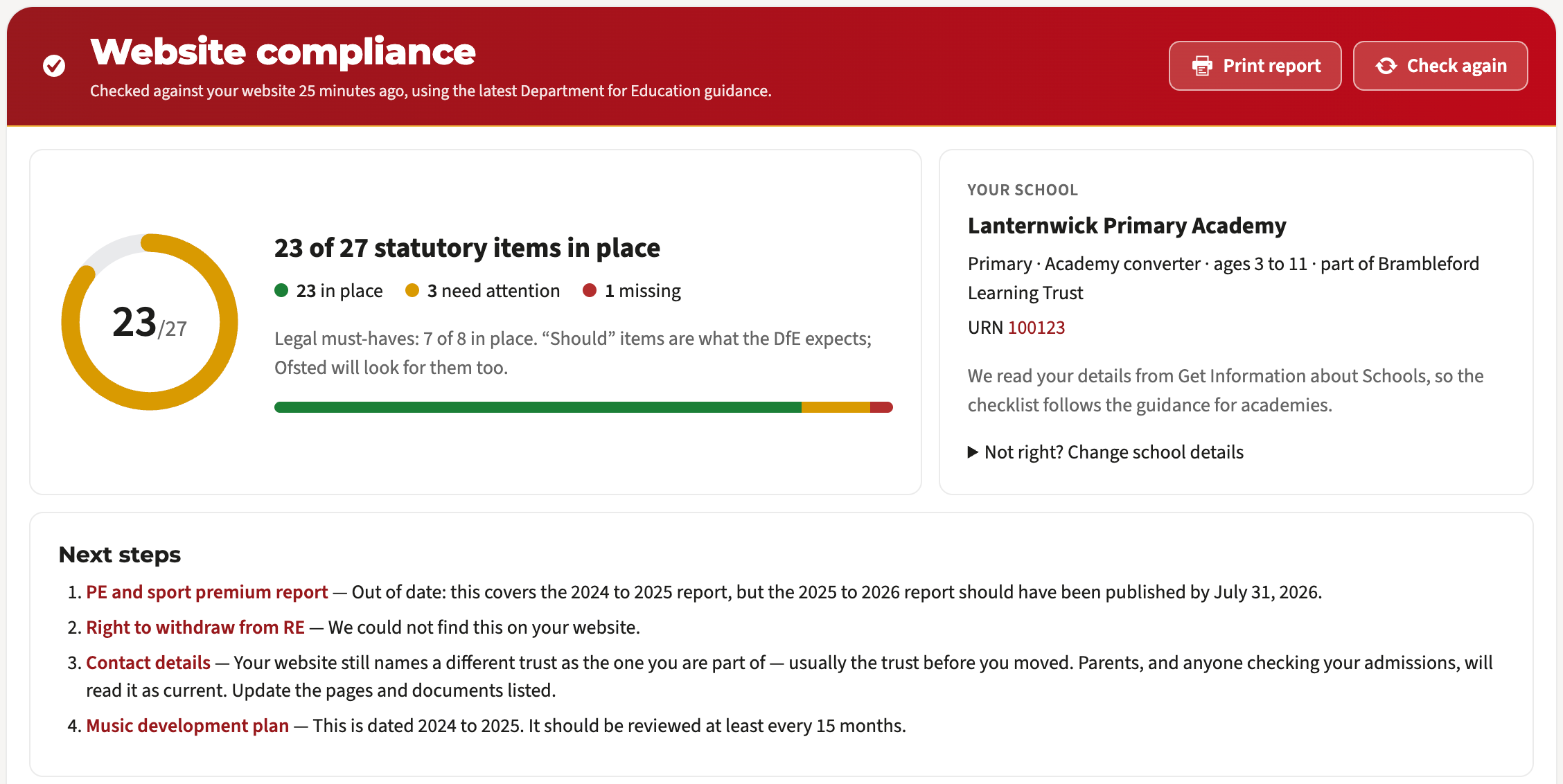
Our website compliance check has always looked for the pages and documents the DfE says you must publish. Over the last fortnight we have taught it to do something far more useful: read them.
It reads the documents themselves
Your policies live in all sorts of places: PDFs on a policies page, a Google Drive folder, a OneDrive list shared by your trust, a Word file behind a link that only says “click here”. The check now opens each one, as any parent could, and reads the text inside.
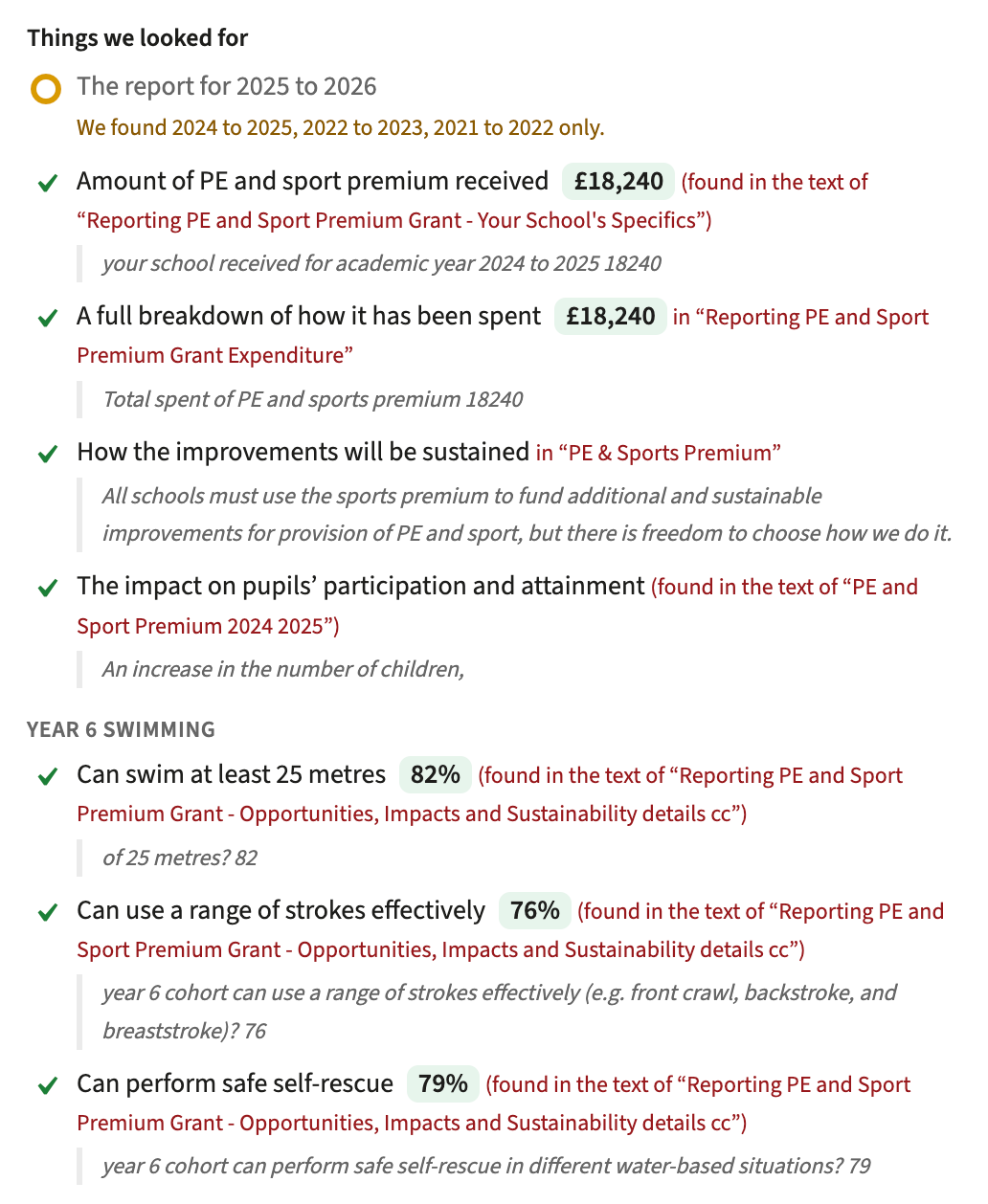
That means it can tell you more than “there is a behaviour policy”. It can tell you that your admissions arrangements give a published admission number of 30, that your PE and sport premium report includes the Year 6 swimming figures, that your SEN information report names your SENCO, and exactly which document each of those came from, with the words around it.
It spots what has gone out of date
Some documents have a deadline every year. The check knows them: the pupil premium strategy statement, the PE and sport premium report, your admission arrangements, the SEN information report. When the one on your website covers last year, you see which year it covers and the date the new one was due.
It catches what is quietly wrong
Two things come up again and again:
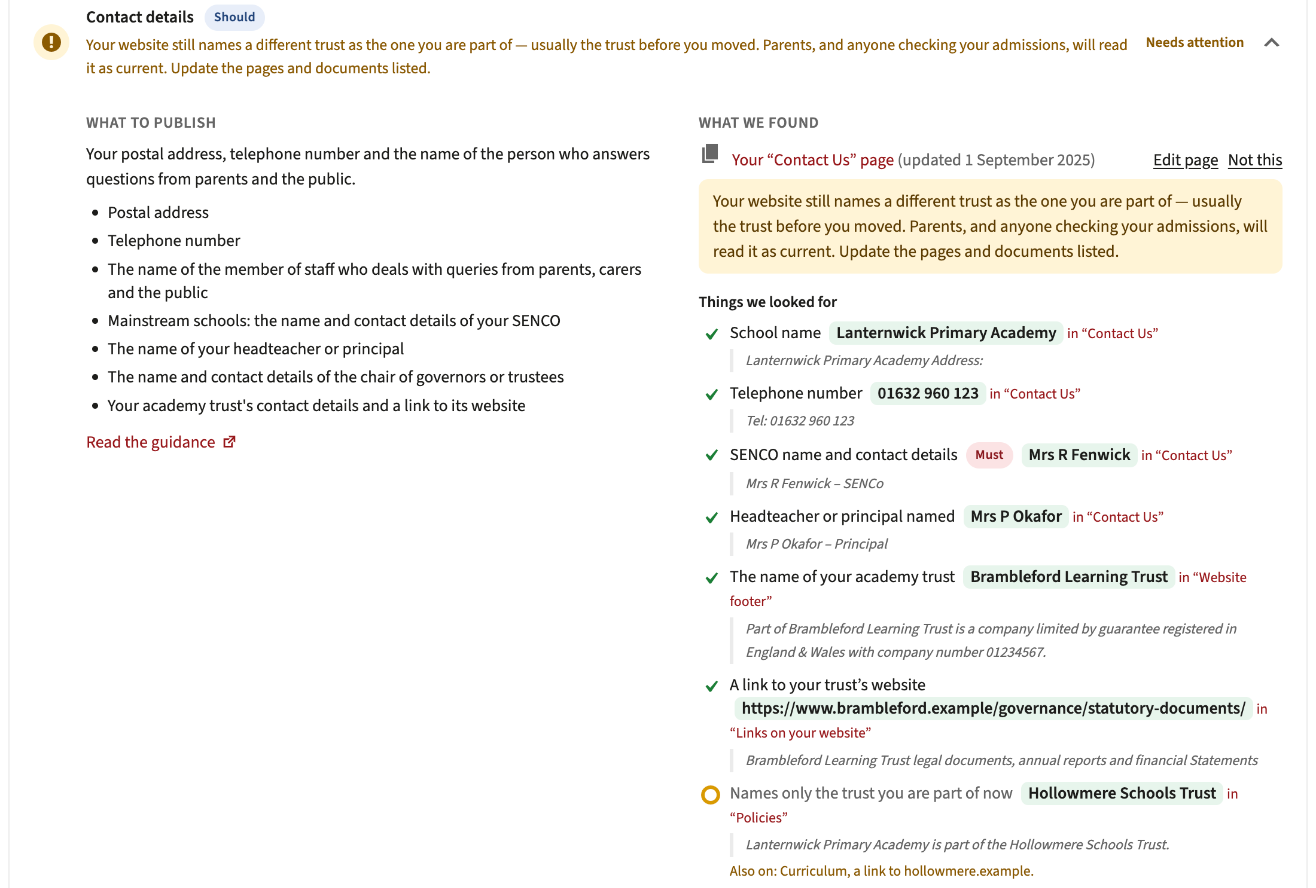
- An Ofsted link that points at the school as it was before it converted. The new school has a new URN and a new Ofsted page; plenty of websites still link to the old one.
- A trust the school has left, still named on its website. A sentence on the policies page, a line in the curriculum overview, the admissions authority in the admissions policy. We list every place we find it, and any link to the old trust’s website.
It tells you when someone may be checking
Before an inspection, inspectors look at a school’s website. Our Ofsted visit monitor watches for visits that read like that review: someone working through safeguarding, SEND, pupil premium, governance and your policies in one sitting. When a visit looks like that, it is checked again by AI, and if it still looks likely, we email the contacts you have given us.
It cannot know who is visiting, and it does not pretend to. It simply means a review of your website never comes as a surprise.
What you need to do
Nothing. If your school’s website is with Realsmart, all of this is already running: open Website compliance in your dashboard to see where you stand. If you are part of a trust, your trust’s website shows every school’s score in one place (see MAT features), and that view is rolling out to trusts this term.
The content still has to come from you. What has changed is that you will always know where you stand, long before anyone else looks.
Not with Realsmart yet? Book a free demo and we will show you your own school’s website through the same check.