
One MIS feed.
Every platform, in glass.
Every school runs on its MIS, and every school relies on Google Workspace, Microsoft 365, Active Directory or Apple School Manager, often all four at once. Keeping them all in step by hand takes hours of admin every week, and it only takes one typo to break a login on exam morning. Realsmart Sync connects your MIS to every platform you run and keeps the whole lot in step: automatically, visibly and reversibly.
No black box. Just glass: see exactly what’s syncing, every time.
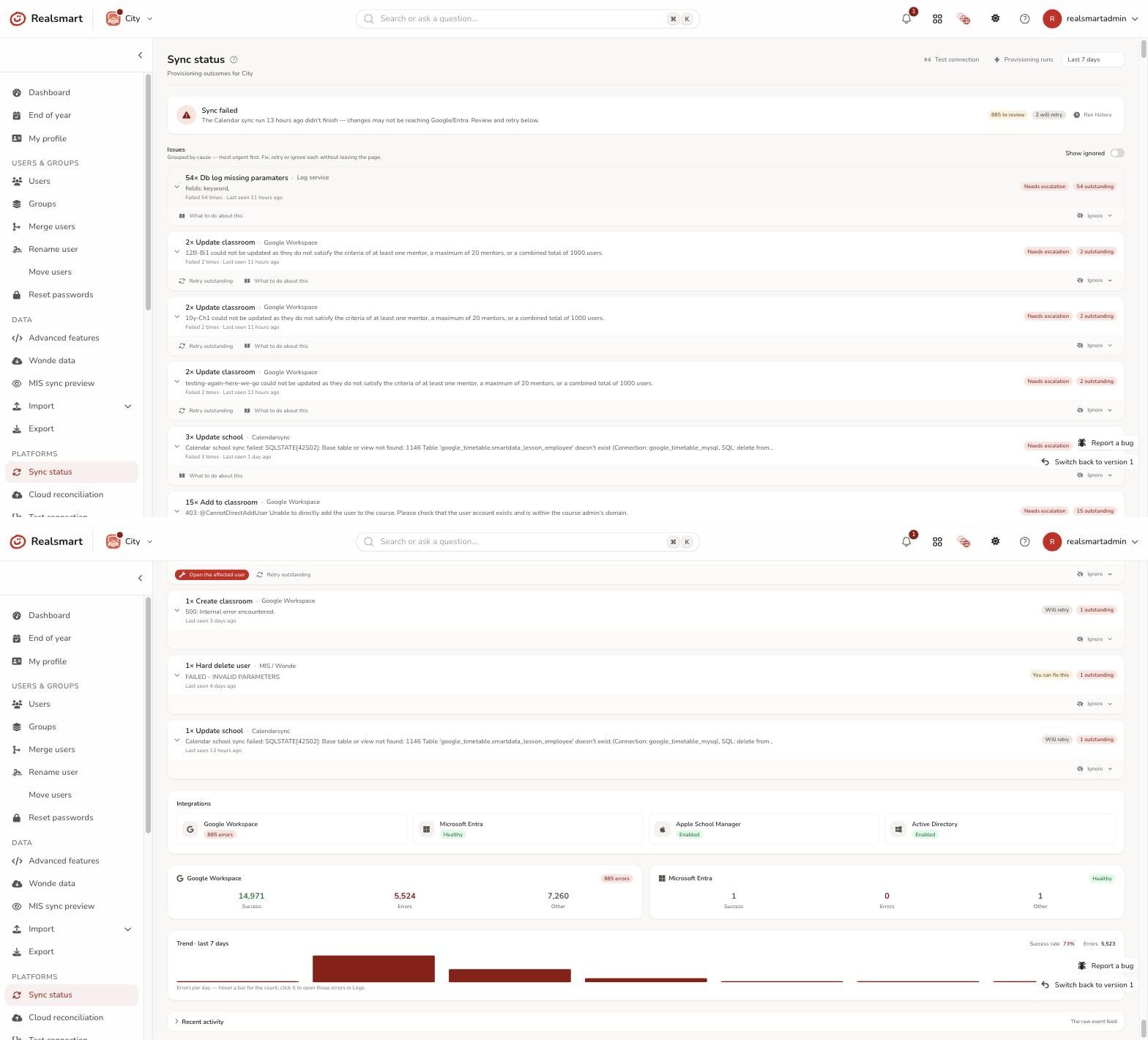
Why glass, not a black box
Most school sync tools are black boxes. You press the button, cross your fingers, and find out at 8:45am what actually happened, if anything did at all. Realsmart Sync works differently. Before anything runs, you can read the exact plan it will execute. While it runs, you can watch every action land. Afterwards, every change is written to an audit trail. Nothing is hidden, nothing is hand wavy, and nothing irreversible happens without you typing it out in full. It works with SIMS, Arbor, Bromcom and every other MIS supported by Wonde, and it was built in the UK for UK schools and multi academy trusts.
One feed, every platform, full control per school
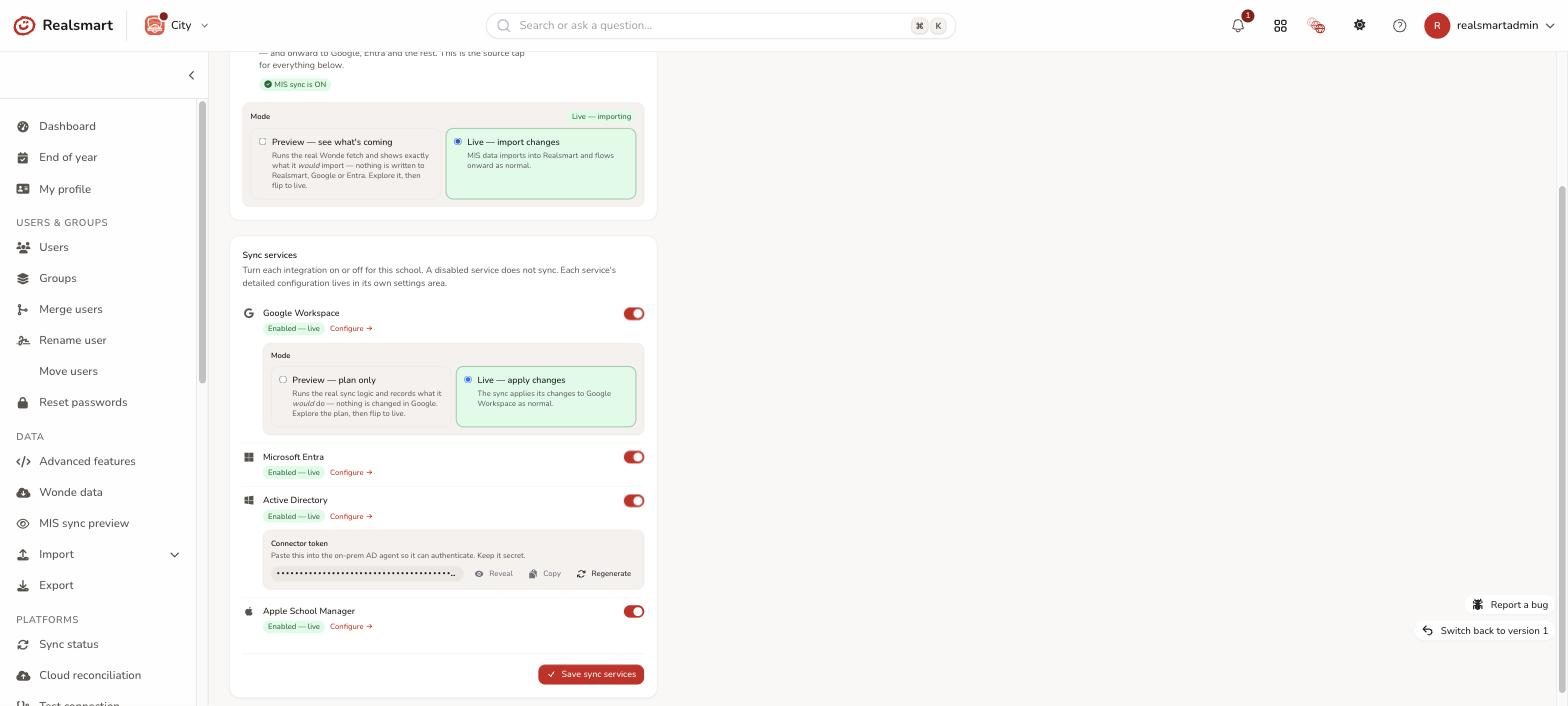
Each integration is a toggle, not a project. Turn any platform on or off per school, and flip it into preview mode whenever you like. The sync keeps planning in the background, it just stops touching your data until you switch it back to live.
Google Workspace, provisioned from your MIS
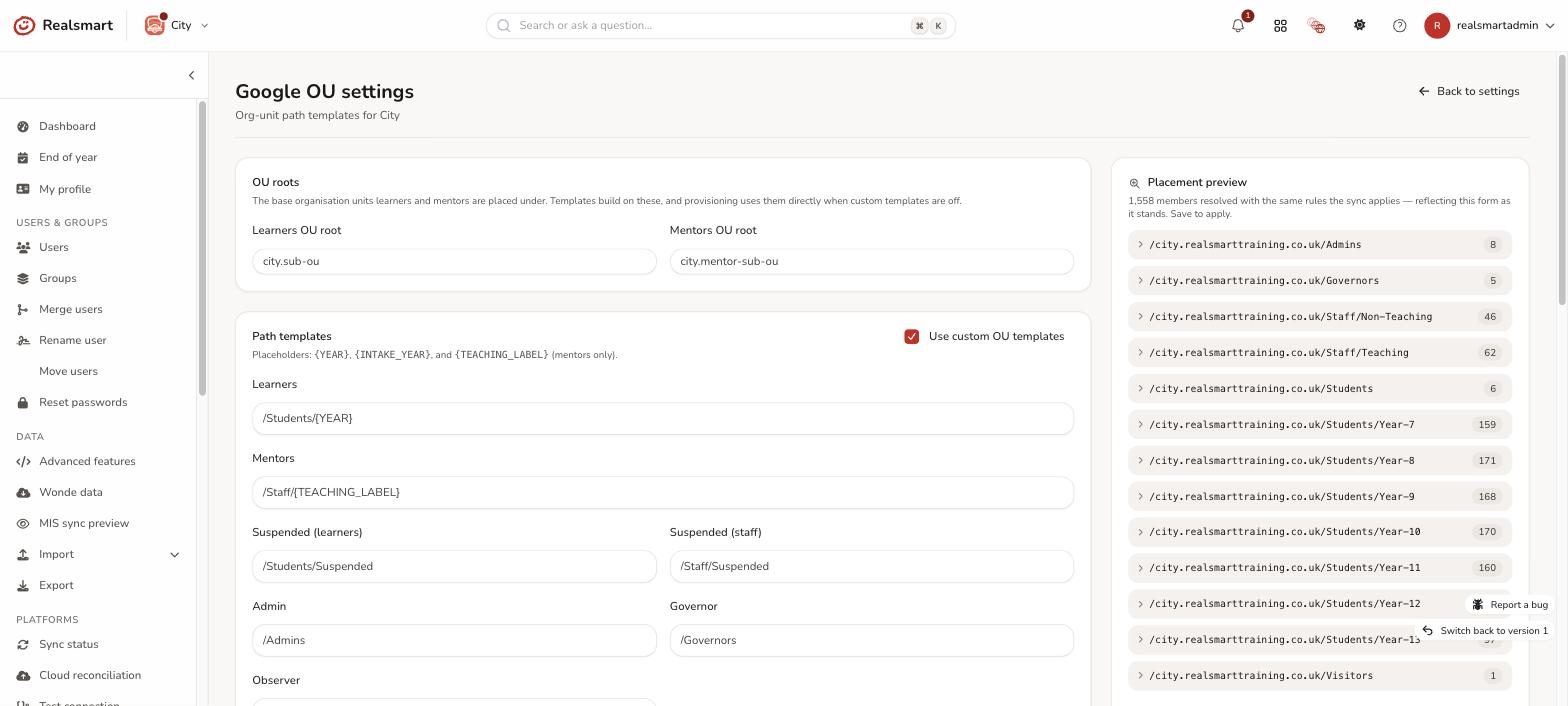
Everything your Google environment needs, provisioned straight from your MIS data. Head to our Google Sync page for the full story.
- Accounts created, updated, suspended and restored straight from your MIS data
- Organisational unit placement driven by templates, with a live preview of where every member will land
- Group sync with full Google group settings (posting, moderation, discovery) controlled per group
- Google Classroom provisioned from your timetable, with an end of term archiving policy and a fallback owner so no course is ever left without one
Microsoft 365 and Entra, kept in step
Provision Microsoft 365 for your whole school from the same MIS feed. Users, groups, Teams and licences, all visible in the same glass box. Visit our Entra Sync page for the full detail.
- User provisioning on your UPN domain, straight from the MIS
- Groups and Teams synced, plus administrative units by year and role
- Automatic Microsoft 365 licence assignment by SKU, so new starters are licensed before their first lesson
- Live permission tests that verify every granted scope in seconds
Active Directory sync, for your on prem estate
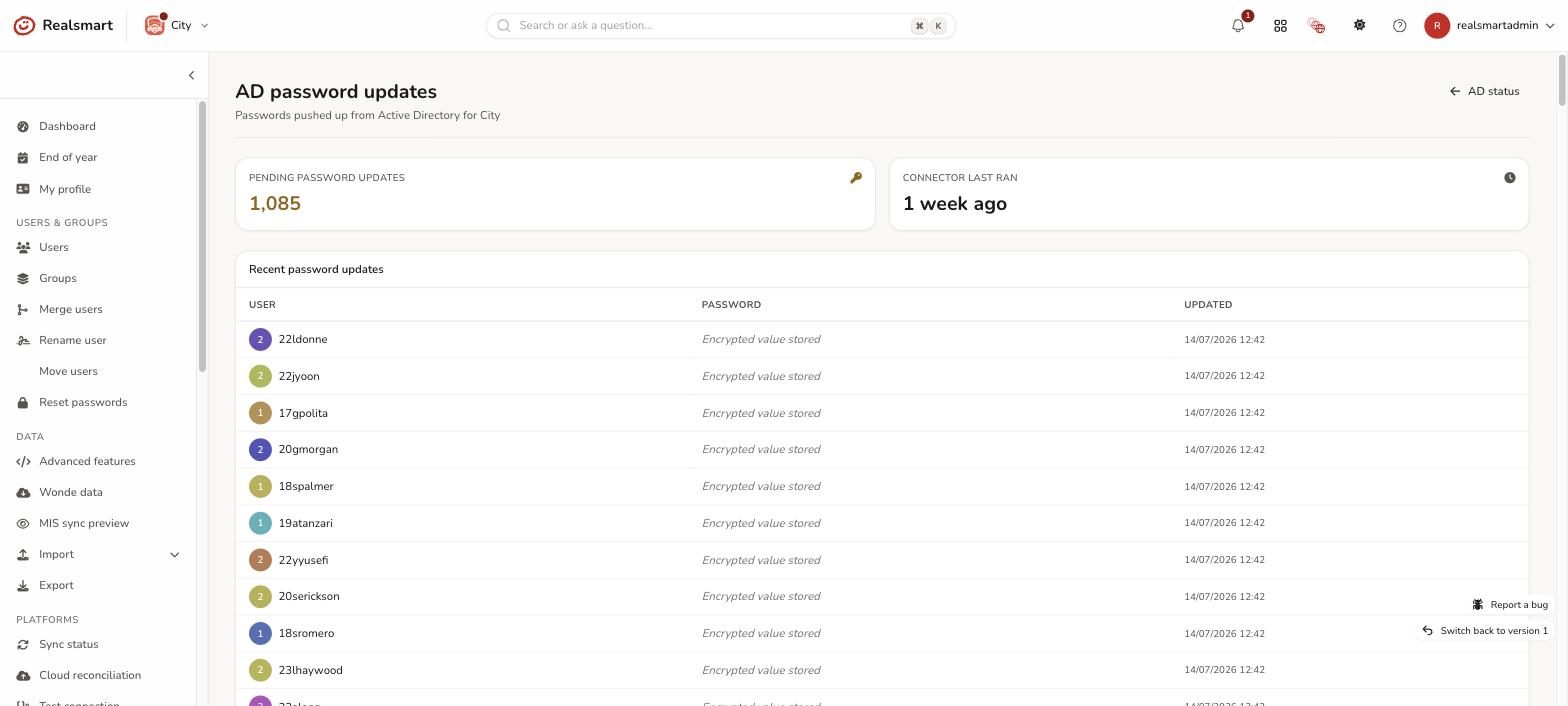
A lightweight connector runs on your Windows Server and takes its orders from the same glass box engine, so your on prem environment gets the same visibility as the cloud.
- OU mapping for staff and students, teaching and non-teaching, leavers, home folders and profile paths
- Year group and intake year mapping, plus attribute mapping onto AD fields
- Password sync down to AD, with an encrypted queue and a full per-user update log
Apple School Manager, without the spreadsheets
Managed Apple IDs without the spreadsheet wrangling.
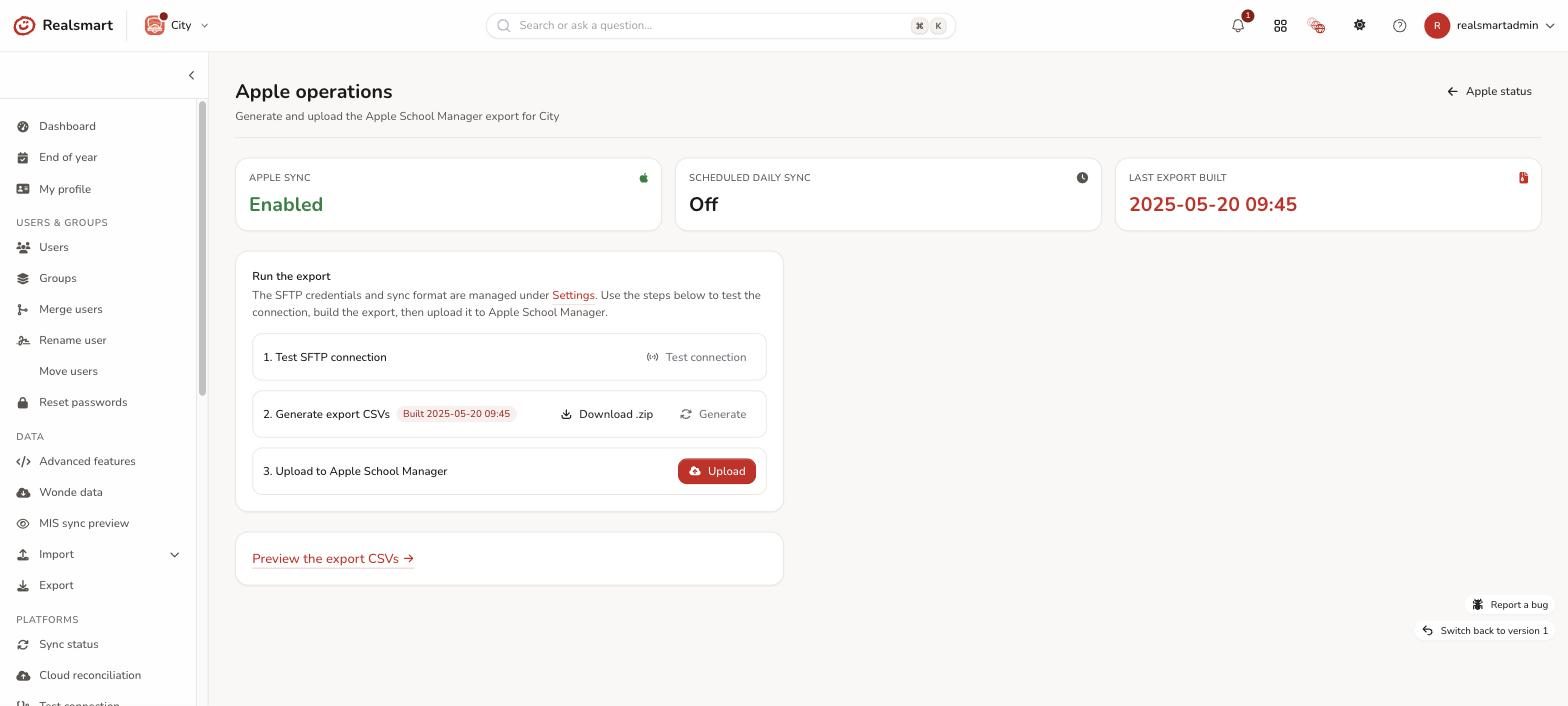
- The full OneRoster CSV bundle, built automatically from your MIS data
- Uploaded to Apple over SFTP on demand or on a daily schedule
- Test the connection, build the export, preview every file and upload: four separate, visible steps
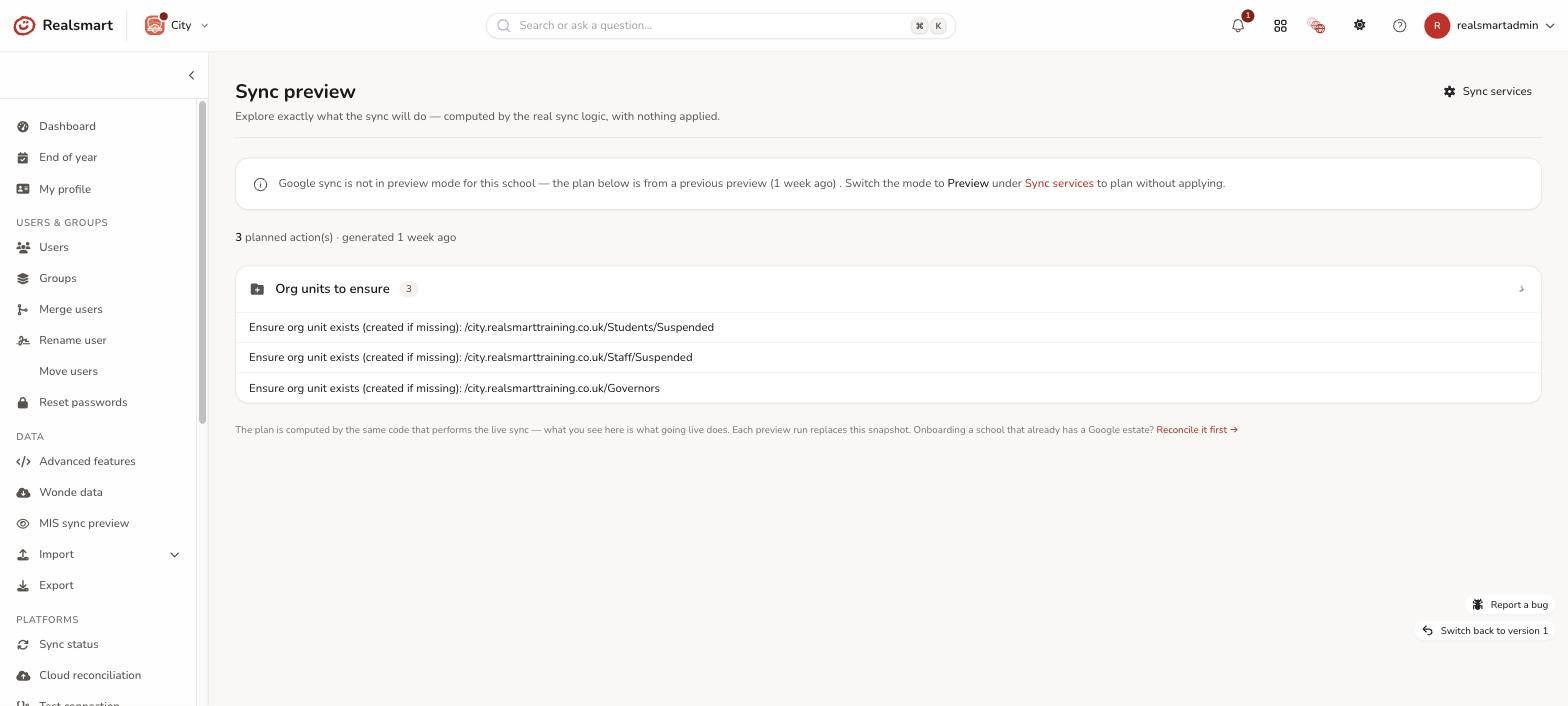
See the plan before you press go
This is the heart of glass. Anyone can promise a school MIS sync. We show you the plan first, computed by the very same code that runs live. One click also tests the live connection and every permission for Google and Entra: read only, so nothing changes any data.
Bring your existing Google estate with you
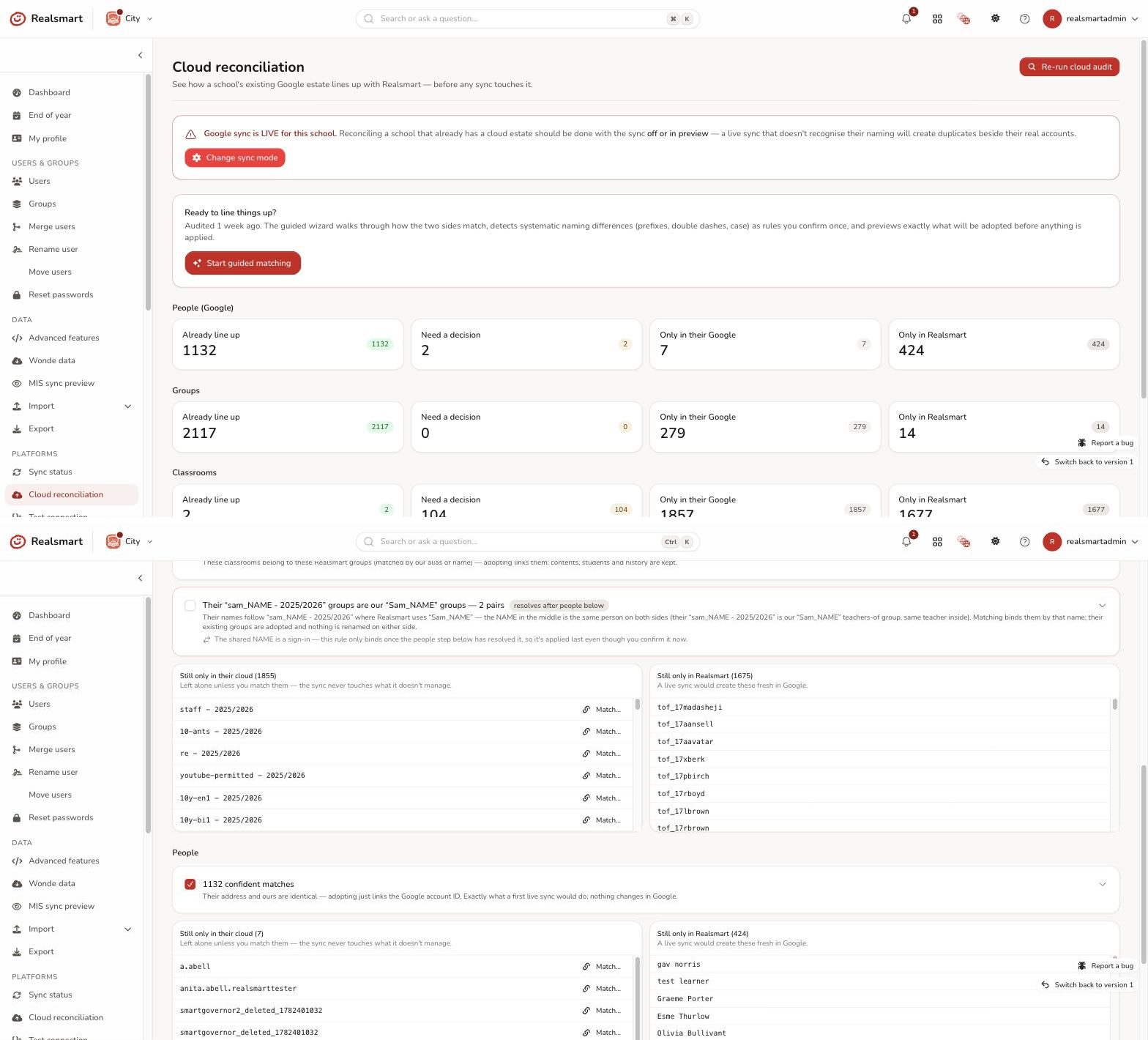
Moving to Realsmart from another sync tool, or from no tool at all? Cloud reconciliation audits the Google estate you already have and lines it up with your MIS before sync ever goes live. It sorts every account, group and classroom into four piles (already lined up, needs a decision, only in Google, only in Realsmart), spots naming differences, and proposes matching rules you confirm once, rather than matching hundreds of items by hand.
See exactly what’s happening. Fix things yourself. No ticket required.
Every sync runs on a schedule, and you can trigger one on demand whenever you need to. Nothing happens to your data without you being able to see it, understand it, and put it right.
An honest status dashboard
Every issue grouped by cause, with fix, retry or ignore controls per row, plus platform health at a glance.
Read only checks on every record
Interrogate what Google and Entra report for any user, straight from their record. No separate admin console needed.
A full audit trail
Every change logged: who did what, when, and from where, for full accountability.
Built for multi academy trusts
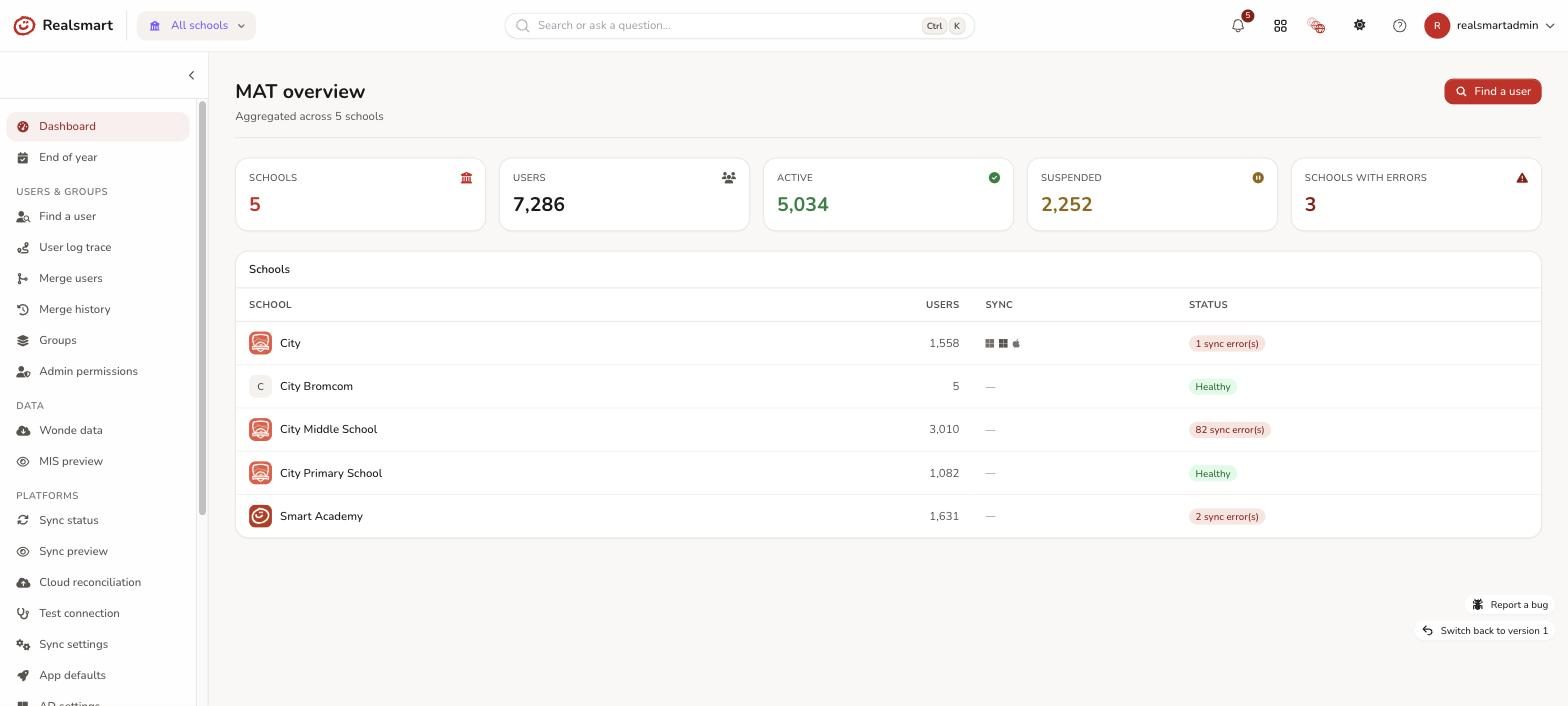
Realsmart Sync is trust native, not school software with a workaround bolted on.
- A trust wide overview: every school, every platform, user counts and sync health at a glance
- Find one person across every school in the trust, with per-school status and one click log tracing
- A guided merge wizard for duplicate people across schools, with a preview and full undo history
- Shared Google domain trust authority, so schools stop undoing each other’s work
End of year, without the fear
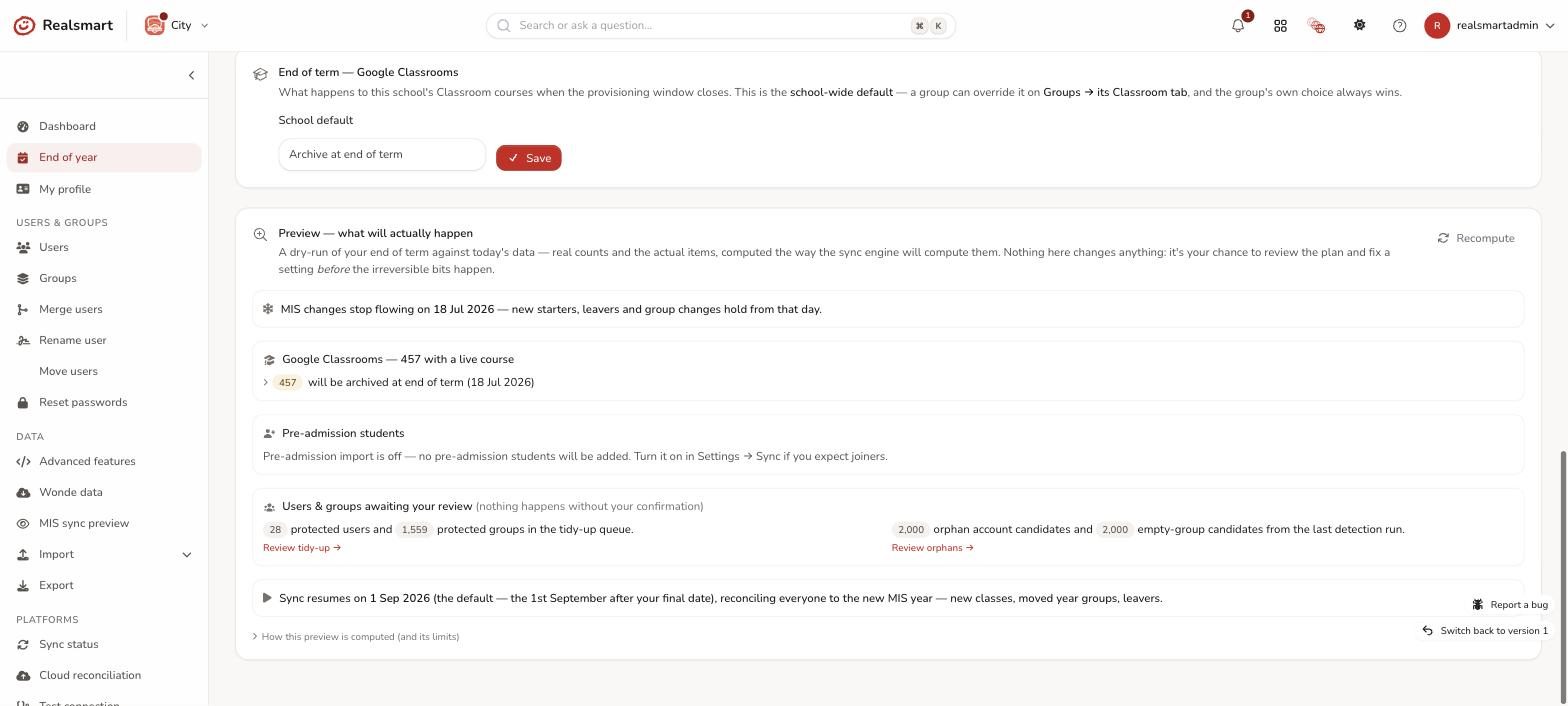
Summer is where school sync tools tend to break schools. Ours freezes instead. After your final provision date the window closes, summer MIS churn is held, and everything resumes automatically for the new year, reconciling new classes, moved year groups and leavers in one pass. You can run the whole end of term as a dry run first, just for peace of mind.
Everyday admin, minus the drudgery
The features that save you the ten small headaches a week, not just the big migration.
Bulk actions
Status, passwords, 2FA, QR login cards, roles and group membership, across any selection of users.
Safer imports
User, password and cohort imports with row by row validation, so nothing queues until every row is clean.
One click exports
Users, logins, groups, emails, AD and Apple bundles, plus a daily snapshot of what your MIS sent.
A read only Wonde browser
See your source MIS data directly, so you can tell in seconds whether an issue started upstream or in the sync.
A scoped API
Read only, with per token permissions, for your own integrations.
Password & 2FA rules
Set independently for staff and students, per school.
Every platform included. No add-ons, no enterprise tier.
Google, Microsoft, Active Directory and Apple are all in one product. MAT tooling, the preview engine, the audit trail and end of year automation are all included too. Most schools recover the cost in saved admin time within the first term, and keep the peace of mind for good.
Frequently asked questions
Which MIS does Realsmart Sync work with?
Realsmart Sync connects to your MIS through Wonde, so it works with SIMS, Arbor, Bromcom and every other management information system Wonde supports. If Wonde can read it, we can sync it.
Can we sync to Google Workspace and Microsoft 365 at the same time?
Yes. Each platform is an independent, per-school toggle. Plenty of our schools run Google Workspace, Microsoft Entra, Active Directory and Apple School Manager side by side from the same MIS feed, and each one can be in live or preview mode independently.
Do we need to install anything?
For Google Workspace, Microsoft 365 and Apple School Manager, nothing at all: they’re cloud to cloud. For on prem Active Directory there’s a lightweight connector that runs on your Windows Server and authenticates with a school specific token.
Is it safe to try alongside our current setup?
Yes, that’s exactly what preview mode is for. We connect your MIS, the sync composes a full plan for your school, and nothing is applied until you switch the platform to live. If you already have a Google environment, cloud reconciliation lines it up with your MIS first, so the sync adopts your existing accounts instead of duplicating them.
What happens at the end of the school year?
The provisioning window freezes over summer on a final provision date you set yourself. Google Classrooms are archived according to your policy, and sync resumes automatically for the new year, with a full dry run preview available before any of it happens.
Does it support multi academy trusts?
Fully. A trust wide overview, cross school user search and log tracing, duplicate merging with undo, per admin school access and trust wide app defaults are all built in: one subscription, every school.
See Google Sync and Entra Sync in full.
This page is the whole picture. For the complete feature by feature detail on a single platform, head to our dedicated Google Sync or Entra Sync pages.