
The Smart Parents app is how many of our schools reach families: notices, the calendar, attendance, behaviour and achievement, all in one place. The next update is the biggest yet. Here is what is coming.
School news in each parent’s language
For many families, English is not the language they read most easily at home. The app will now show school content in the language a parent’s phone is set to, with the original English always alongside. That includes notice titles and messages, events, calendar entries, behaviour and achievement, and timetable subjects. Notices are translated when a parent opens them, and staff write exactly as they do today.
School Story: a window into the school day
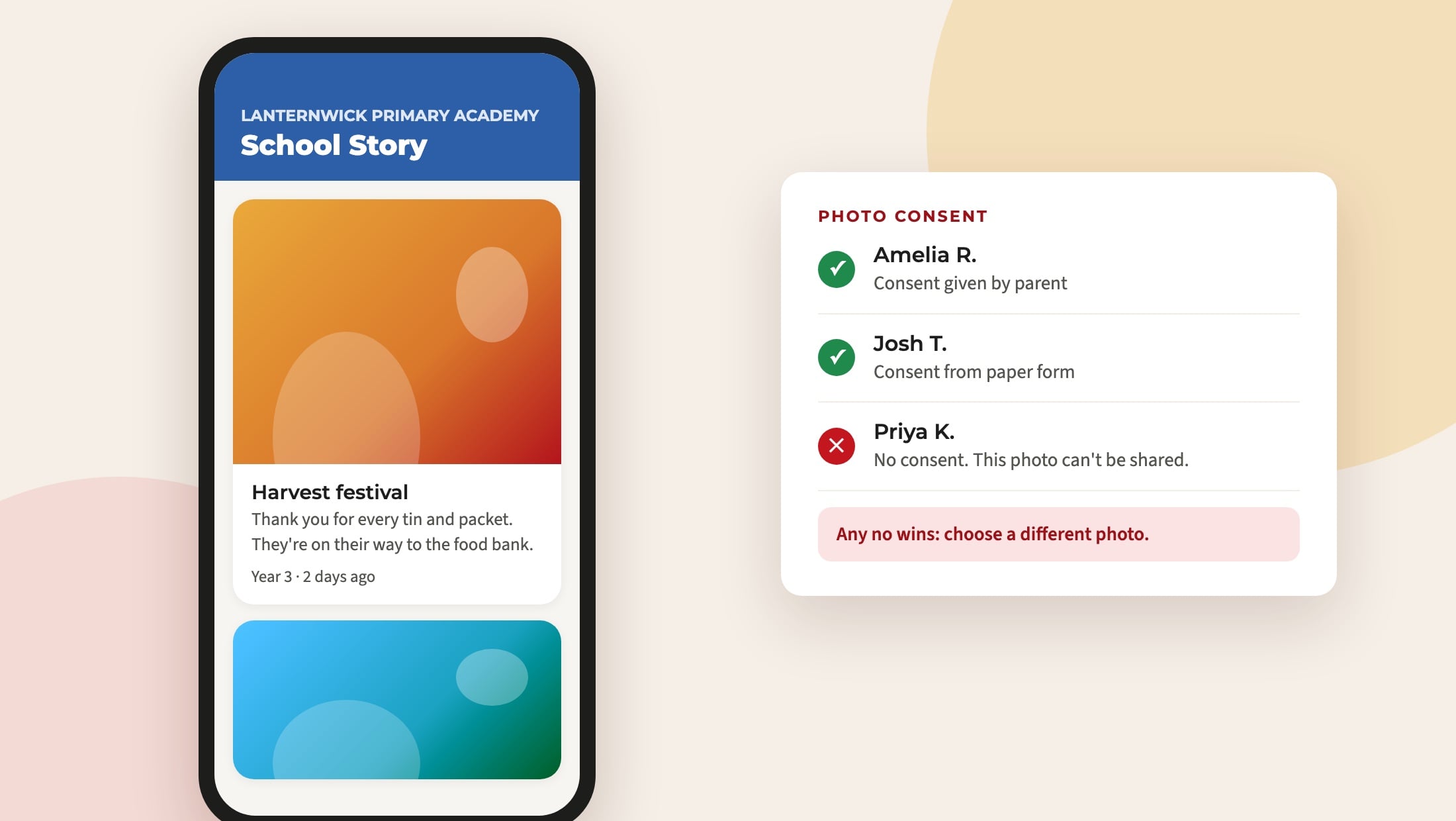
School Story is a feed of photos and moments from school life, posted by staff from the app and shared with the school’s families.
Photo consent is built in from the start:
- Every photo is tagged with the pupils in it, or marked as showing nobody who could be recognised.
- Consent starts at no. Schools record it from their paper forms, one pupil or a whole class at a time, and parents can answer for their own child in the app.
- Any no wins. A photo is only shown when every pupil in it has consent.
- Parents see this school year’s posts. Older posts are archived, and staff can still see them.
Conversations on notices
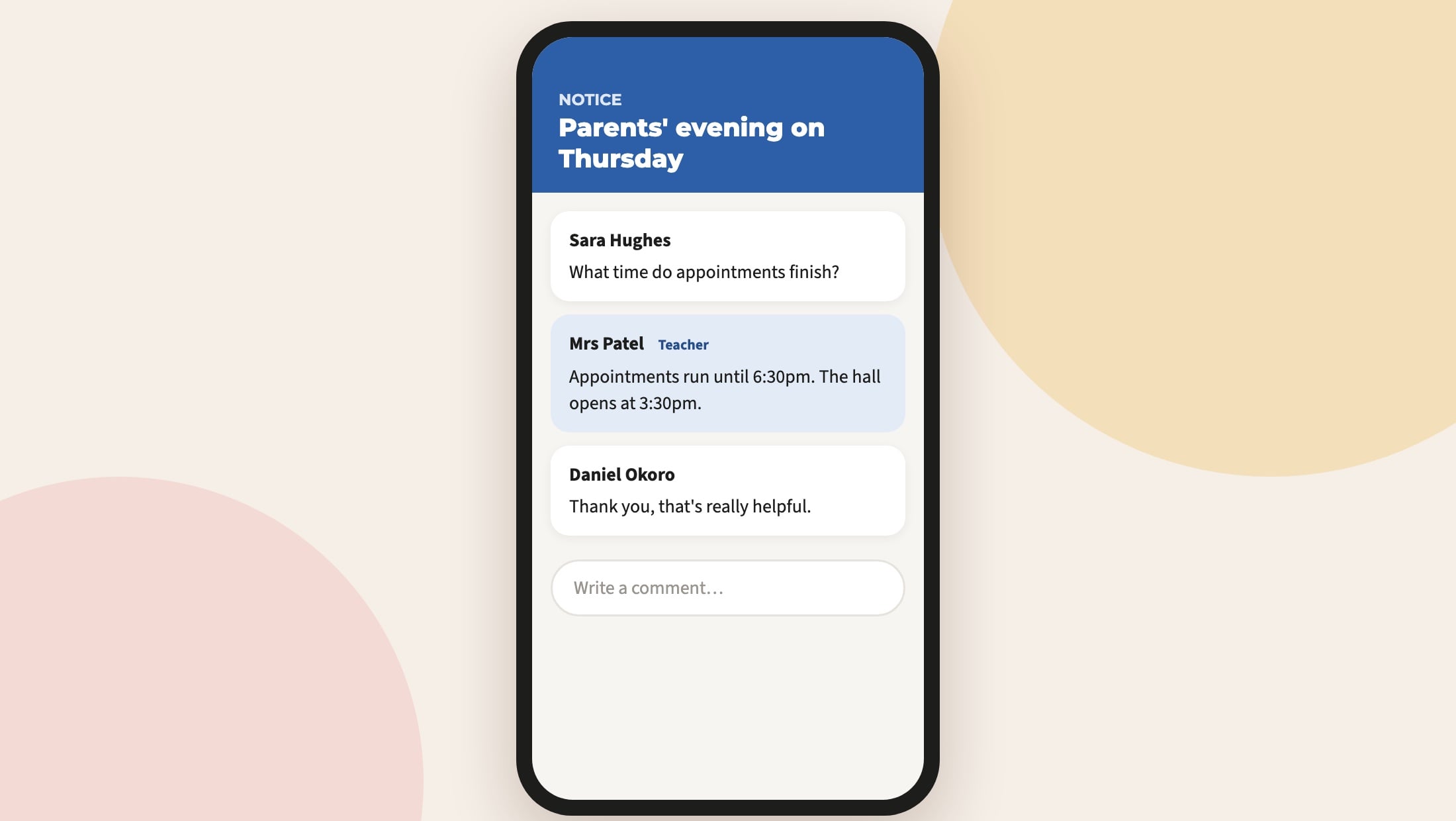
When staff send a notice, they can choose to allow comments. A parent can ask “what time does it start?”, and a teacher’s answer is seen by everyone the notice reached, which saves a dozen emails asking the same thing. Comments are off unless the sender ticks Allow comments, and staff can hide any comment. Parents can report a comment or hide comments from another parent, and we are told about every report.
Your school’s colours
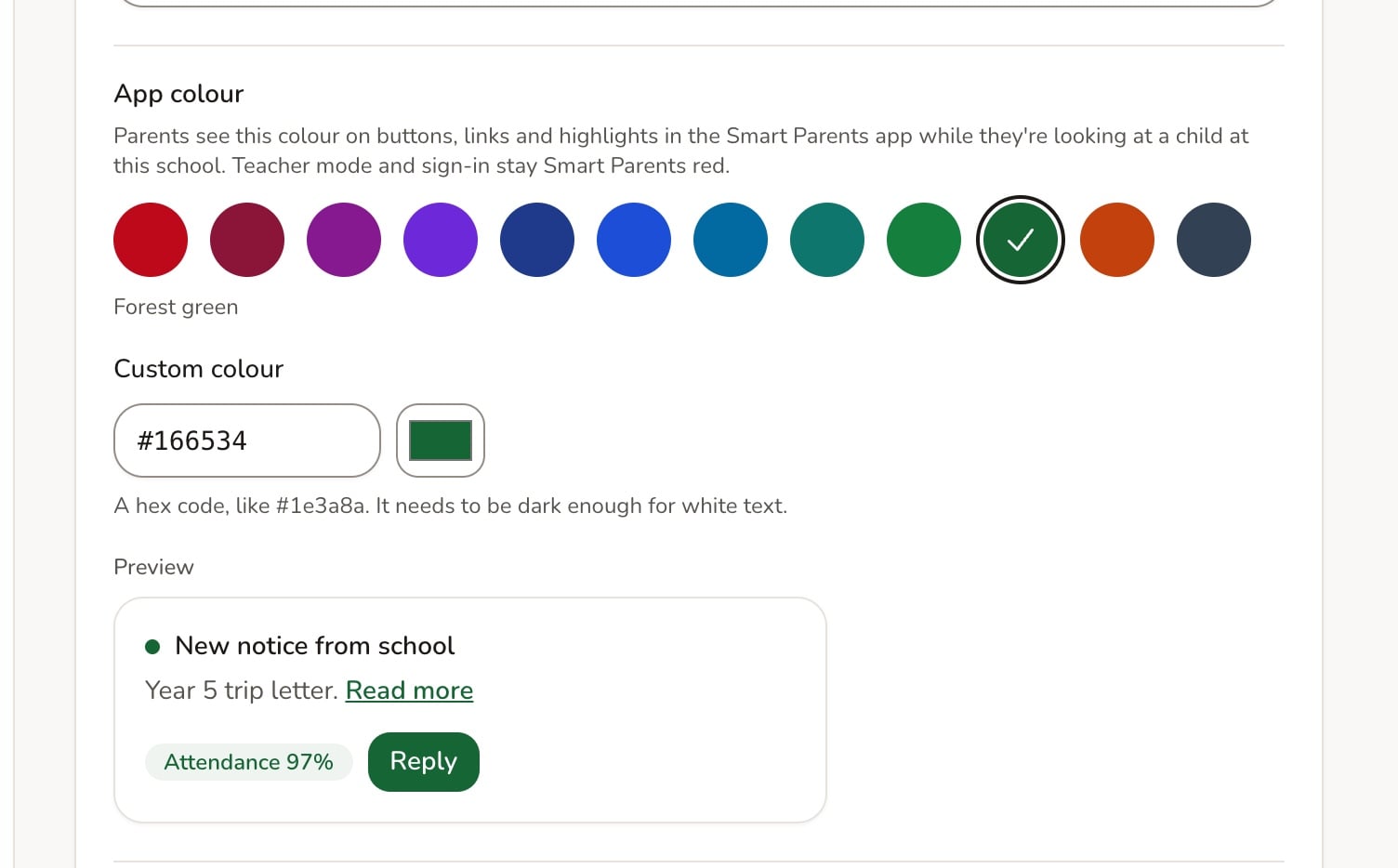
Schools can choose the app’s accent colour in ADAdmin, so the app feels like yours. We check every colour so text stays easy to read.
For staff
- A new notice composer in ADAdmin, with a cover picture, up to five attachments, a preview of how it will look on a phone, and a live count of how many parents it will reach.
- Teacher mode across a trust. Trust staff can send notices to any of their schools from the app.
- Safer parent sign-in. Parents who forget their password get a six-digit code by email, rather than a link.
And something for the children
Kids mode gives each child a monster of their own to look after. They earn coins from the praise their teachers give in school, then spend them in the monster shop and on mini games.
When
We will let schools know as soon as the update is in the App Store and Google Play. If your school would like Smart Parents, or you want to know whether any of this is switched on for you, email support@realsmart.co.uk.